441
Compass
*
When you set the power mode to ON, the compass self-calibrates, and the compass
display appears.
Compass Calibration
If the compass indicates the wrong direction, or the CAL indicator blinks, you need
to manually calibrate the system.
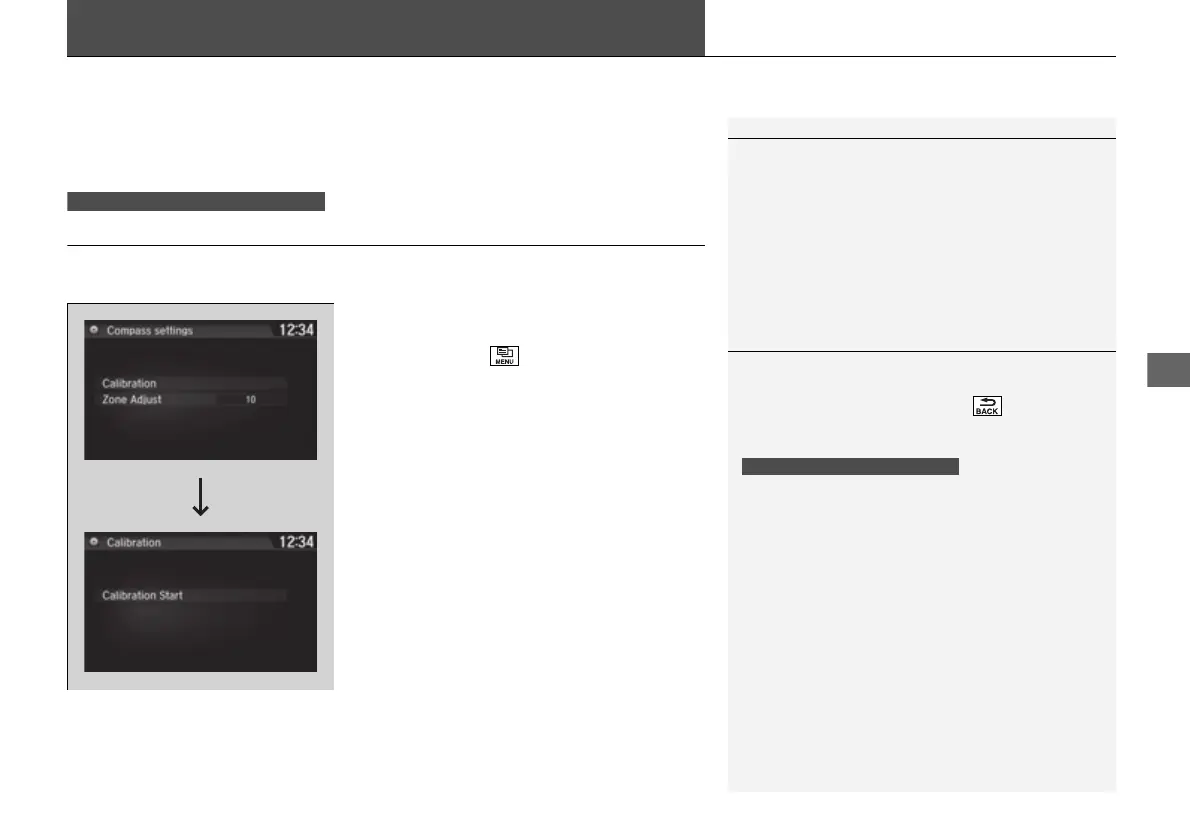
1. Set the power mode to ON.
2. On the top screen of any audio source,
press and hold for five seconds.
u The display switches to the Compass
settings screen.
3. Select Calibration.
4. Select Calibration Start.
5. Drive the vehicle slowly in two circles.
u The compass starts to show a direction
after the calibration. The CAL indicator
goes off.
1Compass
*
Compass operation can be affected under the
following conditions:
• Driving near power lines or stations
• Crossing a bridge
• Passing a large vehicle, or driving near a large
object that can cause a magnetic disturbance
• When accessories such as antennas and roof racks
are mounted by magnets
Models without navigation system
1Compass Calibration
Calibrate the compass in an open area.
While setting the compass, select to cancel the
setting mode and return to the previous screen.
Models with navigation self-calibrate using GPS. The
compass in the MID and the direction arrow on the
map screen (when Track Up view selected) may not
be in sync when first starting the vehicle, but should
correct themselves as you drive.
If the compass in the MID continues to indicate an
incorrect direction, please see your Honda dealer.
Models with navigation system
* Not available on all models
16 PILOT-31TG76000.book 441 ページ 2016年10月19日 水曜日 午後5時4分















 To Next Page