442
uuCompass
*
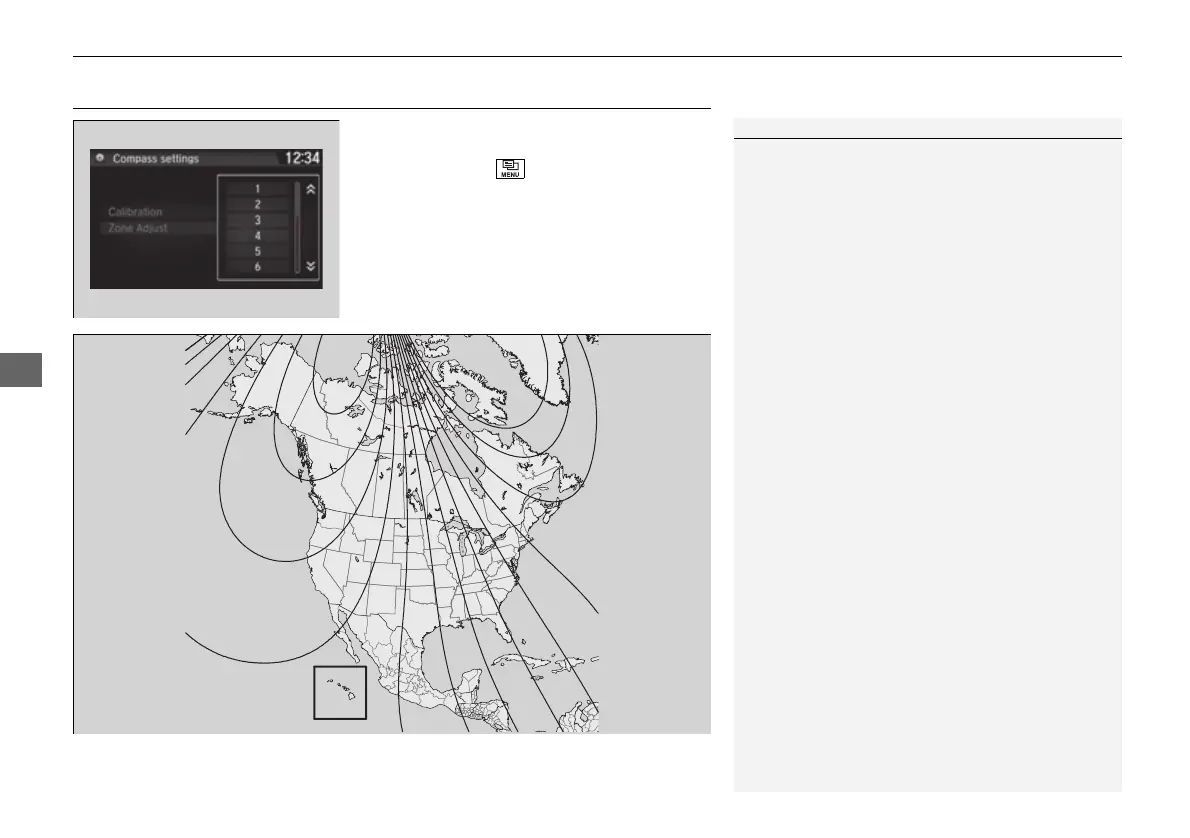
uCompass Zone Selection
Compass Zone Selection
1. Set the power mode to ON.
2. On the top screen of any audio source,
press and hold for five seconds.
u The display switches to the Compass
settings screen.
3. Select Zone Adjust.
u The display shows the current zone
number the system is set to.
4. Select the zone number of your area (See
Zone Map).
1Compass Zone Selection
The zone selection is done to compensate the
variation between magnetic north and true north.
If the calibration starts while the audio system is in
use, the display returns to normal after the calibration
is completed.
2
3
4
5
6
7
8
9
10
11
12
13
14
15
Zone Map
Guam Island: Zone 8
Puerto Rico: Zone 11
16 PILOT-31TG76000.book 442 ページ 2016年10月19日 水曜日 午後5時4分















 To Next Page