242
Audio System Basic Operation
To use the audio system function, the power mode must be in ACCESSORY or ON.
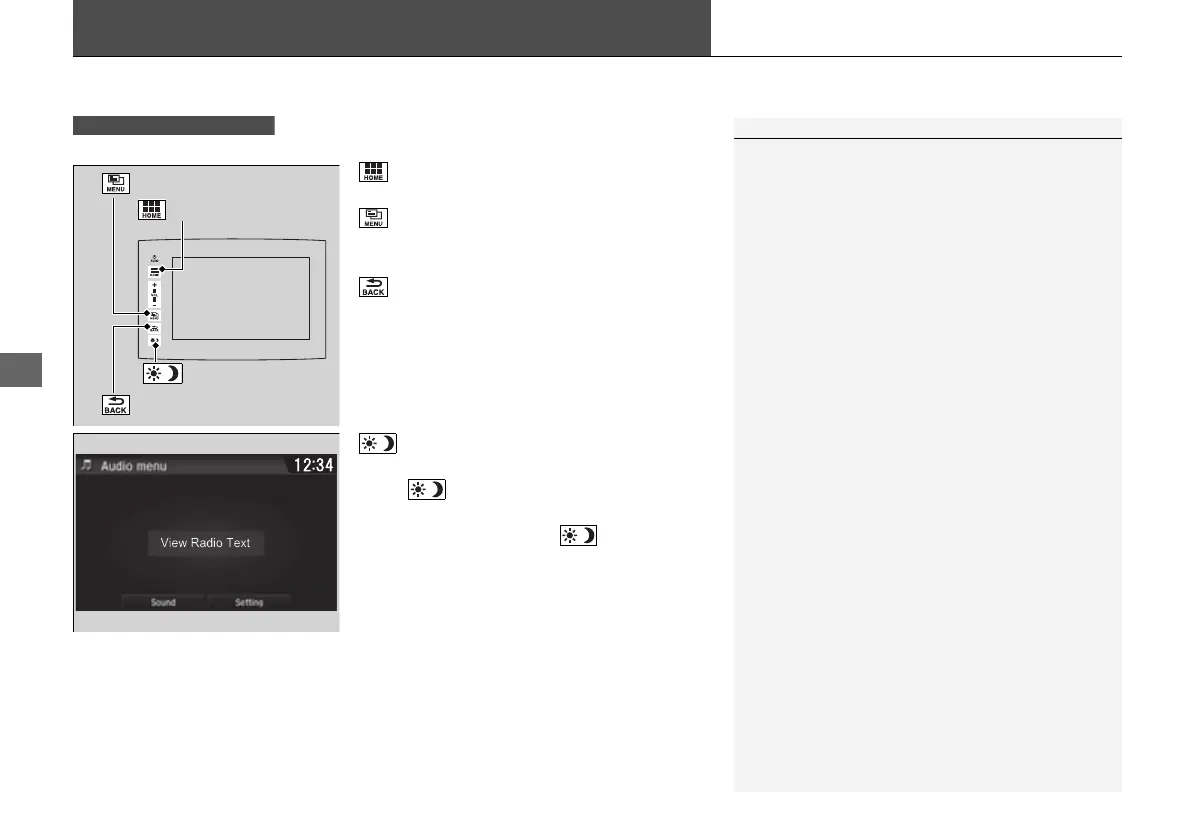
: Select to go to the home screen.
2 Switching the Display P. 243
: Select to display any mode.
The available mode includes Sound, View
Radio Text, Music Search, and play modes.
: Select to go back to the previous display
when it is displayed.
: Select to change the audio/information
screen brightness.
Select once and select
(- or (+ to make
an adjustment.
u Each time you select , the mode
switches among the daytime mode,
nighttime mode and off mode.
Models with Display Audio
1Audio System Basic Operation
Audio Menu Items
2 Station List P. 268, 270
2 Music Search List P. 281, 284, 294
2 Scan P. 269, 271, 279, 282, 295
2 Play Mode P. 282, 285, 295
Icon
(Home) Icon
(Menu) Icon
(Back) Icon
16 PILOT-31TG76000.book 242 ページ 2016年10月19日 水曜日 午後5時4分















 To Next Page