uuAudio System Basic OperationuPlaying a CD
*
282
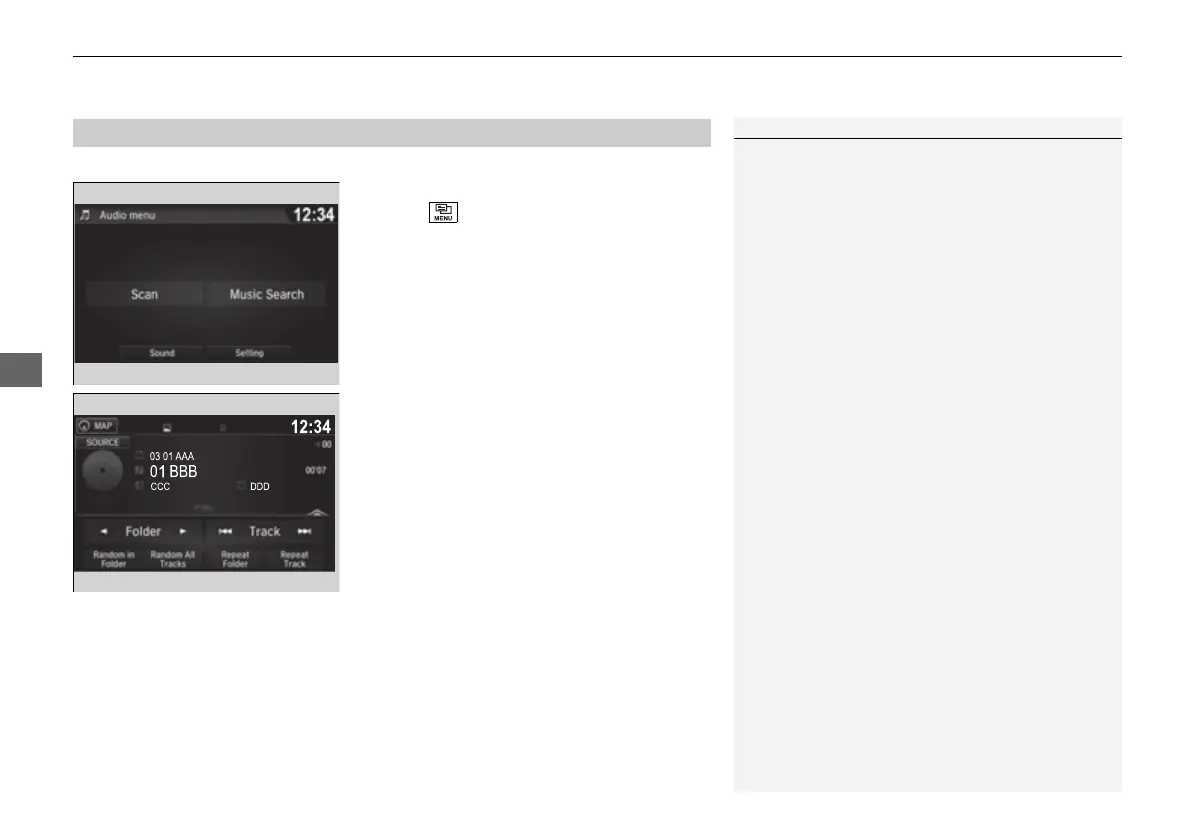
You can select scan, repeat, and random modes when playing a track or file.
■ Scan
1. Select .
2. Select Scan.
3. Select a play mode.
■ Random/Repeat
Select a play mode.
■ To turn off a play mode
Select the mode you want to turn off.
■
How to Select a Play Mode
1How to Select a Play Mode
Play Mode Menu Items
Scan
Scan Folders (MP3/WMA/AAC): Provides 10-second
sampling of the first file in each of the main folders.
Scan Tracks: Provides 10-second sampling of all
tracks on the CD (all files in the current folder in MP3,
WMA, or AAC).
Random/Repeat
Repeat Folder (MP3/WMA/AAC): Repeats all files in
the current folder.
Repeat/Repeat Track: Repeats the current track/
file.
Random in Folder (MP3/WMA/AAC): Plays all files
in the current folder in random order.
Random/Random All Tracks: Plays all tracks/files in
random order.
16 PILOT-31TG76000.book 282 ページ 2016年10月19日 水曜日 午後5時4分















 To Next Page