283
uuAudio System Basic OperationuPlaying an iPod
Continued
Playing an iPod
Connect the iPod using your dock connector to the USB port, then select the iPod
mode.
2 USB Port(s) P. 219
*1:Some or all of the lists may not be displayed.
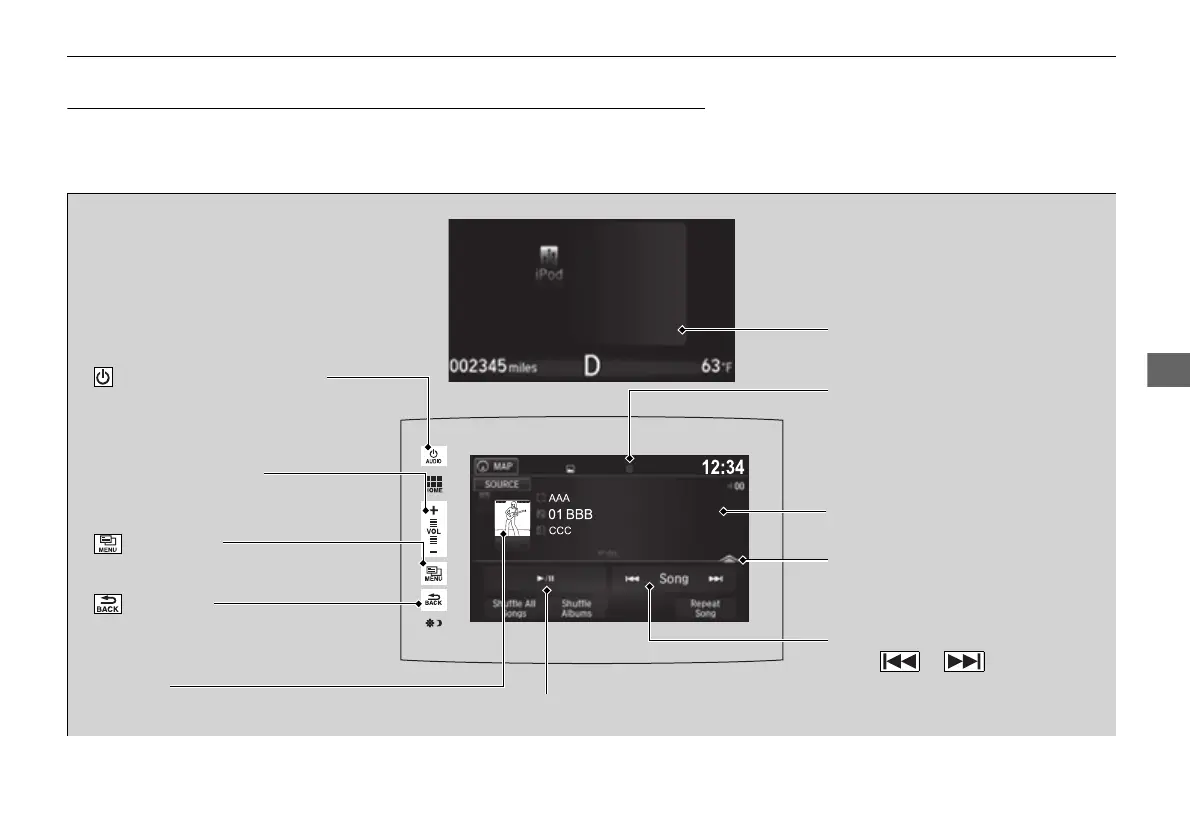
VOL (Volume) Icons
Select to adjust the volume.
(Back) Icon
Select to go back to the previous
display.
Song Icons
Select or to change
songs.
Select and hold to move rapidly
within a song.
/AUDIO (Power/Audio) Icon
Select to turn the audio system
on and off.
Open/Close Icon
*1
Displays/hides the detailed
information.
(Menu) Icon
Select to display the menu items.
Cover Art
Audio/Information Screen
USB Indicator
Appears when an iPod is connected.
Play/Pause Icon
Multi-Information Display
16 PILOT-31TG76000.book 283 ページ 2016年10月19日 水曜日 午後5時4分















 To Next Page