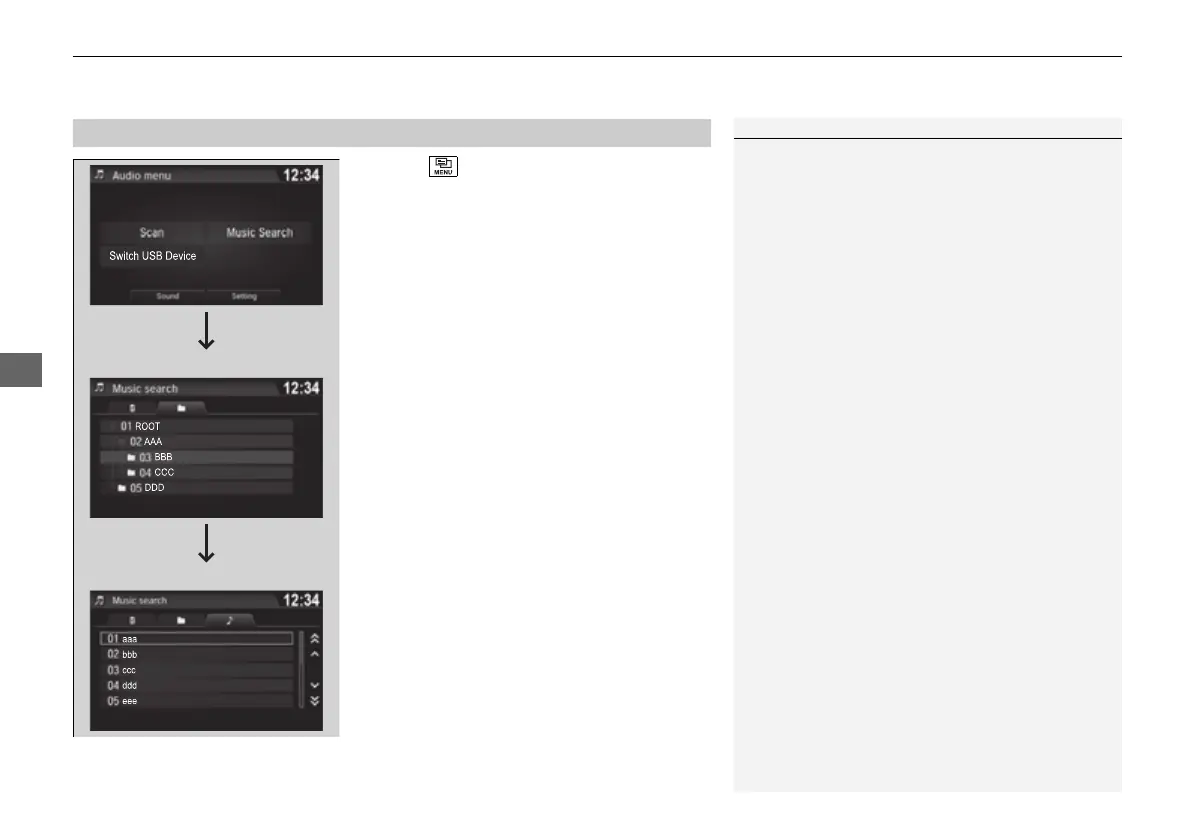
1. Select and select Music Search.
2. Select Music.
3. Select a folder.
4. Select a track.
1Playing a USB Flash Drive
Use the recommended USB flash drives.
2 General Information on the Audio System
P. 310
WMA files protected by digital rights management
(DRM) cannot be played.
The audio system displays Unplayable File, then
skips to the next file.
If there is a problem, you may see an error message
on the audio/information screen.
2 iPod/USB Flash Drive P. 307
Select Switch USB Device in the Audio menu
screen to switch to another USB device.


 To Next Page
 Loading...












