13
Controls (P119)
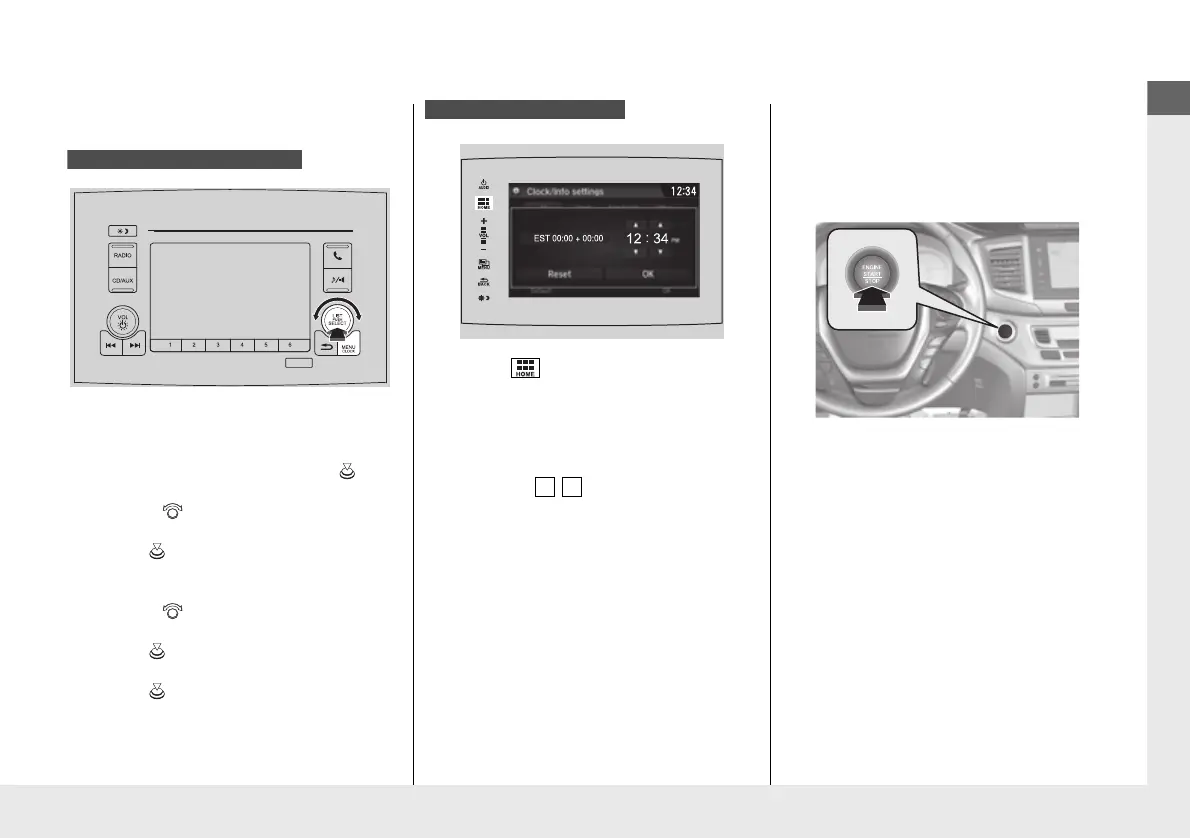
Clock
(P120)
a
Press and hold the MENU/CLOCK
button for two seconds.
b
Select Adjust Clock, then press .
c
Rotate to adjust the hours.
d
Press to switch to minute
adjustment.
e
Rotate to adjust the minutes.
f
Press to switch to Set.
g
Press to complete clock adjustment.
Models with color audio system
a
Select , then select Settings.
b
Select Clock/Info, then Clock
Adjustment.
c
Adjust the dates, hours and minutes by
selecting / .
d
Select OK to set the time.
Models with Display Audio
ENGINE START/STOP
Button
(P151)
Press the button to change the vehicle’s
power mode.
* Not available on all models
16 PILOT-31TG76000.book 13 ページ 2016年10月19日 水曜日 午後5時4分


 To Next Page
 Loading...












