264
uuAudio System Basic OperationuVoice Control Operation
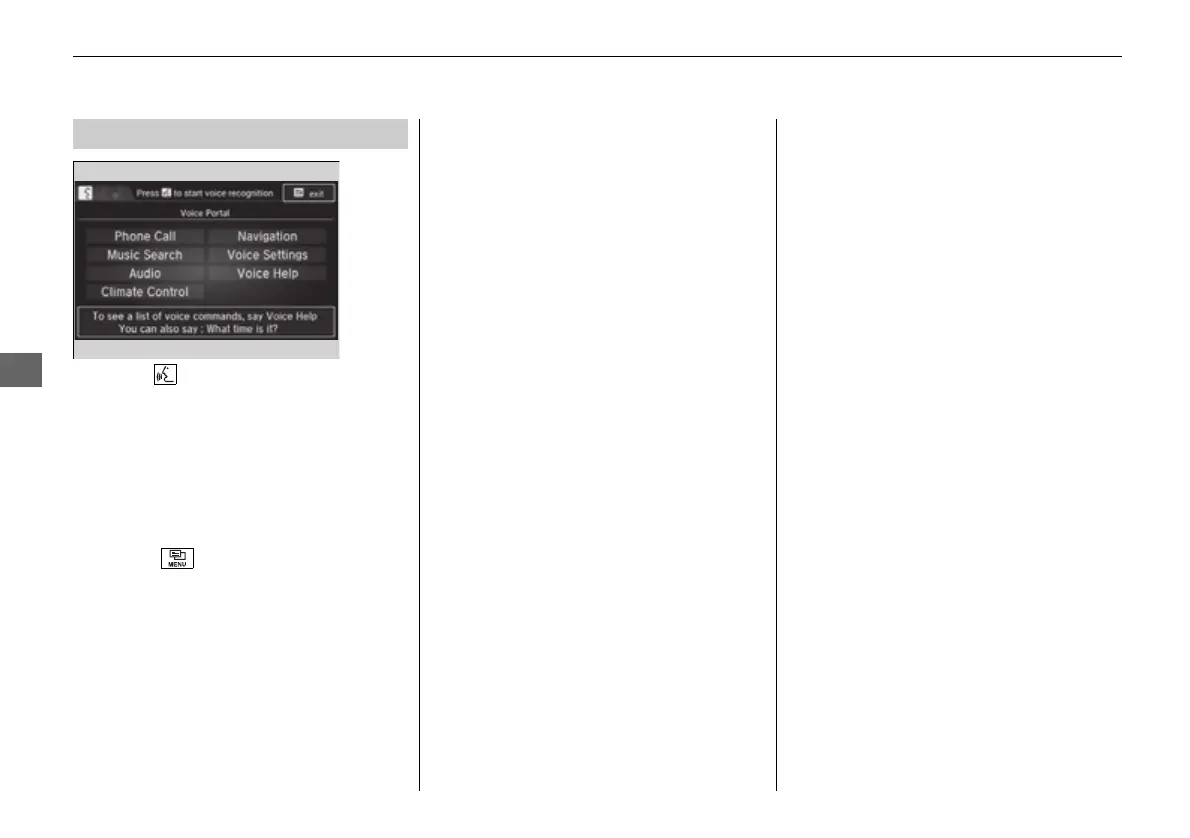
When the (Talk) button is pressed,
available voice commands appear on the
screen.
For a complete list of commands, say “Voice
Help” after the beep or select Voice Help.
You can see the list of commands in Voice
Info on the Info menu screen. Select Info,
then select .
*1: Models with navigation system
■
Voice Portal Screen
■
Phone Call
This can be only used when the phone is
connected. When the system recognizes the
Phone call command, the screen will
change the dedicated screen for the voice
recognition of the phone.
• Dial by number
• Call history
• Redial
• Call <Your Contact Name>
• Call <Phone Number>
■ Music Search
*1
This can be only used when the iPod or USB
device is connected.
■ Audio
*1
When the system recognizes the Audio
command, the screen will change the
dedicated screen for the voice recognition
of the audio.
• Audio On
• Audio Off
• Radio FM
• Radio AM
• Radio SXM
• DISC
• Pandora
*
• iPod
• USB
• Other Sources
■ Navigation
*1
The screen changes the navigation screen.
2 Refer to the Navigation System Manual
■ Voice Settings
The screen changes the Voice Recog tab
on the System settings screen.
* Not available on all models
16 PILOT-31TG76000.book 264 ページ 2016年10月19日 水曜日 午後5時4分















 To Next Page