428
uuBluetooth® HandsFreeLink®uHFL Menus
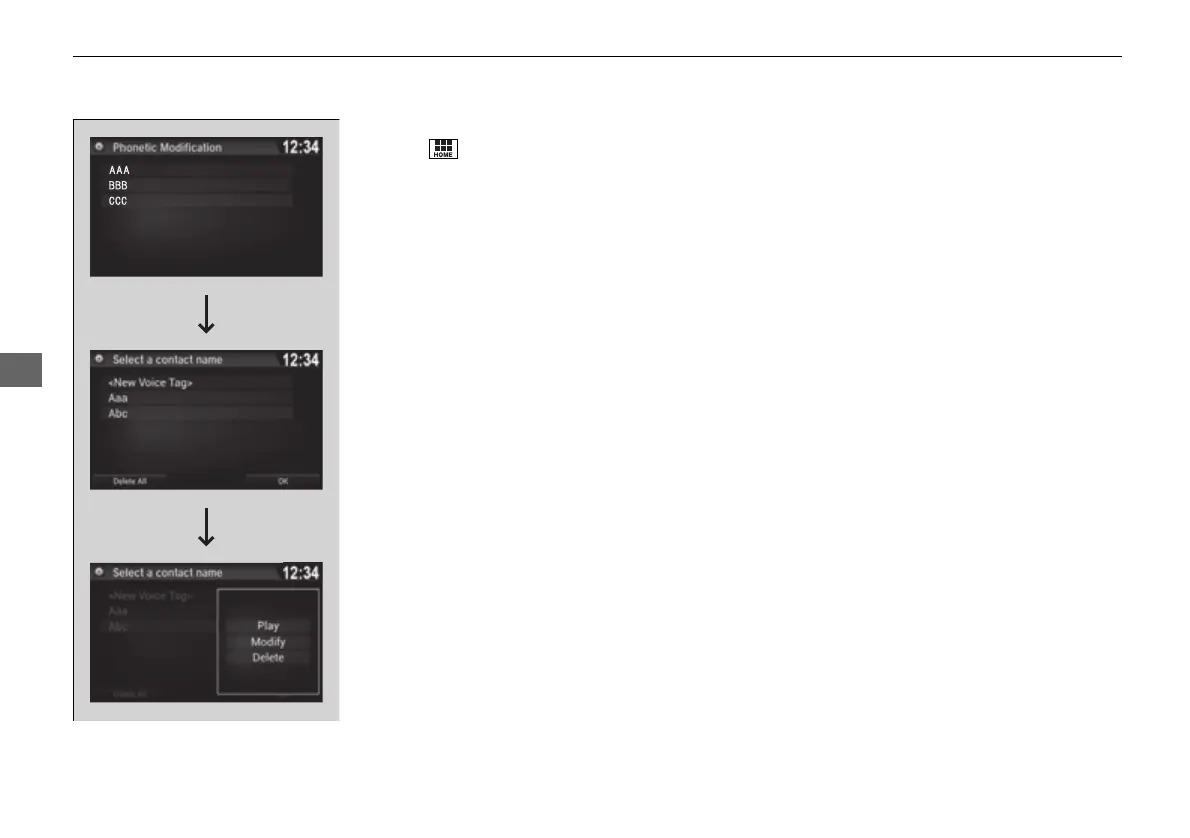
■ To delete a modified voice tag
1. Select .
2. Select Settings.
3. Select System.
4. Select the Voice Recog tab.
5. Select Phonebook Phonetic
Modification.
6. Select the phone you want to delete
phonetic modification.
7. Select a contact name you want to delete.
u The pop-up menu appears on the screen.
8. Select Delete.
u The selected contact name has been
selected.
9. Select OK.
16 PILOT-31TG76000.book 428 ページ 2016年10月19日 水曜日 午後5時4分















 To Next Page