Instruments & Controls
34
Indicators & Displays
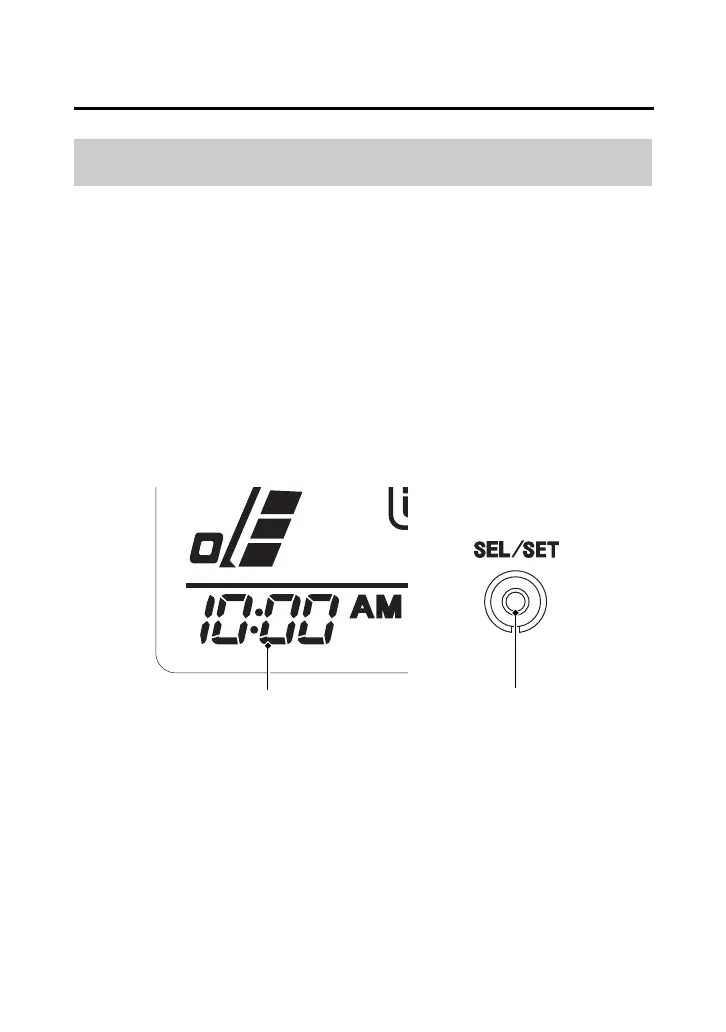
The digital clock shows the hour and minutes with the 12-hour clock
display.
To set the time:
1.
Turn the ignition switch to ON (q).
2.
Change to the hour meter display (page 28).
3.
Press and hold the SEL/SET switch. The clock will start blinking.
4.
Press and hold the SEL/SET switch until the desired time appears.
5.
To complete setting the clock, press the SEL/SET switch, or turn
the ignition switch OFF (w).
Digital Clock
SEL/SET switchdigital clock













 To Next Page