EasyManua.ls Logo

Honeywell Home RDWL313A2000 - User Manual

Honeywell Home RDWL313A2000
24 pages
Print Icon
To Next Page IconTo Next Page
Loading...
Home
RDWL313A2000
Installation and Operation Guide
Portable Wireless Doorbell
Preparation
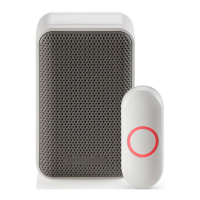
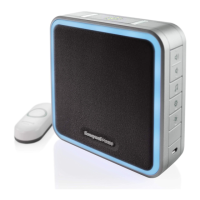
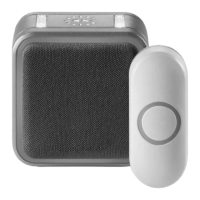
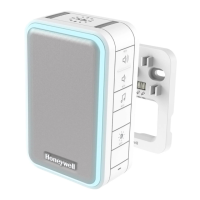
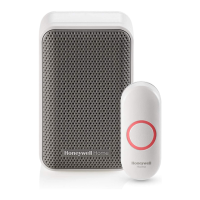
Doorbell
Push
Button
Wall
Anchors
Round Head
Screws
Flat Head
Screws
Phillips Screwdriver
Standard Screwdriver
Drill and 1/4 in. (6 mm) drill bit
4 AA alkaline batteries
Doorbell Wall
Mounting Bracket
Push Button Mounting
Bracket
and Adhesive Pad
To install you will need
In the box you will find
The push button supplied with this kit is pre-programmed to operate with the doorbell.
If it is not, see “Connect a Push Button” on page 5.
CR2032
Battery
33-00183EFS_A.indd 1 4/15/2016 3:20:20 PM

Questions and Answers

Honeywell Home RDWL313A2000 Specifications

General IconGeneral
TypeWireless Doorbell
Power SourceBattery
Volume LevelsAdjustable
Sound Level84 dB
Battery TypeCR2032
Battery LifeUp to 2 years
Wireless Frequency433.92 MHz

Summary

Preparation

In the box you will find

Lists all components included in the doorbell kit packaging.

To install you will need

Details the tools and batteries required for setting up the doorbell.

Overview and Safety

Safety Warnings

Important safety precautions to follow before and during installation and use.

Installation and Operation

Install Batteries

Instructions for installing AA and CR2032 batteries into the doorbell components.

Setup and Operation

Guides for initial setup, testing, and customizing doorbell functions.

Change the Tune

How to cycle through and select different doorbell ringtones.

Change the Light Setting

Instructions to customize the flashing light pattern when the doorbell rings.

Adjust the Volume

Guidance on increasing or decreasing the doorbell's audible volume.

Physical Installation

Installation Location

Advice on choosing an optimal placement for the doorbell unit.

Install Doorbell

Steps for mounting the doorbell unit to a wall or placing it.

Install Push Button

Instructions for securely mounting the push button using screws or adhesive.

Accessories and Features

Connect a Motion Sensor

Procedure for pairing a motion sensor with the doorbell system.

Connect a Push Button

Steps to pair additional push buttons or reconfigure existing ones.

Secret Knock Setup

How to configure a unique ring and light pattern for specific push buttons.

Maintenance

Low Battery Notification

Indicators for low battery levels in the doorbell and push button.

Reset Procedure

Instructions to restore the doorbell to its factory default settings.

Specifications and Troubleshooting

Product Specifications

Technical details including operating temperature, range, and battery types.

Troubleshooting Guide

Solutions for common issues like doorbell not working or reduced range.

Warranty and Compliance

Warranty Information

Details on the 1-year limited warranty for the doorbell product.

FCC Regulations

Compliance statements and rules regarding FCC for the device.

IC Regulations

Compliance statements and rules regarding Industry Canada for the device.

Related product manuals