EasyManua.ls Logo

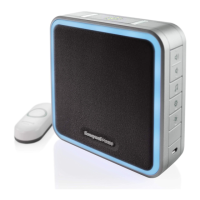
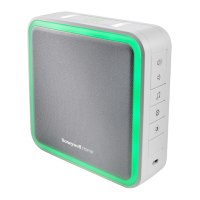
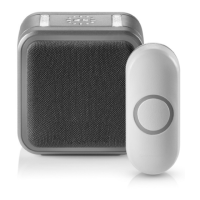
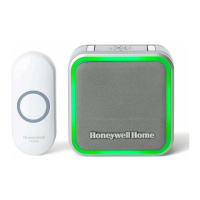
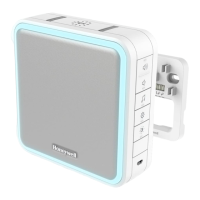
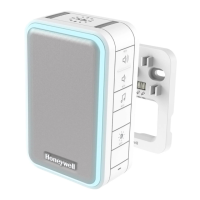
Honeywell Home RDWL917A - User Manual

Honeywell Home RDWL917A
32 pages
Print Icon
To Next Page IconTo Next Page
Loading...
Home
RDWL917AX2000
Installation and Operation Guide
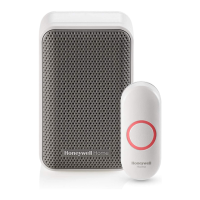
Portable Wireless Doorbell
Preparation
Doorbell
Push
Button
Wall
Anchors
Round Head
Screws
Flat Head
Screws
Phillips Screwdriver
Standard Screwdriver
Drill and 1/4 in. (6 mm) drill bit
4 C alkaline batteries
Doorbell Wall
Mounting Bracket
Push Button Mounting
Bracket
and Adhesive Pad
To install you will need
In the box you will find
The push button supplied with this kit is pre-programmed to operate with the doorbell.
If it is not, see “Connect a Push Button” on page 6.
CR2032
Battery
USB
Cable
33-00184EFS_A.indd 1 4/15/2016 3:15:02 PM

Questions and Answers

  • A
    andrewmillerAug 10, 2025
    Why is the range reduced on my Honeywell Home Accessories doorbell?
    • N
      nrodriguezAug 10, 2025
      The range of your Honeywell Home Accessories doorbell may be reduced due to metal structures (including uPVC door frames) near the doorbell or push. Avoid mounting on or near metal. Weak batteries can also reduce range, and in cold conditions (below 41ºF [5ºC]), batteries may need more frequent replacement. Moving the doorbell closer to the push can also help.
  • B
    brendahunterAug 17, 2025
    What to do if my Honeywell Home RDWL917A Accessories doorbell does not work?
    • A
      Austin DiazAug 17, 2025
      If your Honeywell Home Accessories doorbell isn't working, first ensure that the mute function is off by pressing the Mute button until all Mute lights are off. Next, verify that the correct batteries (4 C alkaline cells, 1 CR2032) are properly installed with the correct polarity. The doorbell might also be out of range, so test it in a different location. If these steps don't resolve the issue, reconnect the doorbell.
  • K
    Keith HoweAug 26, 2025
    Why does the halo light flash yellow on my Honeywell Home Accessories doorbell?
    • T
      Troy TaylorAug 26, 2025
      If the halo light on your Honeywell Home Accessories doorbell flashes yellow, it indicates that the doorbell batteries need to be replaced with 4 new C alkaline batteries.
  • E
    Elizabeth JacksonSep 1, 2025
    What to do if I hear two beeps after the tune on my Honeywell Home RDWL917A doorbell?
    • A
      Adrienne SmithSep 1, 2025
      If you hear two beeps after the normal tune on your Honeywell Home Accessories doorbell, replace the doorbell push battery with a new CR2032.

Honeywell Home RDWL917A Specifications

General IconGeneral
TypeWireless Doorbell
Power SourceBattery
Volume LevelsAdjustable
Sound LevelUp to 90 dB
Number of Tunes8
Battery LifeUp to 3 years
Operating Temperature0 to +50°C
Operating Humidity85%

Related product manuals