
 Need help?
Do you have a question about the Honeywell 6280 Series and is the answer not in the manual?
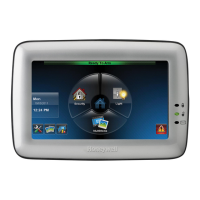
Overview of the Honeywell 6280 Series TouchCenter keypads for security and home automation.
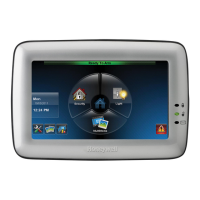
Describes the graphical touch-screen keypads as an Advanced User Interface for system control.
Explains how to navigate the TouchCenter interface starting from the Home screen.
Details the functions and customization of the TouchCenter's Home screen.
Explains the Picture feature for displaying personal photos via SD/SDHC card.
Lists icons and functions related to system trouble indications.
Discusses assigning user codes for access to features and functions.
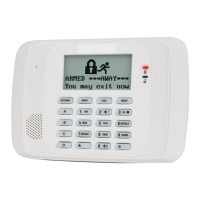
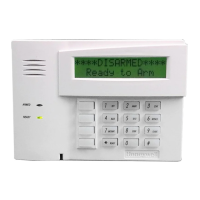
Mentions advanced functions accessible via alpha keypad or console emulation.
Describes the function of the three LEDs on the TouchCenter keypad.
Explains the Safe Mode as a backup for communication failures.
Introduces the three arming modes: Away, Stay, and Night.
Step-by-step guide on how to arm the security system in various modes.
Instructions for arming multiple partitions of the security system.
Guide on how to display and identify system faults or troubles.
Explains how to bypass specific zones when arming the system.
Instructions on how to remove bypassed zones.
Details the procedures for disarming the security system.
Specific steps for disarming multiple partitions.
Guide to checking the status of partitions other than the current one.
Information on how the system operates during fire and carbon monoxide emergencies.
Actions to take when a fire alarm occurs.
Steps to silence and clear fire or carbon monoxide alarms.
Instructions on how to clear or hide control panel messages.
A navigation option to access additional features or choices.
How to adjust brightness and volume settings on the TouchCenter.
Accessing settings for operating modes, language, and screen timeouts.
Configuration of Chime Mode, Voice Mode, and Voice Chime.
How to change the display language of the keypad.
Setting screen timeouts for backlight, homepage return, and slideshow.
Instructions for safely cleaning the touch screen.
General advice for maintaining the security system components.
How to view the system's software version.
Guide to displaying personal photos as a slideshow or wallpaper.
How to record and retrieve voice messages on the system.
Overview of adding, deleting, and editing user profiles.
Defines user authority levels and their system capabilities.
Steps to access the User Setup menu.
Detailed steps for adding a new user to the system.
Instructions for removing a user from the system.
Guide on how to modify existing user settings.
Initiates diagnostic tests to verify correct operation of the keypad.
Performs a test on the keypad's LCD display for proper functionality.
Tests the keypad's speaker by playing audible tones.
Tests the function of the three LEDs on the keypad by lighting them sequentially.
Calibrates the touch screen responsiveness using on-screen crosshairs.
Resets the keypad to its default settings or restarts the processor.
Configures the arming mode to be activated when NIGHT is selected.
Enables or disables specific outputs for the keypad's operation.
 General
| Backlit | Yes |
|---|---|
| Voice annunciation | Yes |
| Voltage Rating | 12 VDC |
| Compatibility | Honeywell |
| Keypad Type | Touchscreen |




 To Next Page