EasyManua.ls Logo

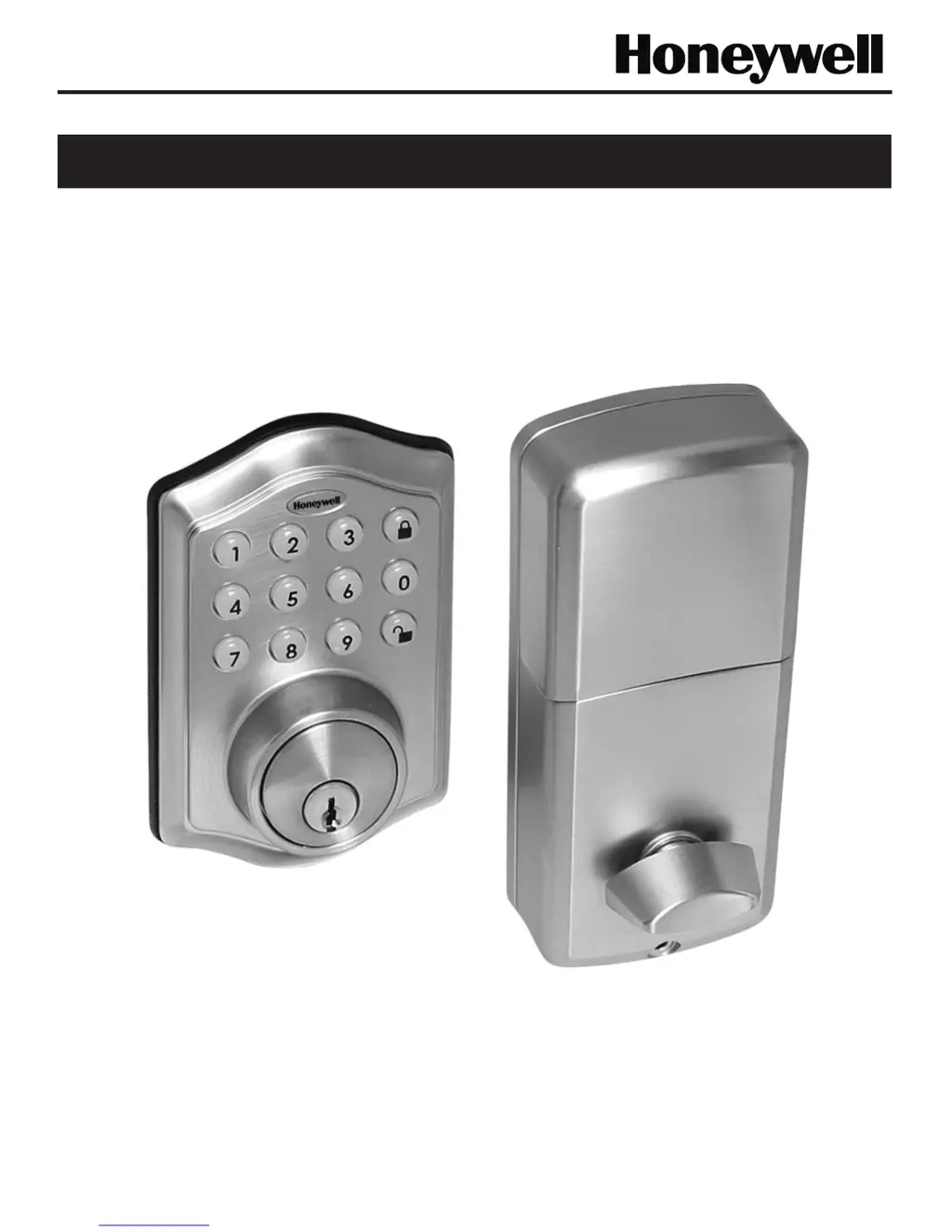
Honeywell 8712309 - User Manual

Honeywell 8712309
20 pages
Print Icon
To Next Page IconTo Next Page
Loading...
Page 1
Models 8712009, 8712109, 8712309, 8712409
Read this manual carefully before installing and operating!
ENGLISH
Installation & Operation Guide
Digital Deadbolt

Questions and Answers

  • I
    Ian NelsonAug 9, 2025
    What to do if my Honeywell lock will not function electronically?
    • M
      Michelle BallAug 9, 2025
      If your Honeywell lock isn't working electronically, ensure you're using fresh, high-quality alkaline batteries and that they are installed with the correct polarity (+/-). Also, check that the control wire is properly attached to the interior assembly.
  • B
    Brandy QuinnAug 15, 2025
    How to fix a Honeywell deadbolt latch that is sticking?
    • X
      xbrownAug 15, 2025
      If the deadbolt latch on your Honeywell lock is sticking, the installation screws might be too tight. Here's what to do: 1. Remove the interior assembly. 2. Slightly loosen the mounting plate screws. 3. Lock and unlock using the key. 4. Reattach the control wire and interior assembly.
  • W
    William Edwards Jr.Aug 20, 2025
    Why does my Honeywell lock give an error signal when opening or locking, and the deadbolt latch won't fully extend or retract?
    • G
      Gregory SmithAug 20, 2025
      If your Honeywell lock is giving an error signal and the deadbolt latch isn't fully extending or retracting, use the key or interior knob to unlock the door. While the door is open, check that the deadbolt latch operates smoothly. Ensure proper alignment of the strike plate and adjust it as needed to prevent any binding against the deadbolt latch.
  • J
    John FloresAug 27, 2025
    What to do if Honeywell lock latch is working backward?
    • S
      Sandra RobbinsAug 27, 2025
      If your Honeywell lock latch is working backward (unlocks when the lock button is pushed or locks when the unlock button or code is pushed), the direction switch is likely set incorrectly. To fix this, remove the interior assembly and move the switch to the opposite direction. Ensure the switch is set for either a left or right-handed door. If it's already correct, rotate the interior knob and reinstall the interior assembly, then retest while holding the interior assembly in place.
  • A
    Amber PowellSep 2, 2025
    What to do if the interior knob will not turn on Honeywell lock?
    • D
      Dennis BeasleySep 2, 2025
      If the interior knob on your Honeywell lock won't turn, the knob or vertical tailpiece might be installed in the wrong position. Remove the interior assembly and reposition the interior knob. Make sure that with the deadbolt latch retracted, the tailpiece is vertical.

Summary

Honeywell Digital Deadbolt Installation

Package Contents

Lists all components included in the Honeywell digital deadbolt package.

Tools Required for Installation

Specifies the necessary tools for installing the deadbolt on pre-drilled or new doors.

Door and Jamb Preparation for Installation

Door Template Usage

Instructions for cutting and placing the template on the door for accurate marking.

Marking the Door for Drilling

Steps to mark the door's face and edge for drilling based on the backset.

Drilling and Chiseling the Door

Procedures for drilling the main lockset hole and chiseling for the latch.

Marking and Drilling the Door Jamb

Guidance on marking and drilling the door jamb for the strike plate installation.

Adjusting the Deadbolt Latch Backset

Convert Backset to 2-3;4 Inch (70 mm)

Steps to adjust the deadbolt latch from 2-3/8" to 2-3/4" (70mm) backset.

Convert Backset to 2-3;8 Inch (60 mm)

Steps to adjust the deadbolt latch from 2-3/4" to 2-3/8" (60mm) backset.

Installing the Deadbolt Latch Set

Installing the Deadbolt Latch

Instructions for inserting and securing the deadbolt latch into the door mortise.

Identifying Door Handing

How to determine if the door is left-handed or right-handed for correct installation.

Preparing the Interior Assembly

Unpacking the Interior Assembly

Steps to unpack and prepare the interior part of the smart lock for installation.

Setting the Entry Switch

How to set the interior entry switch based on the door's handing.

Setting the Interior Knob Position

Adjusting the interior knob's position for left or right-handed doors.

Installing the Exterior Assembly

Installing the Interior Assembly

Completing Interior Assembly Installation

Honeywell Digital Deadbolt Operation

Locking and Unlocking Procedures

Managing User Codes and Auto-Lock

Honeywell Digital Deadbolt Troubleshooting

Honeywell 8712309 Specifications

General IconGeneral
BrandHoneywell
Model Number8712309
TypeElectronic Deadbolt
Power SourceBattery
Battery TypeAA
Number of Batteries4
MaterialMetal
FinishSatin Nickel
KeypadYes
Key OverrideYes
One Touch LockingYes
Adjustable BoltYes
Weather ResistantYes
Lock TypeDeadbolt
Door Thickness1-3/8" to 1-3/4"
WarrantyLimited

Related product manuals