5
USE & OPERATION (CONTINUED)
EN
CAUTION:
Unplug the unit from the electrical power outlet before emptying or
refilling the water tank.
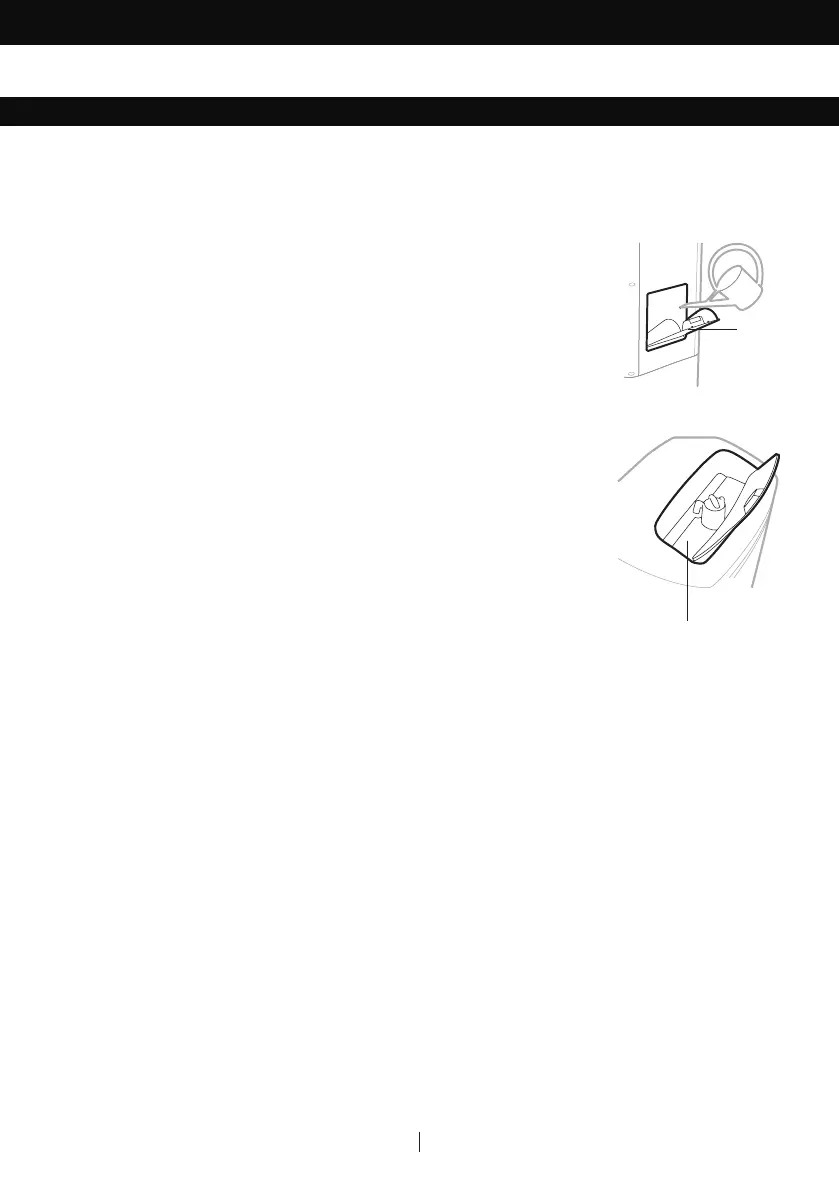
Open the Water Fill Door located on the side of the unit.
The Water Level Indicator is located at the front of the unit. Refill the
water tank when water level is low. Do not fill water above the "Max."
water level mark to avoid water droplets collecting on the louvers. Check
the water level in the tank before running the COOL function. Make
sure that the water in the tank is above the minimum water level mark.
Running the unit in COOL mode with inadequate water may cause
pump failure.
Note: If ice is available, you may add ice in the top ice compartment to
enhance the cooling performance.
Note: The water capacity refers to the total volume of water that can be
contained within the air cooler water tank and water distribution system.
The water capacity in the tank at the “Max.” indicator level may be lower
than the actual water capacity of the air cooler.
WARNING: Do not fill water tank with dirty water or salt water. This can
damage the unit and Honeycomb media.
FILLING WITH WATER
Ice Compartment
Water
Fill Door


 To Next Page
 Loading...