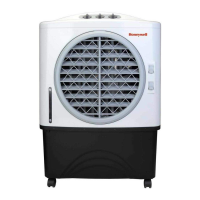
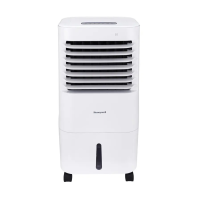
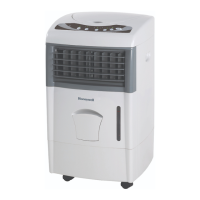
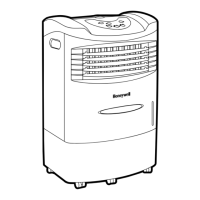
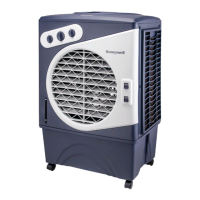
This document describes a Honeywell Portable Air Cooler, models CL401PM and CO401PM, providing instructions for its use and maintenance.
Function Description
The Honeywell Portable Air Cooler is designed to provide evaporative cooling. It operates by drawing in air, passing it over a wet honeycomb cooling media, and then releasing cooler, moisturized air. The unit features a fan with adjustable speeds, a cooling function, and an oscillation function for wider air distribution. It can be used with either a continuous water supply connection or by manual refilling of the water tank.
Important Technical Specifications
- Models: CL401PM, CO401PM
- Water Inlet Pressure (Maximum): 0.5 MPa
- Power Cord & Plug: Included
- Cooling Media: Honeycomb Cooling Media (three panels)
- Water Tank: Features a water level indicator and a low water pump cut-off function (applicable for models with this feature).
- Controls: Manual knobs for Speed/On-Off, Cool, and Swing.
Usage Features
Control Panel:
The control panel consists of three rotary knobs:
- SPEED / ON - OFF (VELOCIDAD / ENC - APAG): This knob controls the fan speed and turns the unit on or off.
- On/Speed Adjustment: Connect to power, turn the SPEED knob. The fan will start. Speeds range from 3 (High) down to 1 (Low).
- Off: Turn the SPEED knob to 0.
- COOL (FRÍO): This knob activates the evaporative cooling function.
- Activation: Add water to the tank, then turn the COOL knob to the ON position. The water pump will operate, wetting the Honeycomb Cooling Media, and cooler air will be felt.
- SWING (OSCILADOR): This knob activates the movement of the louvers.
- Activation: Turn the SWING knob to the ON position. The louvers will automatically move left to right.
- Vertical Air Flow: Vertical air flow can be manually adjusted using a lever at the front of the unit.
Cooler Location:
It is crucial to position the air cooler correctly before setup and use. Refer to the "COOLER LOCATION" section in the separate Safety & Maintenance Guide for proper placement.
Filling with Water:
The unit offers two methods for water supply:
-
Continuous Water Supply Connection:
- Purpose: Ideal for long periods of operation without refilling and helps prevent pump failure due to inadequate water.
- Requirements: A garden hose (not included) compatible with the unit's connection.
- Procedure:
- Locate the male connector of the garden hose.
- Insert the garden hose connector into the water inlet valve of the cooler.
- Screw and tighten the water inlet valve onto the threaded part of the hose connector, ensuring a secure, leak-free connection. If leaks occur, disconnect, replace, and re-tighten.
- Once secured, turn on the water supply. Water will flow into the cooler's tank.
- The cooler will automatically refill when the tank is empty or below a minimum level.
- The water inlet valve will automatically stop the supply when the tank is full to prevent overflowing.
- Caution: Open the water valve for minimum flow to avoid damaging the inlet pressure control system.
- Warning: Maximum water inlet pressure is 0.5 MPa.
- Precaution: Unplug the unit from the electrical outlet before filling or emptying the water tank.
-
Manual Water Tank Refill:
- Method: Use a portable container or a garden hose to pour water into the water inlet hole at the top of the air cooler.
- Monitoring: Check the water level indicator to know when the tank is full.
- Precaution: Do not fill water above the "Max." water level mark to avoid water droplets on the louvers.
- Warning: Always ensure water is above the minimum (Min.) level for both continuous and manual refills. Running in Cool mode with inadequate water can cause pump failure.
- Note: The indicated "Max." level in the tank might be lower than the actual total water capacity of the cooler.
- Warning: Do not use dirty or salt water, as this can damage the unit and honeycomb media.
Low Water Pump Cut-Off (Applicable for specific models):
- Function: In Cooling Mode, if the water level drops below the minimum indicator, the water pump automatically turns off to protect it from running dry.
- Reactivation:
- Switch OFF the unit and unplug it.
- Fill the water tank with fresh water above the minimum level.
- Plug in and switch the unit ON again.
Maintenance Features
Cleaning & Draining the Water Tank:
- Long-Term Storage: Refer to the "STORAGE & MAINTENANCE GUIDELINES" in the separate Safety & Maintenance Guide if the cooler will not be used for an extended period.
- Pre-Cleaning Warning: Before cleaning, switch OFF the unit and disconnect it from the electrical socket.
- Draining Procedure:
- Move the unit to a location where water can be drained.
- Remove the drain plug at the bottom of the unit.
- Allow the tank to empty completely.
- Refill the tank with clean water up to the maximum level, then drain it completely again.
- Use a damp cloth to clean dirt and dust from the unit's surface. Do not use corrosive elements or chemicals.
- When not in use, store the product in a dry place away from direct sunlight.
Cleaning the Carbon Dust Filter and Honeycomb Cooling Media:*
- The appliance is supplied with three Honeycomb Cooling Media pads, located behind the rear and side grills.
- Operation Warning: Do not operate the unit in COOL mode with stagnant or dirty water in the tank. Empty and refill with fresh water, especially if the tank has not been cleaned for a long time.
- Cleaning Frequency: The frequency of cleaning the honeycomb media depends on water and air conditions. In areas with high mineral content in water, deposits can accumulate, restricting airflow. Draining and refilling the tank with clean water at least once a week helps reduce mineral deposits. If deposits persist, the media should be removed and washed with clean water.
- Recommended Cleaning: The honeycomb media should be cleaned every two months or more frequently as needed.
- Best Results: To ensure optimal performance and care for the media, allow it to dry after each use by turning off the COOL function 15 minutes before switching off the unit completely.
Removing the Honeycomb Cooling Media (for cleaning/replacement):
- Step 1: Remove Rear Grill Screws: Remove the screws from the Rear Grill of the Air Cooler.
- Step 2: Pull Out Rear Grill: Carefully pull out the Rear Grill from the Air Cooler.
- Step 3: Release Horizontal Bars: The Honeycomb Cooling Pad is secured to the Rear Grill by two Horizontal Bars, which are fixed in place by two screws on the Left and Right Sides. Remove these screws to release the Horizontal Bars.
- Step 4: Remove Honeycomb Cooling Pad: Pull out the Honeycomb Cooling Pad by sliding it out from the Rear Grill.
- Replacement: To replace, slide the new Honeycomb Cooling Pad into the grooves of the Rear Grill until it fits comfortably and securely.
- Re-secure: Replace the Horizontal Bars back onto the Rear Grill by re-installing and tightening the Left and Right Side screws. This secures the Honeycomb Cooling Pad.
- Repeat for Side Grills: Repeat steps 1 to 4 to remove the Honeycomb Cooling Pad on the Left and Right Side Grills.
Warning: Do NOT operate the Air Cooler if any or all of the Rear or Side Grills are removed, or if a grill is loose-fitting. Doing so can cause serious injury or dangerous electrical shock.
Note on Outdoor Models (CO401PM): For outdoor models, use only on GFCI protected receptacles.

 Need help?
 General

 To Next Page