EasyManua.ls Logo

Honeywell Glencrest - User Manual

Honeywell Glencrest
10 pages
Print Icon
To Next Page IconTo Next Page
Loading...
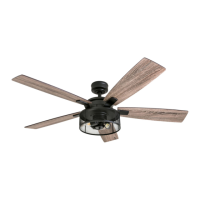
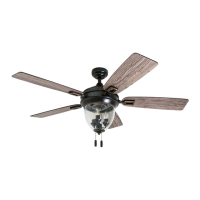
Glencrest Ceiling Fan
User Guide
ome
RATED FOR DAMP
CONDITIONS

Questions and Answers

  • A
    Angela SantosJul 28, 2025
    What to do if my Honeywell Fan is noisy?
    • J
      Janet LozanoJul 28, 2025
      If your Honeywell Fan is making noise, try the following: 1. Check and tighten all screws that hold the fan blades to the blade arms and the motor. 2. Replace any cracked blades. 3. Avoid using a full range dimmer switch to control the fan speed. 4. Make sure the outlet box is securely attached to the building structure. 5. Ensure the mounting bracket is secured to the outlet box and that the screws are tight.
  • A
    Andre MasonAug 5, 2025
    What to do if my Honeywell Fan does not move?
    • M
      Melinda HernandezAug 5, 2025
      If your Honeywell Fan isn't moving, here's what you can do: 1. Firmly push the reverse switch completely to the left or right. 2. Ensure the wall switch is turned on. 3. Turn the power on or check the fuse (breaker). 4. Turn the power off and inspect all connections at the ceiling outlet box.
  • C
    Charles BrownAug 12, 2025
    Why is my Honeywell Glencrest Fan wobbling excessively?
    • H
      Heather WilsonAug 12, 2025
      If your Honeywell Fan wobbles excessively, there are several things you can check: 1. Make sure all screws that hold the fan blades to the blade arms, and the blade arms to the motor, are tightened. 2. Try switching one blade with a blade from the opposite side, or use a blade balancing kit to balance the fan. 3. Turn off the power, loosen the canopy, and check that the mounting bracket is secure to the electrical outlet box. The bracket should be flush against the outlet box without any movement. Also, verify that the outlet box itself is secure. 4. Consider using a longer downrod (sold separately) or moving the fan to a different location. 5. Lift up the yoke cover and tighten the set screws on the yoke until they are secure.
  • B
    brianagibbsAug 20, 2025
    What to do if my Honeywell Glencrest Fan operates correctly but the lights are not working?
    • X
      xjonesAug 20, 2025
      If your Honeywell Fan is working but the lights aren't, try these steps: 1. Make sure the 9-pin connectors are properly secured. 2. Turn off the power and check all connections at the ceiling outlet box.

Summary

Package Contents

Hardware Contents

Safety Information

Preparation

Initial Installation

Standard or Angle Mount Instructions

Closemount Instructions

Final Installation

Operating Instructions

Troubleshooting

Limited Lifetime Warranty

Replacement Parts List

Honeywell Glencrest Specifications

General IconGeneral
BrandHoneywell
ModelGlencrest
CategoryFan
LanguageEnglish

Related product manuals