EasyManua.ls Logo

Honeywell HCE351 Series - User Manual

Honeywell HCE351 Series
25 pages
Print Icon
To Next Page IconTo Next Page
Loading...
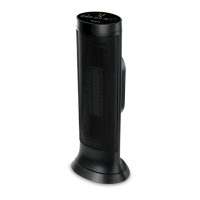
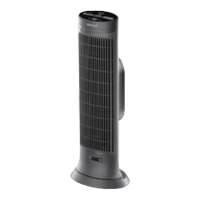
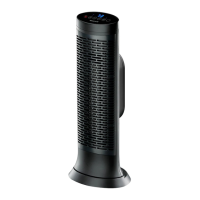
CERAMIC TOWER HEATERS
Owner’s Manual
HCE300 Series
Questions? Contact us
Call: 1-800-477-0457
In US: www.HoneywellPluggedIn.com
In Canada: www.HoneywellPluggedIn.ca
Learn more about our
safety features, scan with
phone camera.

Other manuals for Honeywell HCE351 Series

Questions and Answers

  • D
    Deborah DiazAug 2, 2025
    What to do if my Honeywell Ceramic Tower Heater shuts off unexpectedly?
    • T
      Todd ConleyAug 2, 2025
      If your Honeywell Ceramic Tower Heater shuts off unexpectedly or fails to operate, it might be due to a safety feature activated to prevent overheating. Ensure the heater is plugged into a working electrical outlet and check for any obstructions. If you find an obstruction, turn the heater OFF and unplug it. Allow the heater to cool completely, then remove the obstruction. Wait at least 10 minutes, then re-plug the heater in and follow the OPERATION instructions.

Summary

Honeywell Ceramic Tower Heaters Owners Manual

Important Safety Instructions

Your Responsibilities

About Ceramic Technology

Set Up

Moving the Heater

Operation

Safety Features

Safeguard Motion Sensor

Remote Control

Fahrenheit to Celsius

Cleaning and Storage

Troubleshooting

Product Specifications

Consumer Relations

3 Year Limited Warranty

FCC Compliance Information

Industry Canadas License Exempt RSS-210 Compliance Information

Honeywell HCE351 Series Specifications

General IconGeneral
BrandHoneywell
ModelHCE351 Series
CategoryHeater
LanguageEnglish

Related product manuals