EasyManua.ls Logo

Honeywell HCE353 Series - User Manual

Honeywell HCE353 Series
25 pages
Print Icon
To Next Page IconTo Next Page
Loading...
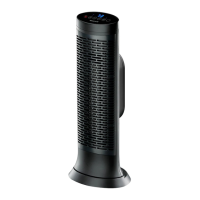
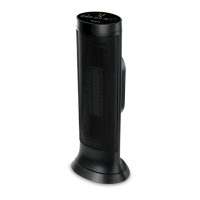
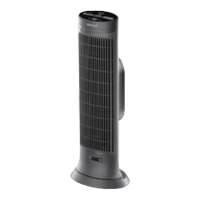
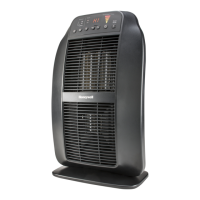
CERAMIC TOWER HEATERS
Owner’s Manual
HCE300 Series
Questions? Contact us
Call: 1-800-477-0457
In US: www.HoneywellPluggedIn.com
In Canada: www.HoneywellPluggedIn.ca
Learn more about our
safety features, scan with
phone camera.

Other manuals for Honeywell HCE353 Series

Questions and Answers

  • L
    Laura MendozaAug 3, 2025
    What to do if my Honeywell Ceramic Tower Heater shuts off unexpectedly?
    • H
      Hannah StephensAug 3, 2025
      If your Honeywell Ceramic Tower Heater shuts off unexpectedly or fails to operate, it might be due to a safety feature activated to prevent overheating. Ensure the heater is plugged into a working electrical outlet and check for any obstructions. If you find an obstruction, turn the heater OFF and unplug it. Allow the heater to cool completely, then remove the obstruction. Wait at least 10 minutes, then re-plug the heater in and follow the OPERATION instructions.

Summary

IMPORTANT SAFETY INSTRUCTIONS

General Safety Warnings

Essential safety precautions for operating the heater, covering usage, handling, and placement.

SET UP

MOVING THE HEATER

OPERATION

Basic Operation and Modes

Covers plugging in, power button, operational modes, and heat settings.

Cool Down Cycle

Explains the necessary cool-down phase after turning off the heater.

SAFETY FEATURES

Protective Safety Mechanisms

Details about tip-over switch, high-temperature sensor, and thermal cut-off fuse.

SAFEGUARD MOTION SENSOR

REMOTE CONTROL

CLEANING AND STORAGE

TROUBLESHOOTING

Common Operational Issues

Addresses unexpected shut-offs and how to resolve them by checking obstructions.

3 YEAR LIMITED WARRANTY

Honeywell HCE353 Series Specifications

General IconGeneral
Heating Capacity1500 Watts
ThermostatAdjustable
Safety FeaturesOverheat Protection, Tip-Over Switch
Dimensions9.1 in x 7.3 in x 10.6 in
Weight3.1 lbs
Voltage120V
Fan-Only OptionYes
TypeCeramic
Power Settings2 (High/Low)

Related product manuals