EasyManua.ls Logo

Honeywell HCE352 Series - User Manual

Honeywell HCE352 Series
25 pages
Print Icon
To Next Page IconTo Next Page
Loading...
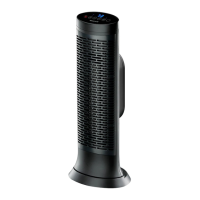
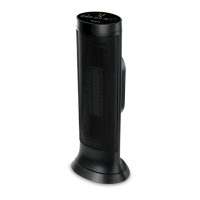
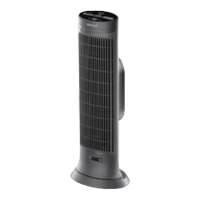
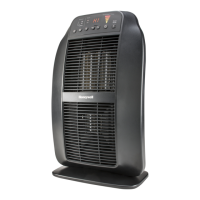
CERAMIC TOWER HEATERS
Owner’s Manual
HCE300 Series
Questions? Contact us
Call: 1-800-477-0457
In US: www.HoneywellPluggedIn.com
In Canada: www.HoneywellPluggedIn.ca
Learn more about our
safety features, scan with
phone camera.

Other manuals for Honeywell HCE352 Series

Questions and Answers

  • E
    Erin DavisAug 6, 2025
    What to do if my Honeywell Ceramic Tower Heater shuts off unexpectedly?
    • J
      Jessica CampbellAug 6, 2025
      If your Honeywell Ceramic Tower Heater shuts off unexpectedly or fails to operate, it might be due to a safety feature activated to prevent overheating. Ensure the heater is plugged into a working electrical outlet and check for any obstructions. If you find an obstruction, turn the heater OFF and unplug it. Allow the heater to cool completely, then remove the obstruction. Wait at least 10 minutes, then re-plug the heater in and follow the OPERATION instructions.

Summary

Important Safety Instructions

General Safety Precautions and Warnings

Covers unattended use, hot surfaces, children, outdoor use, water hazards, and cord safety.

Electrical Safety and Usage

Includes polarized plug use, amperage limits, circuit loading, and proper disconnection.

Setup and Placement

Operation

Operating the Heater

Covers plugging in, power button, heat modes, thermostat, timer, and oscillation.

Safety Features

Protective Safety Mechanisms

Details tip-over switch, overheat sensor, thermal fuse, and insulated wiring.

Advanced Features

Cleaning and Storage

Troubleshooting

3 Year Limited Warranty

Honeywell HCE352 Series Specifications

General IconGeneral
BrandHoneywell
ModelHCE352 Series
CategoryHeater
LanguageEnglish

Related product manuals