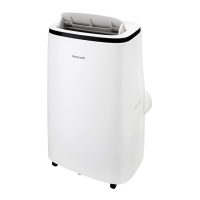
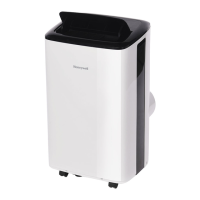
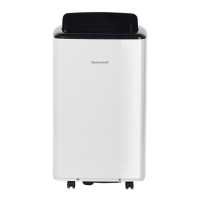
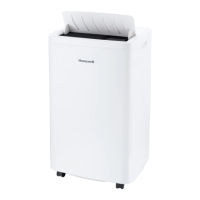
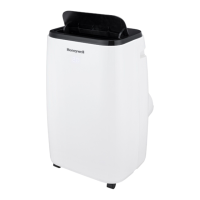
This document describes a Honeywell Portable Air Conditioner, designed for spot cooling in domestic environments. The unit integrates a compressor, condenser, and evaporator into a compact design, providing dehumidified and cooled air while expelling heat outside through a flexible hose. It offers a truly flexible air conditioning solution as no permanent installation is required, and the unit is easy to move from room to room.
Function Description
The portable air conditioner operates in several modes:
- Air Conditioning (COOL) Mode: This is the primary cooling function. Users can adjust the fan speed and air temperature to their desired comfort level, with a temperature setting range of 60°F - 90°F (16°C - 32°C).
- Dehumidifying (DRY) Mode: In this mode, air is dehumidified without operating in full cooling mode. The fan speed is preset to LOW and cannot be adjusted. For optimal dehumidification, the exhaust hose should not be connected, and continuous drainage is recommended. It's important to note that this mode is for moisture reduction and should not be expected to dehumidify to the same degree as a dedicated dehumidifier. The unit automatically adjusts dehumidification based on ambient room temperatures, and humidity percentages cannot be set.
- Fan Mode: This mode provides air circulation without air conditioner cooling. An open window can improve air circulation when using only the fan function.
- Heating Mode (Applicable for models with Heating feature only): When selected, heating is activated if the ambient temperature is below 77°F (25°C). The desired temperature can be set between 61°F - 77°F (16°C - 25°C). In this mode, the exhaust hoses must vent outside the room. The heat pump draws moisture from the air, which condenses into an internal water tank. The unit will pause operation when the tank is full and restart after it's emptied. This mode is recommended for rooms with 50% humidity or lower, and users should avoid operating moisture-producing appliances nearby.
The unit features an Auto Evaporation System that automatically evaporates condensate through the hose, eliminating the need to frequently empty the drainage tank, except in highly humid conditions.
An Automatic Defrost Feature is included to protect the unit. If the internal cooling coils become too cold or develop frost during cooling mode in lower room temperatures (e.g., below 60°F), the unit will automatically pause operation to defrost the coils. Operation will resume automatically once the system has defrosted and returned to standard operational temperatures.
Usage Features
The portable air conditioner is controlled via a control panel on the unit and a remote control.
Control Panel and Remote Control Functions:
- Power Control: Turns the unit ON/OFF. The air vent automatically opens when powered ON and closes when powered OFF.
- Restart Delay: A safety feature that introduces an approximately 3-minute delay before restarting the air conditioner in COOL mode if it was recently turned OFF. This protects and extends the life of the compressor.
- Fan Speed Control: Offers three settings: High, Medium, and Low. Fan speed cannot be adjusted in Sleep Mode or Dehumidifying Mode.
- Timer/Temperature Set Controls: These buttons are used to adjust the desired temperature in Cooling or Heating modes and to set the Timer. Temperature and Timer cannot be adjusted in Fan and Dehumidify modes.
- Timer Control: Allows users to set a specific number of hours for the unit to run before automatically turning ON/OFF.
- Swing Control: Activates automatic oscillation of the louvers for wider air distribution. Pressing the button again stops the swing at a desired angle.
- Sleep Mode: An energy-saving feature for nighttime comfort. In Air Conditioning Cooling Mode, the fan automatically stays on LOW speed, and the set temperature gradually increases by 1°F (1°C) per hour for the first two hours, remaining at that temperature until Sleep Mode is deactivated. In Heating Mode (for applicable models), the fan stays on LOW speed, and the set temperature gradually decreases by 1°F (1°C) per hour for the first two hours. The control panel lights turn OFF after 10 seconds in Sleep Mode and light up again when any button is pressed.
- Water Full Light: Illuminates with a red light and the unit beeps 5 times for 5 seconds when the internal water tank is full, indicating that water condensation needs to be drained. The unit will not operate until drained.
- °C/°F Control (Remote Control only): Switches the temperature display between Centigrade and Fahrenheit.
Installation:
The unit comes with a window venting kit for easy setup. The exhaust hose, exhaust hose connector, and window bracket panel adapter are pre-assembled. The window bracket kit is designed to fit most standard sliding windows and can be cut to size if needed. The exhaust hose connects to the rear exhaust outlet of the unit and then to the window bracket. It is crucial to follow the installation instructions carefully and avoid extending or bending the hose, as this can cause the unit to malfunction. The back of the unit should be at least 20 inches (50 cm) away from any walls, and it should not be placed in front of curtains or drapes that could obstruct airflow.
Maintenance Features
Regular maintenance ensures optimal efficiency and longevity of the portable air conditioner.
Appliance Maintenance:
- Always turn off and unplug the unit before cleaning.
- Clean the appliance with a soft, dry cloth only.
Dust Filter Maintenance:
The dust filter should be cleaned every two weeks to maintain air cooling efficiency.
- Switch off and unplug the unit.
- Remove the upper filter/grill and unscrew and remove the lower filter/grill.
- Gently wash the filters with water and/or diluted liquid dishwashing detergent.
- Rinse thoroughly and gently shake off excess water. Ensure the filters are completely dry before reinstalling. A vacuum cleaner can also be used to remove dust.
- Replace the upper grill and reinstall the lower grill with the screw.
- WARNING: Do not operate the unit with the dust filter removed or if it is loose-fitting. Avoid touching any internal parts or wiring behind the rear grill, as this can cause serious injury or electrical shock.
Water Condensation Drainage:
When the WATER FULL indicator illuminates, the internal water tank needs draining.
- Manual Draining (Cooling, Dehumidifying Modes): Unplug the unit, place a drain pan under the lower rubber drain plug, remove the plug cap, allow water to drain, and then replace the cap.
- Continuous Draining (Dehumidifier Mode): For continuous drainage in dehumidifier mode, unplug the unit, remove the upper drain plug cap, connect the provided drain tube to the upper drain plug, and direct the tube into a floor drain or bucket.
- Important: Continuous drainage is not recommended in air conditioning cooling mode as it can reduce cooling efficiency. Water should only be drained when the unit is switched off in cooling mode. In heating mode, continuous drainage is not an option, and the internal tank will need to be emptied manually more frequently in humid rooms.
End of Season Storage and Maintenance:
If the appliance will not be used for an extended period:
- Drain any leftover water condensation from the unit.
- Run the unit in Fan only mode for 30 minutes to dry excess moisture.
- Turn off and unplug the unit.
- Remove and clean the dust filter, then reinstall it.
- Disconnect the window installation kit: Rotate the hose anti-clockwise to remove it from the unit. Remove the foam seal, window bracket, window bracket panel adapter, and hose connector. Store these parts, along with the remote control and drain tube, in a bag with the portable air conditioner. Clean the window kit with a damp cloth and water if needed, ensuring all parts are dry before storage.
- Cover the portable air conditioner with a cloth or plastic bag to protect it from dust and scratches.
- Coil the power cord to protect it from bends and creases.
- Store the unit in a cool, dry place, away from direct sunlight.



 To Next Page
 General