EasyManua.ls Logo

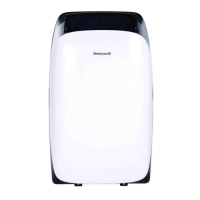
Honeywell HW4CEDVWW0 - User Manual

Honeywell HW4CEDVWW0
79 pages
Print Icon
To Next Page IconTo Next Page
Loading...
Model / Modèle / Modelo:
HW4CEDVWW0
Customer Support:
Assistance Au Client:
Servicio de atencion a clientes:
Web: www.HoneywellAirComfort.com
USA: 1-800-474-2147 | usinfo@jmatek.com
CANADA^: canadainfo@jmatek.com
^ Canada Customer Support service available for models sold in Canada only.
^ Le Service Client Canadien est disponible uniquement pour les modèles vendus sur le territoire Canadien.
^ Servicio de Atención A Clientes en Canadá disponible solo para modelos vendidos en Canadá.
Check the website for FAQs, usage guides, and more !
Consultez le site Web pour les FAQ, les guides
d'utilisation et plus encore !
Consulte el sitio web para ver las preguntas frecuentes,
las guías de uso y mucho más.
www.HoneywellAirComfort.com
Contact UsProduct Registration
Smart Dual Hose Portable Air Conditioner
User Manual
Read and save these instructions before use
EN
Climatiseur Portatif à Tuyau Double Intelligent
Mode d’emploi
Lire ces consignes avant l’utilisation de l’appareil et les conserver
FR
Aire Acondicionado Portátil
Smart de Doble Ducto de Salida de Aire
Manual del Usuario
Lea y guarde estas instrucciones antes de usar la unidad
ES

Questions and Answers

  • K
    Karen RuizAug 3, 2025
    How to fix Honeywell Air Conditioner that does not start?
    • M
      Michael RogersAug 3, 2025
      If your Honeywell Air Conditioner isn't starting, first, ensure it's receiving power. Next, try replacing the remote control batteries. Check that the power cord is securely plugged in. For users in the USA, Canada, and Mexico, verify that the safety LCDI plug hasn't tripped, and if it has, reset it. If the problem continues after these steps, contact Customer Support.
  • M
    Michael SpencerAug 7, 2025
    What to do if my Honeywell HW4CEDVWW0 runs but is not cooling?
    • D
      daniel22Aug 8, 2025
      If your Honeywell Air Conditioner runs but doesn't cool, make sure all doors and windows are closed. Clean the dust filter. Ensure the hose is properly reinstalled. Reduce the temperature setting on the control panel. Remove any blockages from the air outlet or intake. If the room is too large, move the unit to a smaller room. Cover windows with curtains or blinds to improve cooling effectiveness.
  • R
    rsotoAug 11, 2025
    What to do if Honeywell HW4CEDVWW0 Air Conditioner will not run and Power button is blinking?
    • S
      Sarah BergAug 11, 2025
      If your Honeywell Air Conditioner won't run and the power button is blinking, it indicates that there is excess water condensate inside the tank. You need to drain the water.
  • S
    scottburgessAug 15, 2025
    Why does my Honeywell HW4CEDVWW0 Air Conditioner run for only a short time?
    • G
      Glenn YoungAug 15, 2025
      If your Honeywell Air Conditioner runs for only a short time, try lowering the thermostat temperature setting. Ensure the exhaust hose is properly connected and that nothing is blocking the air outlet. Make sure there are no tight bends in the exhaust hose; connect it according to the instructions.
  • C
    Curtis BatesAug 20, 2025
    What to do if I can't log in to my Honeywell HW4CEDVWW0 Air Conditioner account?
    • R
      Ryan CardenasAug 20, 2025
      If you are unable to log in to your Honeywell Air Conditioner account, it might be due to several reasons. Ensure your mobile device's Wi-Fi is switched on. A weak Wi-Fi signal could also be the cause; consider installing a Wi-Fi extender or moving the air conditioner closer to the router. If you've forgotten your password, tap “Forgot Password” on the login screen and enter your mobile number or email address, then tap “Get Verification Code.” Follow the instructions in the SMS or email to reset your password.
  • K
    Kathy ButlerAug 28, 2025
    How to reset my password for Honeywell HW4CEDVWW0 Air Conditioner account?
    • B
      Benjamin MorenoAug 28, 2025
      To reset your password for your Honeywell Air Conditioner account, tap “Forgot Password” at the login screen. Input your mobile number or email address, then tap “Get Verification Code.” An SMS or email will be sent to you with instructions on how to reset your password.
  • S
    Steven PenaNov 23, 2025
    Why won't my Honeywell HW4CEDVWW0 Air Conditioner pair with the Air Comfort App?
    • A
      andrewhallNov 23, 2025
      If your Honeywell Air Conditioner won't pair with the Air Comfort App, there could be several reasons: * A weak Wi-Fi signal: Try installing a Wi-Fi extender or moving the air conditioner closer to the router. * Incorrect Wi-Fi connection frequency: Ensure you're selecting a 2.4 GHz Wi-Fi network. * Incorrect Wi-Fi password: Double-check and use the correct Wi-Fi password. * Invisible Wi-Fi network: Set your Wi-Fi network to visible. * Foreign characters in the Wi-Fi name: Use only standard alphabetical characters and numbers for your Wi-Fi name. * Incorrect encryption method: Set the router’s wireless setting encryption method to “WPA2?PSK” and the authentication type to “AES,” or set both to automatic. Note that “802.11n only” is not allowed in wireless mode. * Too many co...

Summary

Safety Guidelines

Read and Save Instructions

Important safety instructions to read carefully and keep for future reference.

General Warnings and Cautions

Critical warnings for safe operation, handling, and general usage of the appliance.

R290;R32 Refrigerant Safety

Safety Symbols and Explanations

Explanation of symbols related to flammable refrigerants and operation manual guidance.

Transportation and Storage Guidelines

Regulations and recommendations for transporting, marking, and storing units with flammable refrigerants.

User Tips

Parts Description

Installation

Installation Kit Components

List and description of parts included in the installation kit.

Installation Steps

Step-by-step guide for assembling and connecting the exhaust hoses.

Use and Operation

Control Panel Overview

Explanation of the buttons and indicators on the main control panel.

Function Buttons Guide

Detailed description of key function buttons like Power, Swing, Fan Speed, and Mode.

Remote Control Operation

Instructions and guidelines for using the remote control and battery installation.

Cleaning and Maintenance

Appliance and Filter Maintenance

Procedures for cleaning the appliance and dust filter for optimal performance.

End of Season Storage

Steps for preparing and storing the unit at the end of the season.

Water Condensate Drainage

Manual Draining

Procedures for manually draining condensate in cooling and dehumidifying modes.

Continuous Draining

Guidance for continuous drainage setup in Dehumidifier mode.

Troubleshooting Guide

Unit Not Starting

Solutions for common issues when the air conditioning unit fails to start.

Short Operation Issues

Troubleshooting steps for when the unit runs only for a short period.

Cooling Performance Issues

Solutions for problems related to the unit running but not cooling effectively.

Water Full Indicator Issues

Troubleshooting steps when the unit won't run and the water full indicator is blinking.

Error Code Guide

Explanation of error codes and their possible causes.

Honeywell HW4CEDVWW0 Specifications

General IconGeneral
TypePortable Air Conditioner
Coverage Area350 sq. ft.
Fan Speeds3
Digital DisplayYes
Remote ControlYes
Filter TypeWashable
Operating Voltage115V
Operating Frequency60Hz
RefrigerantR32
Cooling Power (ASHRAE)10, 000 BTU/h
Cooling Power (SACC)6500 BTU
Cooling Capacity10000 BTU
Noise Level (High)52 dB

Related product manuals