www.honeywell.com/security
34 | Performance Series IP Camera Software Configuration Guide
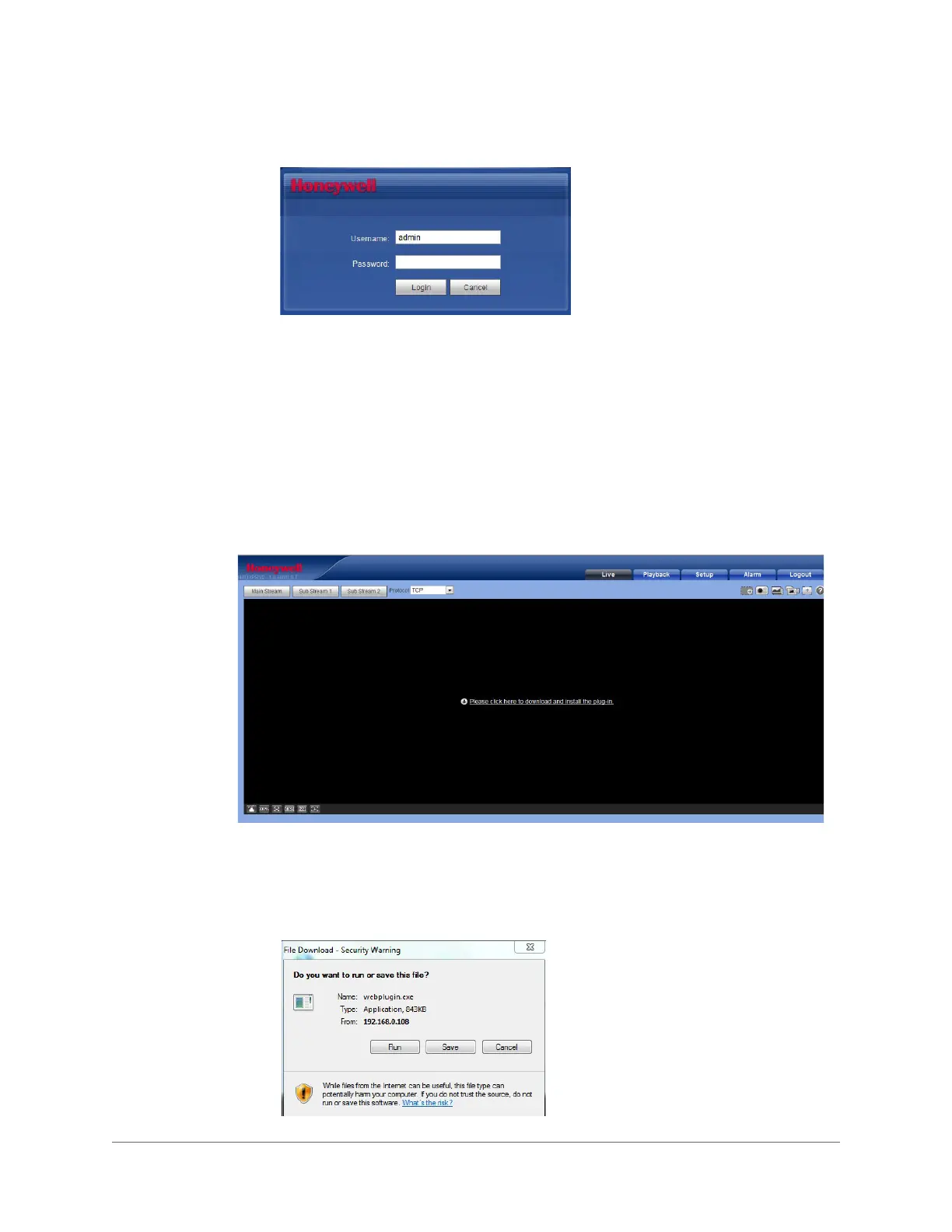
Figure 3-1 Login Window
Installing the Browser Plug-In
If you are logging in for the first time, you will be prompted to download and install a browser
plug-in. Follow the on-screen instructions to install the plug-in. When the installation is complete,
the web client automatically refreshes and the Live View interface opens (Figure 3-5).
If this is your first time logging in, you will see the following message:
Please click here to download and install the plug-in.
Figure 3-2 First-time Login Message
1. Click Please click here to download and install the plug-in. A File
Download-Security Warning popup message appears (Figure 3-3) that asks if you would
like to run or save this file.
Figure 3-3 File Download Security Warning Message for the Plug-in









 To Next Page