EasyManua.ls Logo

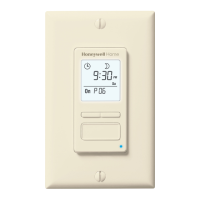
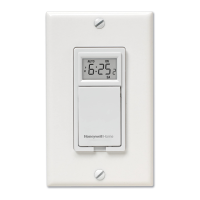
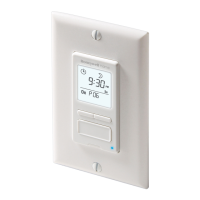
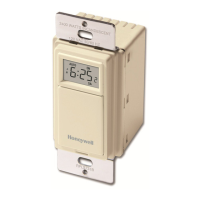
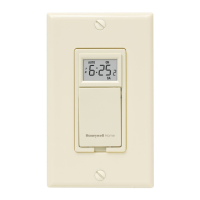
Honeywell PLS730B - User Manual

Honeywell PLS730B
12 pages
Print Icon
To Next Page IconTo Next Page
Loading...
1/4
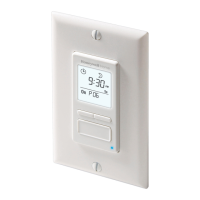
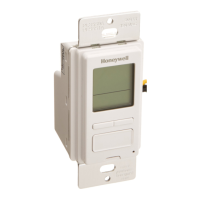
The PLS730B / PLS731B programmable wall switch has been designed to control lightings
and motors:
NOTE: This switch cannot be used if there are not at least 2 white wires joined by a
connector inside the electrical box.
1) Cut power at the circuit breaker to avoid electric shock.
2) Remove the existing switch.
3) Install the new switch as shown in the diagram below.
4) Apply power at the circuit breaker.
Applications
Load type Maximum load Examples
Resistive load
2400 W
(20 A @ 120 V)
incandescent lights
halogen lights
block heater
Inductive load
2400 W
(20 A @ 120 V)
fluorescent lights
compact fluorescent lights (CFL)
sodium lamps
electronic ballasts
Motor 1 hp
pool filter pumps
fans
Installation
120 VAC (line)
white (neutral)
black (line)
blue (load)
Load
PLS730B / PLS731B
Installation and User Guide
Programmable Wall Switch
69-2503EFS-03.book Page 1 Tuesday, January 8, 2013 2:11 PM

Questions and Answers

  • A
    Adam SchultzJul 29, 2025
    What to do if Honeywell PLS730B Switch programs do not run as expected?
    • R
      Regina SmithJul 29, 2025
      If programs on your Honeywell Switch aren't running as expected, ensure the switch is properly programmed. Also, be aware that '- : - -' indicates an inactive program. If you're using a 12-hour format, confirm that 'PM' is displayed when an afternoon time is set.
  • G
    Gerald MooreAug 5, 2025
    Why does my Honeywell PLS730B reset itself?
    • A
      alyssa35Aug 5, 2025
      If your Honeywell Switch resets unexpectedly when controlling a relay or contactor, the load is likely the cause. To resolve this, install a snubber (AC130-03) at each relay/contactor.
  • T
    timothymoodyAug 13, 2025
    How to fix a blank display on a Honeywell PLS730B Switch?
    • M
      michelewardAug 13, 2025
      To resolve a blank display on your Honeywell Switch: * Verify the circuit breaker at the main panel. * Ensure the ON/OFF selector is set to ON. * Try resetting the switch using a paper clip.
  • S
    Sarah ScottAug 21, 2025
    Why is the display on my Honeywell PLS730B faded?
    • J
      Joshua FordAug 21, 2025
      A faded or irregular display on your Honeywell Switch may be due to the ambient temperature being below freezing.

Summary

Product Applications

Initial Power-On Procedure

Setting the Clock and Time Format

Operating Mode Selection

Manual Mode Operation

Describes operating the switch manually to turn lights On or Off.

Automatic Mode Operation

Describes operating the switch automatically based on programmed schedules.

Programming Schedules

Clearing Programmed Time

How to erase programmed ON and OFF times for schedules.

Troubleshooting Common Issues

Technical Specifications

Warranty Information

Customer Assistance and Support

Honeywell PLS730B Specifications

General IconGeneral
BrandHoneywell
ModelPLS730B
CategorySwitch
LanguageEnglish

Related product manuals