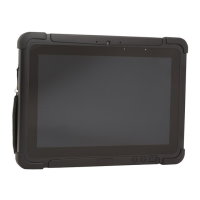
RT10A Rugged Tablet 3
LED Indicator Status
The LED indicators are located in the upper right of the tablet:
Camera Flash
Micro SIM Card Cover/Slot
Speaker
Battery
Speaker
Docking Connector
Battery Lock
Battery Release
Stylus
Rear Camera
Fn2 Button
Volume
Button
Extension Port
(cover not shown)
Laser Safety Label Location
(model dependent)
LED Name Status
Wi-Fi Green - Indicates a connection with an IP address to an
Access Point.
No light - Indicates no connection to an Access Point.
Link Green - Indicates a connection to a Host. By default, the
Link LED is disabled (see page 49).
No light - Indicates no connection to a Host.
Battery Behavior depends on Battery LED Setting (see page 6).
Power Blue– Tablet is ON.
No light– Tablet is OFF.


 To Next Page