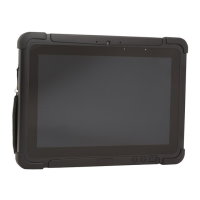
44 RT10A Rugged Tablet
• Tap or to expand or collapse the suggestion list.
• Tap a suggestion to open the settings screen or app relevant to the suggestion.
• Swipe left to dismiss the suggestion.
Network & Internet
In the Settings app, select Network & Internet to access the following settings.
Connected devices
In the Settings app, select Connected devices to access the following settings.
Setting Description
Wi-Fi • Turn WLAN radio On or Off.
• Lists available Wi-Fi networks in range and the connection status when
the radio is turned On.
• Add a network Wi-Fi connection.
• Set Wi-Fi preferences and advanced settings.
Data usage • Manage mobile/cellular data usage.
• View mobile or Wi-Fi data use statistics for the current data use cycle.
• Turn the Data saver feature On or Off.
• Turn network restrictions for metered WLAN networks On or Off.
Tethering • Enable or disable USB tethering or Bluetooth tethering for sharing mobile
data connections.
• Enable or Disable using the computer as a portable Wi-Fi hotspot.
• Configure Wi-Fi hotspot.
Ethernet • Turn Ethernet connection On and Off.
• Configure Ethernet connections and set up proxy settings when the
Ethernet setting is turned On.
Airplane mode Turn Airplane mode On or Off.
Advanced
VPN Set the password parameters for a virtual private network (VPN) connection.
Private DNS Select Private DNS Mode.
Setting Description
Pair new device • Connect a Bluetooth Device.
• Lists Bluetooth-enabled devices in range.
• View and rename the computer.
• View the computer Bluetooth address.
Previously
connected devices
View previously connected devices.


 To Next Page