EasyManua.ls Logo

Honeywell RTH5100 - User Manual

Honeywell RTH5100
24 pages
Print Icon
To Next Page IconTo Next Page
Loading...
OPERATING INSTRUCTIONS
® U.S. Registered Trademark
© 2004 Honeywell International Inc.
All Rights Reserved • Patents Pending
69-1722
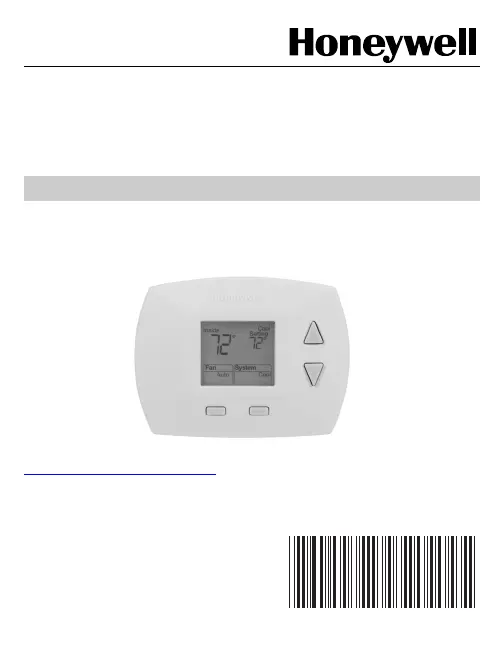
Operating Instructions
RTH5100B
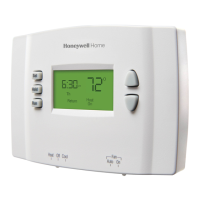
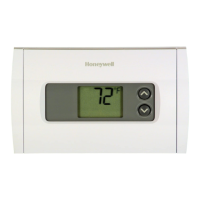
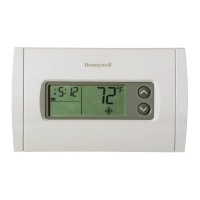
Non-programmable Thermostat
The RTH5100B Thermostat provides electronic control of 24 Vac single
stage heating and cooling systems or 750 mV heating systems.
For assistance with your Honeywell product please visit
www.honeywell.com/yourhome
or call Honeywell Customer Care
toll free at 1-800-468-1502.
Read and Save these Instructions

Questions and Answers

  • Z
    Zachary HornAug 18, 2025
    Why is my Honeywell Thermostat heating system not turning on?
    • S
      shawnlyonsAug 18, 2025
      If your Honeywell Thermostat's heating system isn't turning on, ensure the system is set to Heat using the System button. Verify that the heat temperature setting is above the current room temperature and that “Heat On” is steadily displayed. Check the circuit breaker, the power switch at the heating/cooling system, and the furnace door to ensure they are all properly set. Allow five minutes for the heating system to respond. If the issue persists after checking these, consider contacting a local heating and cooling contractor.
  • D
    David GonzalesAug 21, 2025
    What to do if my Honeywell Thermostat cooling system does not turn on?
    • D
      Daniel CunninghamAug 21, 2025
      If the cooling system isn't activating on your Honeywell Thermostat, make sure the system is set to Cool by pressing the System button. Check that the cooling temperature is set below the room temperature and “Cool On” is steadily displayed. Also, check the circuit breaker, the power switch at the heating/cooling system, and the furnace door. After checking these, wait five minutes to see if the cooling system responds. If the problem continues, contact a local heating and cooling contractor.
  • J
    Jennifer TranAug 23, 2025
    How to fix a blank display on a Honeywell Thermostat?
    • M
      Meghan RodriguezAug 23, 2025
      If the display on your Honeywell Thermostat is blank, ensure that fresh AAA alkaline batteries are correctly installed as indicated on the battery holder.
  • C
    Christopher MedinaAug 26, 2025
    Why won't the temperature settings change on my Honeywell RTH5100 Thermostat?
    • M
      Michael PetersonAug 26, 2025
      If you're unable to adjust the temperature settings on your Honeywell Thermostat, verify that your desired temperature settings are within these ranges: For heating, the range is 40°F to 90°F (4.5°C to 32°C), and for cooling, the range is 50°F to 99°F (10°C to 37°C).
  • A
    Anita ReedAug 27, 2025
    What does it mean when “Heat On” is flashing on my Honeywell RTH5100 Thermostat?
    • O
      oandradeAug 27, 2025
      If “Heat On” is flashing on your Honeywell Thermostat display (for heat pumps only), the compressor minimum-off timer is active. Please wait up to five minutes for the heating system to turn on.
  • A
    Amanda CarrilloAug 30, 2025
    Why is “Cool On” flashing on my Honeywell RTH5100 display?
    • R
      Rebecca BeckerAug 30, 2025
      If the “Cool On” is flashing on the display of your Honeywell Thermostat, the compressor minimum-off timer is active. Allow up to five minutes for the cooling system to activate.
  • M
    Michael HolmesSep 1, 2025
    What to do if “Heat On” is not showing on my Honeywell RTH5100 Thermostat?
    • J
      John GuzmanSep 1, 2025
      If “Heat On” is not displayed on your Honeywell Thermostat, set the System setting to Heat and ensure the temperature setting is higher than the current room temperature. If “Heat On” then appears but the heating system still doesn't activate, refer to the “Heating system does not turn on” section in the Troubleshooting Tips.
  • E
    Eugene AcostaSep 3, 2025
    Why is “Cool On” not showing on my Honeywell RTH5100 display?
    • B
      Brent TerrySep 3, 2025
      If “Cool On” isn't showing on your Honeywell Thermostat, set the System to Cool and make sure the temperature is set lower than the room's current temperature. If “Cool On” then displays but the cooling system doesn't start, consult the “Cooling system does not turn on” section in the Troubleshooting Tips.
  • C
    Christopher HallSep 6, 2025
    Why are the heating and cooling systems running at the same time on my Honeywell Thermostat?
    • M
      Melanie BoltonSep 6, 2025
      If both the heating and cooling systems are running simultaneously on your Honeywell Thermostat, check Installer Setup Number 1, Heating and/or Cooling System Type, to ensure it matches your installed system. Also, check to make sure that the bare portions of the wires are not touching.
  • W
    williamsrobertSep 8, 2025
    Why is my Honeywell RTH5100 heating system running in cool mode?
    • M
      Michael MurraySep 8, 2025
      If your Honeywell Thermostat’s heating system is running in cool mode, check Installer Setup Number 1, Heating and/or Cooling System Type, and ensure the setting matches your installed heating and/or cooling system.

Summary

Get to Know Your Thermostat

Thermostat Components

Identifies the physical components of the Honeywell RTH5100B thermostat.

Thermostat Display Icons

Explains the meaning of various icons and indicators shown on the thermostat display.

Operate Your Thermostat

Set System Mode

Instructions for selecting between Heat, Off, or Cool modes for the HVAC system.

Set Fan Mode

Instructions for selecting the fan operation mode, Auto or On.

Adjust Temperature Setting

Guide on how to change the desired temperature using the up and down buttons.

Replace Thermostat Batteries

Review Battery Usage Tips

Built-in Compressor Protection

Accessory and Replacement Parts

Thermostat Cover Plates

Information on cover plates used to conceal wall marks, including part numbers.

Replacement Battery Holder

Part number and ordering information for a replacement battery holder.

Troubleshooting Common Issues

Customer Support and Assistance

Limited One-Year Product Warranty

Honeywell RTH5100 Specifications

General IconGeneral
TypeProgrammable Thermostat
DisplayLCD
Temperature Range40°F to 90°F
Power SourceBattery
CompatibilitySingle Stage Systems (Heat & Cool)
Schedule7-day programmable
Voltage24VAC
Battery2 AA batteries
Weight0.5 lbs

Related product manuals