EasyManua.ls Logo

Honeywell Xerxes 51905 - User Manual

Honeywell Xerxes 51905
11 pages
Print Icon
To Next Page IconTo Next Page
Loading...
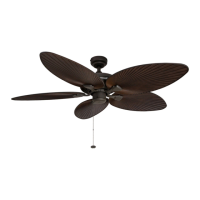
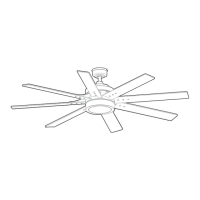
Xerxes Ceiling Fan
User Manual
Read and save these instructions before use
Home
Model #51905

Questions and Answers

  • I
    iwalkerAug 7, 2025
    What to do if my Honeywell Xerxes 51905 Fan remote does not work?
    • J
      Jessica EdwardsAug 8, 2025
      If the Honeywell Fan remote isn't working, a power surge might have cleared its memory. To resync, turn off power at the breaker box for at least 10 seconds, then turn it back on. Within 30 seconds, press and hold the “LEARN” button on the back of the remote for 5 seconds. The fan will turn on at high speed, and the light will blink twice and stay on, indicating successful synchronization. Also, ensure you've inserted new CR2032 batteries. If multiple remote fans are nearby, turn off the power to the other fans and re-sync the fan.
  • J
    Jackson MillerAug 14, 2025
    What to do if my Honeywell Fan does not move?
    • S
      Stephanie PatelAug 14, 2025
      If your Honeywell Fan isn't moving, make sure to firmly push the reverse switch completely to the left or right. Ensure the wall switch is turned on. Check the fuse (breaker) or turn the power on. Turn the power off and check all connections at the ceiling outlet box.
  • L
    Laura BallAug 22, 2025
    How to fix a Honeywell Xerxes 51905 that wobbles excessively?
    • L
      leonardmeyerAug 22, 2025
      If your Honeywell Fan is wobbling too much, begin by checking and tightening all screws that secure the fan blades to the blade arms and the blade arms to the motor. You might also try switching one blade with a blade from the opposite side or using a blade balancing kit. Turn off the power, loosen the canopy, and ensure the mounting bracket is securely attached to the electrical outlet box, flush and without movement. Verify the outlet box is secure. Using a longer downrod or moving the fan to a different location can also help. Lift up the yoke cover and tighten the set screws on the yoke until secure.
  • M
    Megan RuizAug 30, 2025
    What to do if Honeywell Xerxes 51905 Fan lights are not working?
    • D
      Daniel PierceAug 30, 2025
      If your Honeywell Fan operates correctly, but the lights are not working, ensure the single-pin connectors are properly secured. As well as that, turn the power off and check all connections at the ceiling outlet box.

Summary

SAFETY INFORMATION

General Safety & Warnings

Essential safety guidelines including power disconnection, electrical compliance, clearance, and specific warnings.

Cautions & Compliance

Important cautions regarding outlet box, dimmer switches, wiring, and parts.

SAFETY INFORMATION (Continued)

FCC;IC Compliance & Contact

Regulatory compliance statements (FCC/IC) and customer service contact information.

CARE AND MAINTENANCE

Cleaning and Battery Replacement

Instructions for cleaning the fan and replacing remote batteries.

PREPARATION

Assembly Prep and Mounting Options

Covers checking parts, tools needed, assembly time, and available mounting types.

INITIAL INSTALLATION

Mounting Bracket Installation

Steps for installing the fan's mounting bracket to the ceiling outlet box.

STANDARD OR ANGLE MOUNT INSTRUCTIONS

Downrod & Wiring Setup

Detailed steps for assembling the downrod and managing fan wires.

SECONDARY HANGING SYSTEM INSTRUCTIONS

Secondary Support Installation

Instructions for installing the secondary support cable for safety compliance.

FINAL INSTALLATION

Wiring and Canopy Attachment

Guides on connecting electrical wires and securing the fan canopy.

FINAL INSTALLATION (Continued)

Blade, Light Kit & Remote Installation

Steps for attaching blades, connecting the light kit, and installing the remote bracket.

OPERATING INSTRUCTIONS

Remote Operation Guide

Explains remote functions, fan speeds, timers, and special features like Home Shield.

TROUBLESHOOTING

Common Fan & Remote Issues

Solutions for common problems such as fan not moving, noise, wobbling, or remote issues.

LIMITED LIFETIME WARRANTY

Warranty Terms & Conditions

Details the manufacturer's limited lifetime warranty for the fan motor.

REPLACEMENT PARTS LIST

Parts Identification & Ordering

Lists available replacement parts with part numbers and customer service contact.

Honeywell Xerxes 51905 Specifications

General IconGeneral
BrandHoneywell
ModelXerxes 51905
CategoryFan
LanguageEnglish

Related product manuals