Multi-screen display
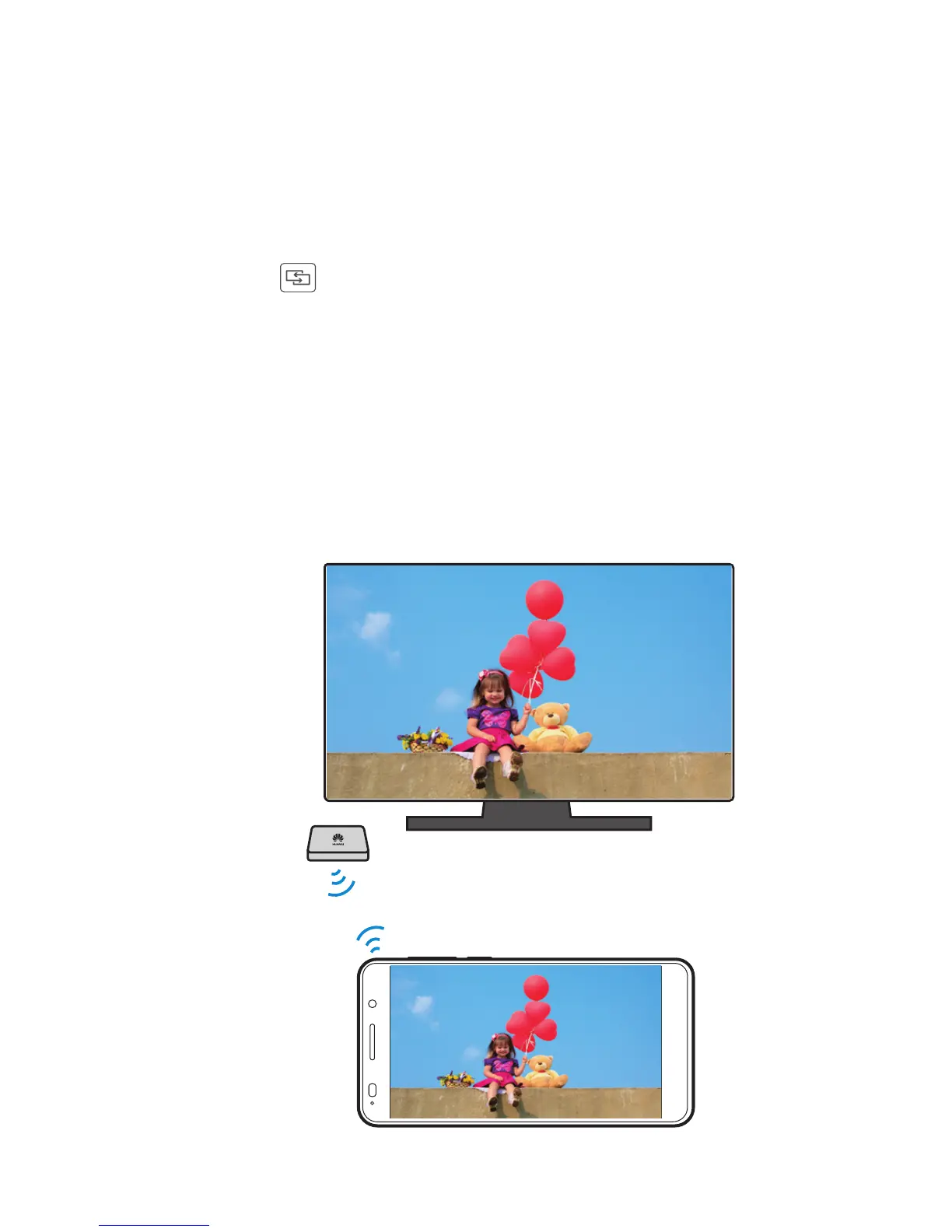
You can connect your phone to other displays to synchronize
content on your phone to those displays and control the
playback.
Open the notification panel and t
urn on Multi-screen by
touching . You can then display photos or play videos
and audio clips from your phone on a TV or projector. To do
s
o requires that your TV support DLNA. If it doesn't, you can
purchase the HUAWEI MediaQ or a similar wireless
transmission device.



 To Next Page