Camera
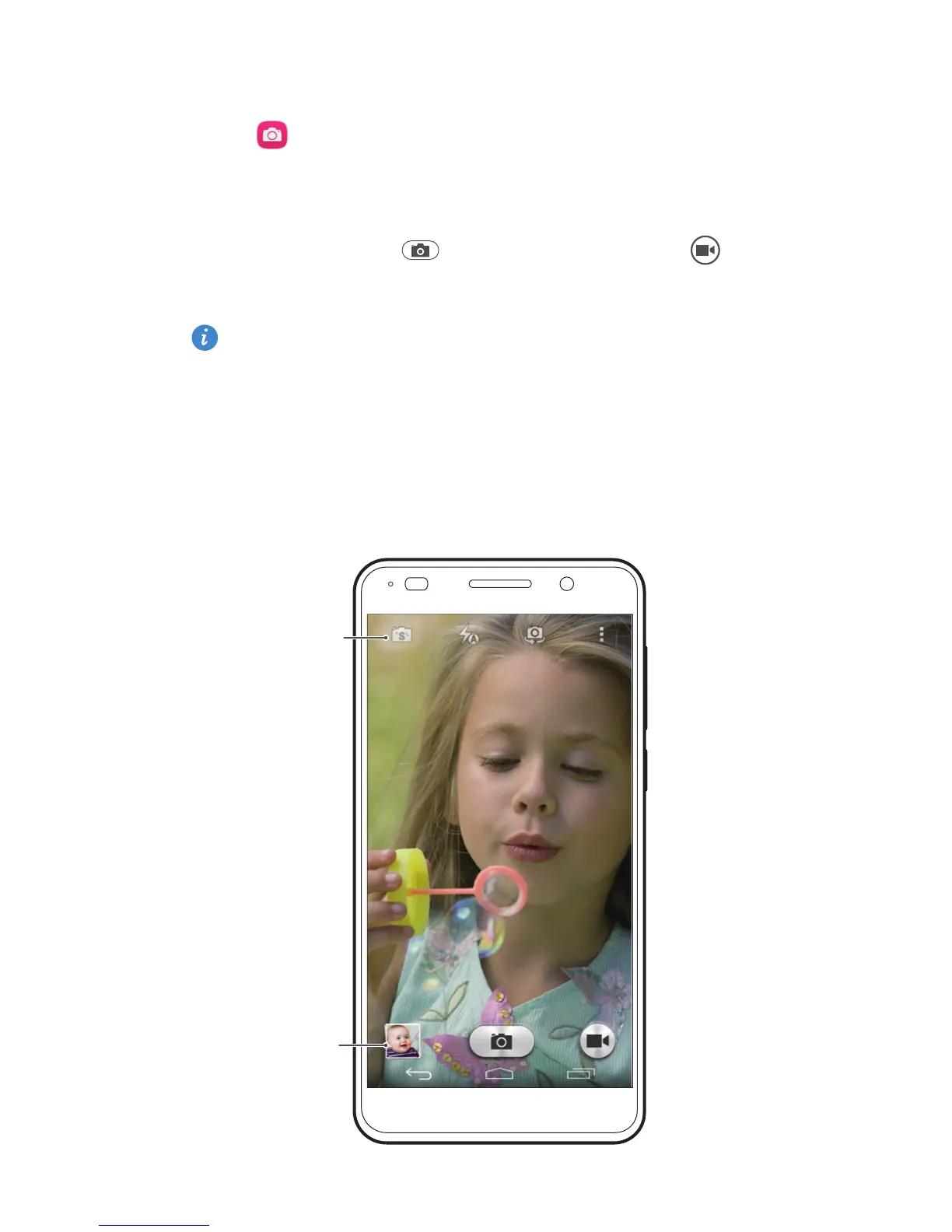
Touch to launch
Camera
.
Frame the scene you want to capture, and have the phone
aut
omatically focus itself or touch the screen to focus on a
specific object. Touch to take a photo or touch to
shoot a video.
When the screen is locked, press the volume down
button twice quickly to launch the camera and take a
photo.
Select
shooting mode
View your
photos



 To Next Page