Open Settings, go to System > Language & input > Language and select your system
language. If you cannot nd your language from the language list, touch Add language to add your
language.
Set Your System Time and Date
If you travel abroad or change your SIM card, your Phone will automatically display the time and date
provided by the local mobile network. You can also adjust the time and date manually, modify the
time format, or set dual clocks on your lock screen.
Open Settings and go to System > Date & time. From here you can:
l Modify the time and date: Enable Set automatically to sync your Phone's time and date with
your mobile network. Disable Set automatically to set your time and date manually.
l Modify your time zone: Enable Set automatically to sync your Phone's time zone with your
mobile network. Disable Set automatically to set your time zone manually.
l Change the time format: Enable 24-hour time to set your time format to 24 hours. Disable 24-
hour time to set your time format to 12 hours.
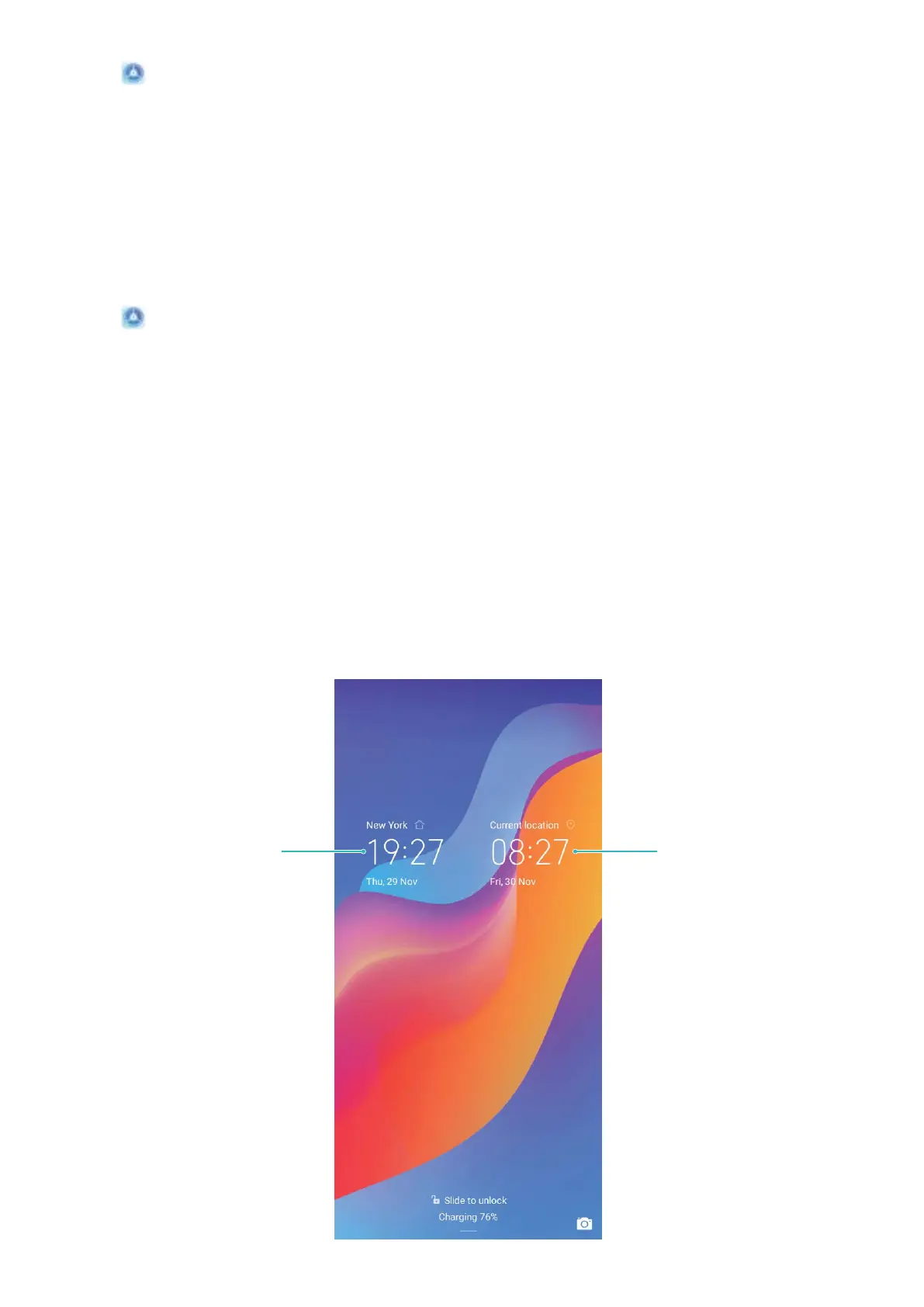
l Set dual clocks on your lock screen: If you are overseas, your Phone will automatically display
the local time and date provided by the local mobile network. You can enable Dual clocks and set
Home city to display dual clocks on your lock screen: one displaying the local time and the other
the time in your home country.
Network-provided
date and time
Time and datein
your selected city
System
73



 To Next Page