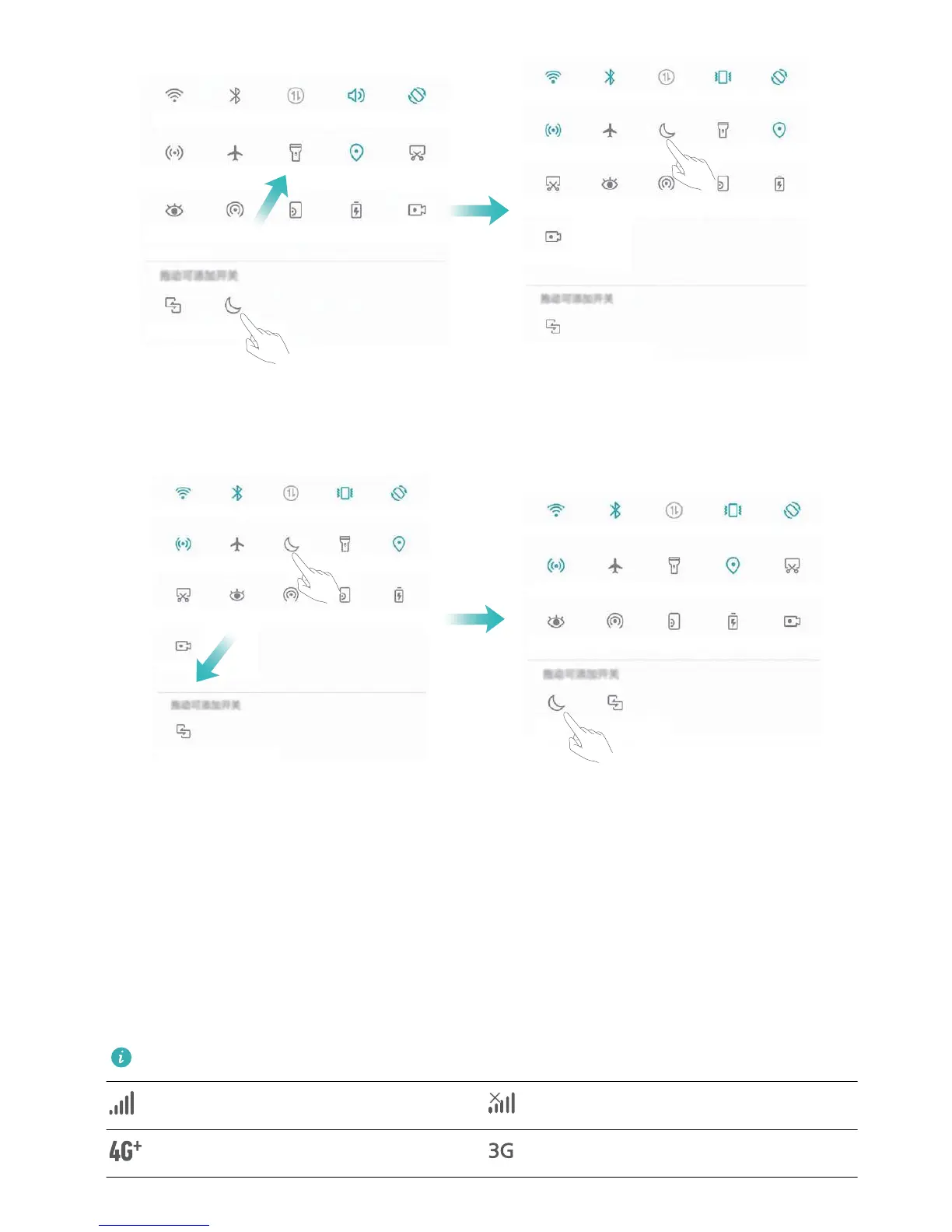
Delete shortcut switches: Drag a shortcut switch from the displayed area of the panel to the hidden
area, then touch BACK.
Notication Panel and Status Bar
Notication and Status Icons and Descriptions
The icons in the status bar give you a quick view of the overall status of your Phone, including its
network connection, battery level, and any new messages received when your Phone is in Silent
mode.
Status icons: By checking the status icons, you can quickly learn the status of your device, such as
network connection, signal strength, battery level, time, and more.
The network status icons may vary by regions and service providers.
Signal strength No signal.
4G+ network connected 3G network connected
Home Screen
14



 To Next Page