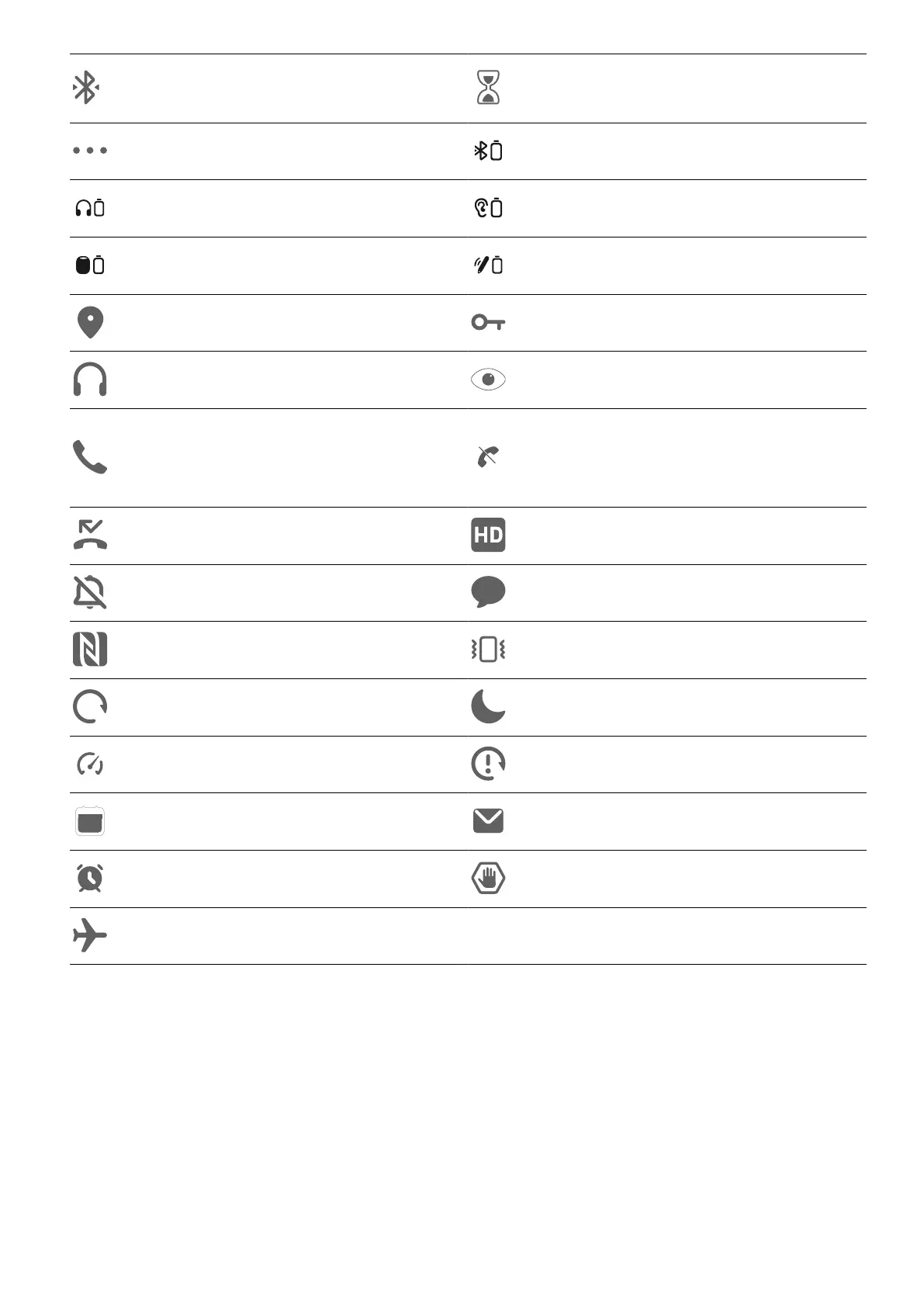
Connected to Bluetooth device
Digital Wellbeing enabled on the
phone
More information Other Bluetooth device
Bluetooth headset Bluetooth hearing aids
Bluetooth speaker Bluetooth stylus
Positioning enabled Connected to VPN network
Connected to earbuds Eye enabled
Ongoing call
Unable to connect to the voice
channel. Unable to answer or
make calls
Missed call VoLTE enabled
Mute New message
NFC enabled Vibration mode
Syncing data Do Not Disturb enabled
mode enabled Data sync failed
Calendar reminder New email
Alarm enabled Blocked calls or messages
Airplane mode enabled
View and Disable Notications
View and Clear Notications
Check Notications
When there are any reminders, you can unlock the screen, and open the
Center by swiping down from the top middle or left of the screen to view the
messages.
Get Familiar
9


 To Next Page