AUTO STOP COLOR CHANGE OPTION
Press and hold the button until the display reads “Color
Change.” Release the button and the display will change color.
Four (4) options are available: Red, Blue, Yellow and White.
Repeat to change selection until the desired color is chosen.
The color choice will remain set in memory even after the power
is disconnected.
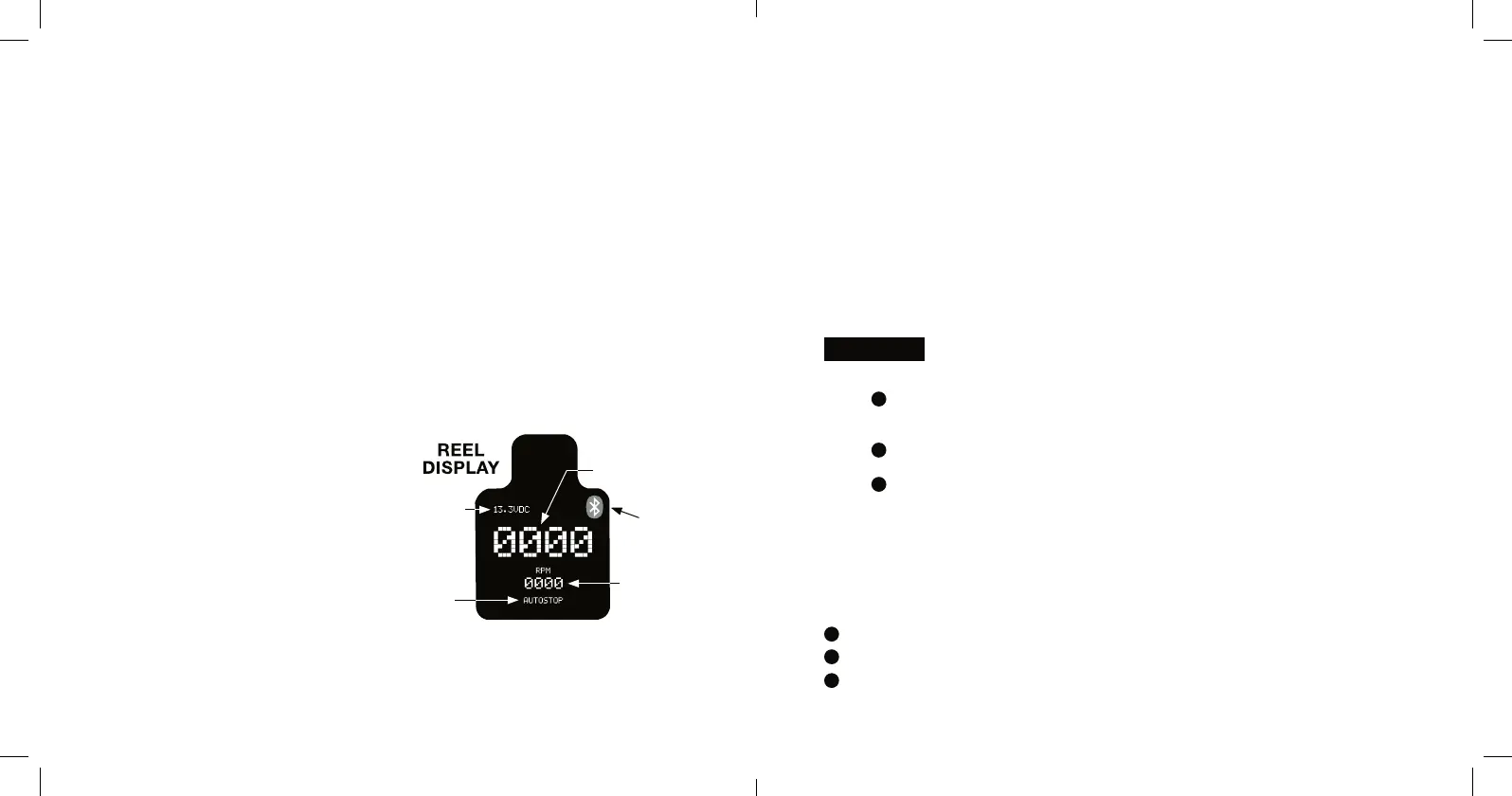
AUTO STOP DISPLAY FEATURES
• The battery voltage is displayed
in the top left corner of display
• The bottom of the display will
show the knob’s set point in a
linear scale
• In the top right corner, the
Bluetooth icon will display if
the reel is paired with a device
REVOLUTION
COUNTER
BLUETOOTH
ICON
RPM
COUNTER
AUTOSTOP
OR
OVERRIDE
VOLTAGE
AUTO STOP MODE SELECTION
The reel will not operate if the display counter reads zero (0) or
any negative number (-).
OVERRIDE MODE
The Reel will operate reguardless of the count on the display.
While in the Auto-Stop Mode, you’re retrieving your weight at full
speed, the counter reaches zero (0), the reel stops. You want to
retrieve the remaining line.
Turn the variable speed control knob counter-clock wise to
OFF position.
Press the button to enable override.
Turn the variable speed control knob to the desired speed to retrieve
the remaining line. The display will show a negative number. If you
choose to reset the counter to zero, hold the button for ve seconds
until the display resets.
MANUAL MODE
Disconnect the reel from the power source.
Lock the Handle into gear.
Fight sh as desired
EXAMPLE
1
1
2
2
3
3



 To Next Page