Need help?
Do you have a question about the Hootoo HT-ND001 and is the answer not in the manual?
Describes the router's features and capabilities.
Lists all items included in the box.
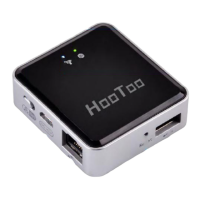
Visual representation of the router's ports and indicators.
Explains the status of each LED light on the router.
Describes the function of each port and button on the router.
Lists required items before installation.
Step-by-step guide for physical router setup.
Configuring network settings on your computer.
Detailed instructions for Windows users.
Detailed instructions for Mac users.
How to reach the router's web utility.
Overview of the router's interface structure.
Description of frequently used interface buttons.
Guided process for initial router configuration.
Setting up the router for wired internet connection.
Setting up the router as a Wireless ISP client.
Displays general router information like firmware version.
Monitors internet connectivity status and details.
Shows the status of the local area network.
Displays the status of the Wi-Fi network.
Adjusting local network IP settings.
Setting up the internet connection type.
Copying a MAC address for network access.
Setting up SSID, channel, and broadcast options.
Securing the wireless network with encryption.
Wi-Fi Protected Setup and MAC filtering.
Viewing connected wireless devices.
Connecting and sharing USB drives on the network.
Setting up a network media server.
Setting up a network printer.
Managing user access to USB storage.
Managing IP address assignments for the local network.
Viewing connected devices and their IP/MAC addresses.
Configuring port forwarding rules for services.
Exposing a specific device to the internet.
Universal Plug and Play settings.
Restricting access based on client criteria.
Blocking access to specific websites.
Filtering devices by MAC address.
Enabling remote router management.
Testing internet connection status.
Configuring static routes for network traffic.
Limiting network speed for devices.
Setting the router's time zone.
Configuring dynamic domain name service.
Saving and loading router configurations.
Restoring the router to its default settings.
Updating the router's software to the latest version.
Restarting the device to apply settings or fix issues.
Enhancing router security by changing the default password.
Reviewing router event logs for diagnostics.
Common user support questions and answers.
Lists all default device configurations.
Information on product warranty coverage and support.
 General
| Brand | Hootoo |
|---|---|
| Model | HT-ND001 |
| Category | Network Router |
| Language | English |


 To Next Page