EasyManua.ls Logo

Hootoo HT-ND002 - User Manual

Hootoo HT-ND002
11 pages
Print Icon
To Next Page IconTo Next Page
Loading...
HooToo Powerline Adapter
ONLINE GUIDE
Model NO.: HT-ND002
Question and Answer IconNeed help?

Do you have a question about the Hootoo HT-ND002 and is the answer not in the manual?

Summary

Product Overview

Introduction

Introduces the Powerline Adapter's benefits, including improved network connectivity and stability.

Package Content

Lists the items included in the HooToo Powerline Adapter package.

Product Diagram

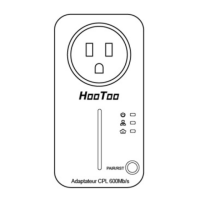
Illustrates and labels the physical components of the Powerline Adapter.

LED Indicator

Explains the function and status of each LED on the Powerline Adapter.

Physical Interface

Details the different interfaces like Ethernet Port, Power Plug, Pair Button, and Power Socket.

Connection

How To Connect

Provides instructions on plugging the adapter into a wall socket and power strips.

Hardware Connection - Computer

Connects a computer to the Powerline Adapter using an Ethernet cable.

Hardware Connection - Internet

Connects the Powerline Adapter to an ADSL Router for internet access.

Advanced Features: Pairing

Secured Pairing with 128 bits-AES

Explains the use of 128-bit AES for secure data transmission and Network Membership Key (NMK).

Secured Powerline AV Network through the Pair Button

Details the process of pairing Powerline Adapters using the Pair Button.

Troubleshooting

The Power LED does not light up

Troubleshoots issues when the Power LED on the adapter is not illuminated.

The Ethernet LED does not light up

Troubleshoots issues when the Ethernet LED on the adapter is not illuminated.

Summary

Product Overview

Introduction

Introduces the Powerline Adapter's benefits, including improved network connectivity and stability.

Package Content

Lists the items included in the HooToo Powerline Adapter package.

Product Diagram

Illustrates and labels the physical components of the Powerline Adapter.

LED Indicator

Explains the function and status of each LED on the Powerline Adapter.

Physical Interface

Details the different interfaces like Ethernet Port, Power Plug, Pair Button, and Power Socket.

Connection

How To Connect

Provides instructions on plugging the adapter into a wall socket and power strips.

Hardware Connection - Computer

Connects a computer to the Powerline Adapter using an Ethernet cable.

Hardware Connection - Internet

Connects the Powerline Adapter to an ADSL Router for internet access.

Advanced Features: Pairing

Secured Pairing with 128 bits-AES

Explains the use of 128-bit AES for secure data transmission and Network Membership Key (NMK).

Secured Powerline AV Network through the Pair Button

Details the process of pairing Powerline Adapters using the Pair Button.

Troubleshooting

The Power LED does not light up

Troubleshoots issues when the Power LED on the adapter is not illuminated.

The Ethernet LED does not light up

Troubleshoots issues when the Ethernet LED on the adapter is not illuminated.

Hootoo HT-ND002 Specifications

General IconGeneral
ModelHT-ND002
CategoryAdapter
Input Voltage100-240V AC
PortsUSB-C
MaterialPlastic
Output Voltage5V
CompatibilitySmartphones, tablets