3
Note: If you press the pair button for more than 10 seconds, the
Powerline Adapter will disconnect from the network and assume a new
random value. The Power LED turns off temporarily when it disconnects.
2 Connection
2.1 How To Connect
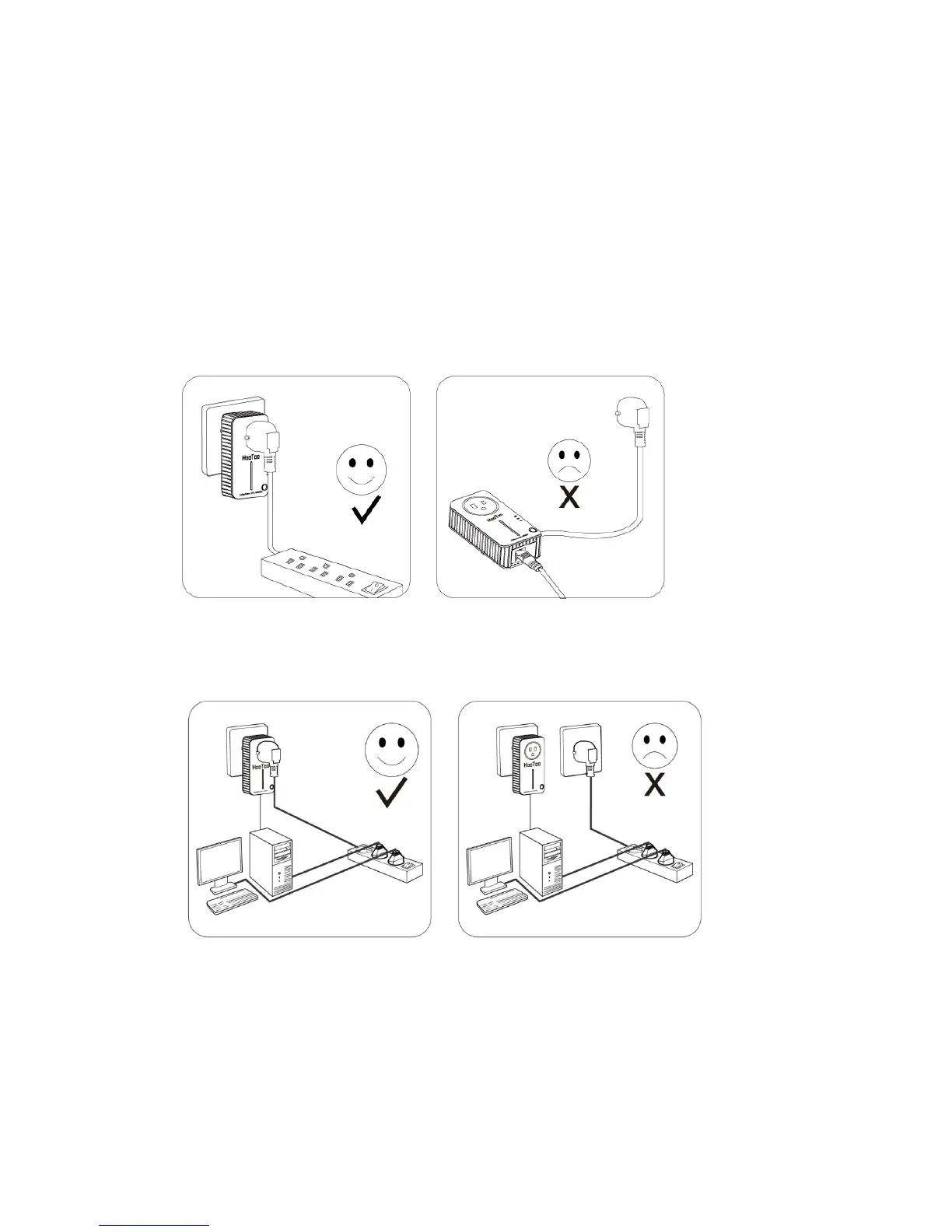
1. Plug the Powerline Adapter directly into a wall socket (DO NOT USE a
power strip).
2. In order to fully benefit from the Powerline Adapter's improved data
transmission, plug the power strip directly into the Powerline Adapter.
2.2 Hardware Connection – Computer
Connect one (or multiple) computer(s) to the Powerline Adapter
through an Ethernet (RJ-45) cable:
1. Connect one end of the provided Ethernet (RJ-45) cable to the
Powerline Adapter’s Ethernet port.


 To Next Page