7
Step 3. The two Powerline Adapters will pair within 60 seconds. The
Power LED on both adapters will stop flashing and turn solid.
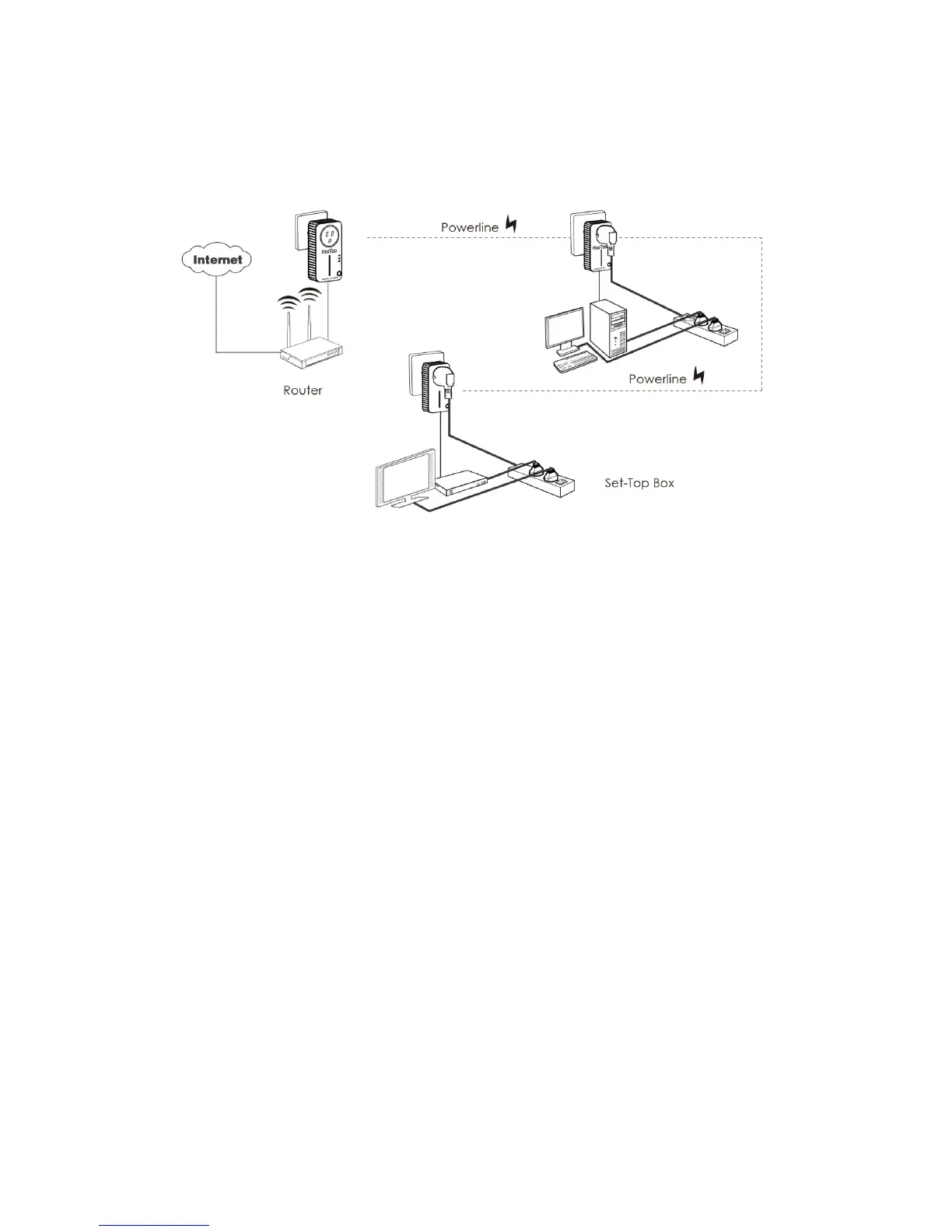
Connect to an Existing Secured Powerline AV Network:
How to connect a third Powerline Adapter (C) to the AV Network
established between the Powerline Adapters A and B:
Step 1. Press and hold the pair button on the third Powerline Adapter (C)
for 1 second.
Step 2. Press and hold the pair buttons on the Powerline Adapters A and
B for 1 second.
(Make sure to press the two pair buttons within 120 seconds from
Step 1).
Step 3. The two Powerline Adapters will pair within 60 seconds. The
Power LED on the three adapters will stop flashing and turn solid.
Note:
The order of Step 1 and Step 2 is interchangeable.
How to disconnect one Powerline Adapter from the AV Network
established amongst Powerline Adapters A, B, and C:
Step 1. Press and hold the pair button on the Powerline Adapter for at
least 10 seconds. The Powerline Adapter will reset and restart
(the Power LED will momentarily turn off, start flashing, and turn
solid again).
Step 2. Wait for the Powerline Adapter to fully reset.


 To Next Page