EasyManua.ls Logo

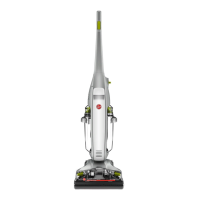
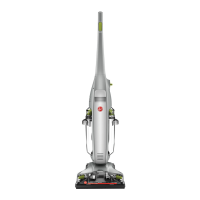
Hoover FloorMate Deluxe - User Manual

Hoover FloorMate Deluxe
16 pages
Print Icon
To Next Page IconTo Next Page
Loading...
www.hoover.com
OWNER’S
MaNual
Operating and Servicing
Instructions
©2013 Techtronic Floor Care Technology Limited. All rights reserved. #961151105 ID107463-R0
IMPORTANT: READ CAREFULLY BEFORE ASSEMBLY AND USE.
Questions or concerns? For assistance, please call Customer Service at
1-800-944-9200 Mon-Fri 8am-7pm EST before returning this product to the store.
THIS PRODUCT IS INTENDED FOR HOUSEHOLD USE ONLY.
IF USED COMMERCIALLY WARRANTY IS VOID.
Please visit Hoover.com
for video instructions
for this cleaner.
FH40160 Series
www.hoover.com
GuIDE
D’uTIlISaTION
Instructions d’utilisation
et dentretien
© Techtronic Floor Care Technology Limited, 2013. Tous droits résers. #961151105 ID107463-R0
IMPORTANT : LIRE CES INSTRUCTIONS ATTENTIVEMENT AVANT D’ASSEMBLER
ET D’UTILISER L’APPAREIL.
Vous avez des questions ou des inquiétudes? Pour obtenir de l’aide, veuillez appeler le service à la clientèle au
1 800 944-9200 du lundi au vendredi, de 8 h à 19 h (HNE), avant de retourner ce produit au magasin.
CE PRODUIT EST RÉSERVÉ À L’UTILISATION RÉSIDENTIELLE.
L’UTILISATION DE CE PRODUIT À DES FINS COMMERCIALES INVALIDE LA
PRÉSENTE GARANTIE.
Please visit Hoover.com
for video instructions
for this cleaner.
FH40160 Series

Questions and Answers

  • S
    Stanley IrwinJul 26, 2025
    How to troubleshoot a Hoover FloorMate Deluxe Vacuum Cleaner that won't turn on?
    • C
      Christina PerezJul 26, 2025
      If your Hoover Vacuum Cleaner won’t run, there are several potential causes. First, ensure the power cord is firmly plugged into the outlet. Second, check if there's voltage in the wall plug. Third, inspect your home's fuse or breaker. Finally, make sure the power switch is turned on. To resolve this, firmly plug the unit in, check and replace the fuse or reset the breaker in your home, and turn the power switch on.
  • V
    Vanessa ReedAug 2, 2025
    What to do if the Hoover Vacuum Cleaner solution won't dispense?
    • D
      Danielle BlairAug 2, 2025
      If the cleaner solution won’t dispense from your Hoover Vacuum Cleaner, it could be due to a couple of reasons. First, the tanks might not be correctly in place. Second, the Clean Water Solution Tank could be empty. To fix this, ensure that all tanks are securely locked in place and refill the Clean Water Solution Tank.
  • B
    Brian HoffmanAug 7, 2025
    Why does my Hoover FloorMate Deluxe Vacuum Cleaner have low suction?
    • J
      Jason KaufmanAug 8, 2025
      If your Hoover Vacuum Cleaner has low suction or won’t pick up, it could be due to several reasons. First, the Dirty Water Tank might be full, engaging the automatic shut-off. Second, the tanks may not be correctly in place. Third, the Dirty Water Tank lid might not be properly positioned. Fourth, the nozzle might not be correctly attached. To resolve this, empty the Dirty Water Tank, ensure all tanks are locked in place, make sure the lid is properly positioned, and ensure the nozzle is correctly replaced and locked.
  • R
    Rachel GarciaAug 14, 2025
    What to do if Hoover Vacuum Cleaner leaves water puddles?
    • T
      Terry ReeseAug 14, 2025
      If water is puddling behind your Hoover Vacuum Cleaner, it could be due to the Clean Water Solution Tank not being correctly in place or the Dirty Water Tank being full. To resolve this, ensure the Clean Water Solution Tank is installed properly and empty the dirty water tank.
  • S
    Stephanie RobinsonSep 10, 2025
    How to fix Hoover FloorMate Deluxe Vacuum Cleaner brushes that won't rotate?
    • D
      Darren AnthonySep 12, 2025
      If the brushes on your Hoover Vacuum Cleaner won’t rotate, it could be due to a blown fuse or tripped breaker, or because the cleaner is in Dry Mode. To fix this, check the fuse or breaker in your home, replacing the fuse or resetting the breaker if necessary. Turn the cleaner OFF, unplug it, wait one minute, plug it back in, and turn it ON again. If the brushes continue to stall, clean them to remove any debris. Also, ensure that the mode selector is switched to Wash Mode for the brushes to rotate.

Summary

Important Safety Instructions

General Safety Precautions

Key safety guidelines for operating the HOOVER® FloorMate™™ cleaner.

Chemical Exposure Warning

Information regarding potential chemical exposure and necessary precautions.

Grounding and Damage Prevention

Proper Grounding Procedures

Ensures safe operation by connecting the appliance to a properly grounded electrical outlet.

Damage Prevention Tips

Tips to avoid damaging the cleaner or flooring during use and storage.

Product Features and Components

Handle and Controls

Details on the folding handle, triggers, power switch, and release buttons.

Tanks and Liquid Systems

Information on the clean and dirty water tanks and their release mechanisms.

Cleaning Head and Accessories

Components related to cleaning action, nozzle, brushes, and cord management.

Cleaner Assembly and Handle Operation

Cleaner Assembly and Carton Contents

Lists all parts included in the cleaner's packaging for verification.

Folding Handle Operation

Instructions for adjusting the handle for operation and storage.

General Operation and Tank Filling

Floor Surface Considerations

Important precautions for using the cleaner on wood and sealed floors.

Filling the Tanks

Step-by-step guide on how to fill the clean water/solution tank.

Using the Cleaner

Handle Release and ON;OFF Switch

Instructions for operating the handle release pedal and the main power switch.

Transporting and Cord Storage

Methods for moving the cleaner and organizing the power cord.

Emptying the Dirty Water Tank

How to Empty the Tank

Procedure for safely removing and emptying the dirty water tank.

How to Clean Floors

Recommended Cleaning Sequence

Step-by-step guide for effective floor cleaning with the appliance.

Important Cleaning Notes

Key considerations for cleaning, including floor types and product usage.

Picking Up Spills

Liquid Spill Cleanup

Instructions for using the cleaner to pick up small liquid spills.

Maintenance Procedures

Cleaning the Nozzle

Steps to remove and clean the cleaner's nozzle for optimal performance.

Cleaning the Brushes

Instructions for removing and cleaning the brush assembly.

Lubrication Information

Information about the motor's sealed bearings and the absence of lubrication needs.

Storing the Cleaner

Proper Storage Guidelines

Recommendations for storing the cleaner to prevent damage and ensure longevity.

Troubleshooting Guide

Common Problems and Solutions

Identifies common issues and provides solutions for the cleaner.

Cleaning Products and Accessories

Hoover Cleaning Product Compatibility

Guide to Hoover® cleaning products and accessories compatible with the appliance.

Service and Support

Obtaining Authorized Service

Steps to find authorized service centers and obtain genuine Hoover® parts.

Warranty Information

Limited Two-Year Warranty

Details of the limited two-year warranty coverage for domestic use.

Warranty Exclusions and Claims

Specifies what the warranty does not cover and how to make a claim.

Hoover FloorMate Deluxe Specifications

General IconGeneral
TypeHard Floor Cleaner
Weight13.8 lbs
Cord Length20 feet
Dual Tank TechnologyYes
Surface RecommendationHard Floors
Power SourceCorded Electric
Included AccessoriesBrush
Cleaning Path Width11.5 inches
Clean Water Tank Capacity1.5 quarts
Dirty Water Tank Capacity1.5 quarts
Special FeaturesSpinScrub Brushes

Related product manuals