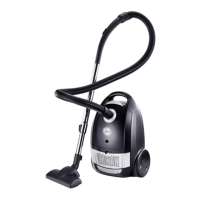
● A yellow mark on power cord shows the ideal cable length. Do not expend the cable
beyond the red mark. To rewind the power cord, press the rewind pedal with one
hand and guide the cord with the other hand.
● Press the power switch to switch the appliance on. Use the electronic power level
adjust button to control the suction power of the vacuum cleaner
● The suction power may be adjusted with the sliding control on the angled pipe as well
Preset Function Controls
GENERAL CLEANING AND
MAINTENANCE
HOW TO EMPTY THE DUST
CONTAINER
IMPORTANT: The dust container filter or dust bag must always be in place when operating
the hand vacuum.
● The dust bag or cup needs to be cleaned or replaced when the dust full indicator
changes from green to red.
● After removing the flexible tube, open front cover by pressing the button and puling
upwards.
● Remove the dust bag or dust cup (According to the machine configuration).
PLEASE NOTE: The dust container filter can only be washed with water and must be
left for 24hrs to dry before next use.


 To Next Page
 Loading...