
 Need help?
Do you have a question about the Hoover HF222XLRG 001 and is the answer not in the manual?
This document describes the Hoover H-FREE 500 cordless stick vacuum cleaner, a versatile appliance designed for domestic cleaning.
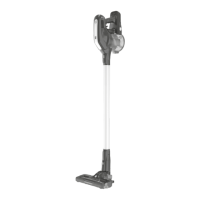
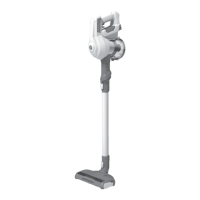
The Hoover H-FREE 500 is a multi-functional cordless stick vacuum cleaner primarily used for dry cleaning. It can be configured in various modes to suit different cleaning tasks, including standard, continuous, carpet, and auto modes. The appliance is powered by a rechargeable lithium-ion battery, offering cordless operation and flexibility. It features a main body with a dust cup, a nozzle, and an extension tube, allowing it to be used as a stick vacuum or a handheld unit. The vacuum is equipped with a motorized brush bar, which can be activated or deactivated depending on the surface being cleaned. It also includes an LED light on the nozzle to illuminate dark areas.
The appliance is supplied with a double-insulated battery charger suitable for insertion into a 230V (UK 240V) socket outlet. The battery pack LED light illuminates Red during charging and turns WHITE when fully charged. For first use, the appliance requires at least 24 hours of charging. Subsequent recharges take approximately 5 hours. The battery capacity is lower than 5% when the WHITE LED light begins to flash. The appliance is designed to operate within a temperature range of 0°C to 37°C.
The dust cup has a maximum fill line, and the appliance features an exhaust filter system. The motor is equipped with a thermal cut-off to prevent overheating.
Assembly and Initial Setup: The Hoover H-FREE 500 requires some assembly before first use. The main body, extension tube, and nozzle click together. The battery pack slides into the main body until it clicks into place. For initial charging, the power switch lever must be in the off position.
Operating Modes:
Battery Usage: The battery status LED indicates the charge level. Red signifies charging, and WHITE indicates a full charge. A flashing WHITE LED indicates low battery (below 5%), prompting the user to recharge. For continuous cleaning, the continuous switch lever must be in the OFF position to allow for battery pack removal and replacement.
Attachments and Accessories: The vacuum comes with a range of accessories to enhance its versatility:
Cleaning the Dust Container: The dust cup can be emptied by pressing the main body release button and removing the tube. The dust cup release button allows for easy removal and emptying. For a more thorough clean, the dust cup can be disassembled further by turning the cyclone separator and removing the mesh filter.
Cleaning the Exhaust Filter: The exhaust filter can be removed by pressing the release button and pulling it out. It should be washed under running water and allowed to dry for 24 hours before reinsertion.
General Maintenance:
Wiper Blade Assembly: To maintain optimal cleaning performance, the wiper blade assembly should be regularly checked and cleaned. The front and rear wiper blades can be removed by opening the agitator release flap and removing the soft strip. The second wiper blade can be removed by sliding it out of its slot.
Safety Protection System: The appliance is equipped with a safety protection system. If the agitator becomes blocked, the motorized nozzle will stop rotating, and the LED lights on the front of the nozzle will flash. To resume cleaning, switch off the product and clear the obstruction.
Battery Maintenance:
Troubleshooting:
Environmental Information: The appliance is marked according to European directive 2011/65/EC on Waste Electrical and Electronic Equipment (WEEE). By ensuring this product is disposed of correctly, you will help prevent potential negative consequences for the environment and human health. The symbol on the product indicates that this product may not be treated as household waste. Instead, it shall be handed over to the applicable collection point for the recycling of electrical and electronic equipment. Disposal must be carried out in accordance with local environmental regulations for waste disposal.
 General
| Brand | Hoover |
|---|---|
| Model | HF222XLRG 001 |
| Category | Vacuum Cleaner |
| Language | English |




 To Next Page