EasyManua.ls Logo

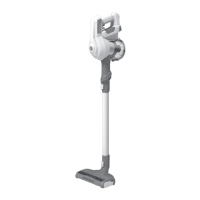
Hoover HF910P 011 - User Manual

Hoover HF910P 011
189 pages
Print Icon
To Next Page IconTo Next Page
Loading...
DOWNLOAD THE
hOn APP
HF9
GB User Manual 2
FR Guide d’utilisation 13
DE Bedienungsanleitung 24
IT Manuale d’uso 35
NL Gebruikershandleiding 46
PT Manual de Instruções 57
ES Manual de usuario 68
DK Brugervejledning 79
NO Brukerhåndbok 90
SE Bruksanvisning 101
FI Käyttöohje 112
GR Οδηγιες Χρησεως 123
RU
Руководство пользователя
134
PL Instrukcjaobsługi 145
CZ Návod k obsluze 156
SI Navodila Za Uporabo 167
TR
Kullanim Kilavuzu 178

Table of Contents

Questions and Answers

  • D
    Denise BrownAug 11, 2025
    What to do if E5 error appears on my Hoover HF910P 011?
    • M
      mendezjulieAug 11, 2025
      If your Hoover Vacuum Cleaner displays an E5 error, it means there's a blockage. You should empty the bin, clean the filters, clean the nozzle and brushbar, and check for any blockages.
  • M
    Makayla MartinezAug 17, 2025
    How to reassemble the pre motor filter in Hoover Vacuum Cleaner?
    • E
      eric74Aug 17, 2025
      To reassemble the pre motor filter in your Hoover Vacuum Cleaner: 1. Press the bin release button to remove the bin. 2. Reassemble the pre motor filter in the correct position. 3. Reassemble the bin.
  • W
    William GarciaAug 26, 2025
    Why E9 error appears on my Hoover HF910P 011?
    • F
      fosterrogerAug 27, 2025
      The E9 error code on your Hoover Vacuum Cleaner indicates a blockage in the mini turbo nozzle.
  • A
    amanda42Sep 1, 2025
    How to assemble the window nozzle in Hoover HF910P 011?
    • W
      wolfthomasSep 1, 2025
      To correctly assemble the window nozzle in your Hoover Vacuum Cleaner: 1. Make sure the window is in place correctly. 2. Press the window down gently to click it in securely.

Summary

Instructions for Safe Use

Charging the Battery

Using Your Cleaner

Stick Mode

Instructions for operating the cleaner in stick mode, including controls.

Stick Mode Controls

Details on using mode and turbo buttons for floor surface selection and power adjustment.

Above Floor; Handheld Mode

Above Floor;Handheld Mode Controls

Using turbo button for power adjustment in Above Floor and Handheld modes.

Cleaner Maintenance

Blockages

Troubleshooting low suction by checking for blockages in various parts.

Error Codes & Troubleshooting

E0: Pre-motor filter missing

Solution for missing pre-motor filter, involves reassembly.

E1: Obstruction in nozzle

Check nozzle for obstructions and follow maintenance requirements.

Hoover HF910P 011 Specifications

General IconGeneral
Product typeStick vacuum
Dust capacity0.7 L
Product colorBlue, Grey
Extension tubeNo
Dust container typeBagless
Removable handheld vacuumYes
Display typeLED
Cleaning typeDry
Number of speeds2
Cleaning surfacesCarpet
Vacuum air filteringEPA
Dirt separating methodCyclonic
Power sourceBattery
Charging time3.5 h
Battery voltage21.6 V
Maximum input power350 W
Fast charging time (80%)3 h
Number of batteries supported1
Package depth273 mm
Package width790 mm
Package weight5880 g
Special nozzle2in1 dusting and furniture nozzle
Vacuum brushes includedMini turbo brush
Number of batteries included1 pc(s)
Runtime (turbo mode)10 min
Weight and Dimensions IconWeight and Dimensions
Depth260 mm
Width213 mm
Height1110 mm
Weight3360 g

Related product manuals