EasyManua.ls Logo

Hoover Ranger 5241 - User Manual

Hoover Ranger 5241
20 pages
Print Icon
To Next Page IconTo Next Page
Loading...
ranger
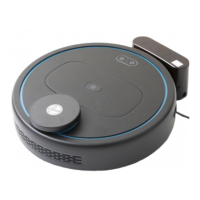
Robot Vacuum Cleaner
Clean Anywhere, Anytime
Smart Autonomous Cleaning
Powerful Cleaning Performance

Questions and Answers

  • R
    Rebecca ClarkAug 4, 2025
    Why is the main brush on my Hoover Ranger 5241 Vacuum Cleaner not working?
    • J
      John FordAug 4, 2025
      If the main brush of your Hoover Vacuum Cleaner is not working, it may be wound or jammed. Ensure that the main brush is free from debris.
  • D
    Dana DavisAug 9, 2025
    Why are the side brushes on my Hoover Ranger 5241 not spinning?
    • L
      lori66Aug 9, 2025
      If the side brushes on your Hoover Vacuum Cleaner are not spinning, it may be because they are wound or jammed. Ensure that the side brushes are free from debris.
  • B
    Barbara RichardsAug 14, 2025
    What to do if the dust bin is full in my Hoover Ranger 5241 Vacuum Cleaner?
    • J
      Jesus MorrisAug 14, 2025
      If the dust bin in your Hoover Vacuum Cleaner is full, you should empty it.
  • T
    Thomas GomezAug 19, 2025
    What to do if my Hoover Vacuum Cleaner robot is stuck?
    • J
      Johnny CordovaSep 12, 2025
      If your Hoover Vacuum Cleaner robot is stuck because it cannot move, relocate the robot.
  • L
    Lindsey McclureAug 25, 2025
    What causes a main wheel issue on a Hoover Ranger 5241 Vacuum Cleaner?
    • M
      Mr. Luis Kim MDAug 25, 2025
      A main wheel issue on your Hoover Vacuum Cleaner can be caused by the main wheel being entangled or jammed. To resolve this, ensure that the main wheel is free from debris.
  • D
    Dustin CummingsAug 29, 2025
    Why is my Hoover Vacuum Cleaner showing a cliff sensor error?
    • F
      Frederick HallAug 29, 2025
      If your Hoover Vacuum Cleaner is showing a cliff sensor error, the cliff sensors may be covered. Check and ensure that the cliff sensors are not obstructed.

Summary

Product Information

Included Accessories

Lists all items that come with the Hoover Ranger robot vacuum cleaner.

Product Specifications

Details technical specifications such as voltage, weight, battery type, and runtime.

Safety and Preparation

Before You Begin Guidelines

Essential initial steps and advice for safe operation of the robot vacuum.

General Safety Precautions

Comprehensive safety warnings and precautions for using the robot vacuum cleaner.

Battery Care and Safety

Guidelines for safe charging, use, and maintenance of the vacuum cleaner's battery.

Damage and Fire Risk Warnings

Specific warnings about potential risks of damage to the product or fire hazards.

Operating Instructions

Charging Base Setup

Instructions on how to set up and place the charging base correctly.

WiFi Connection Procedure

Steps to connect the robot vacuum cleaner to a WiFi network via the app.

Hoover Ranger App Operation

Guide on using the mobile app to control and monitor the robot vacuum.

Key App Features Overview

Explains key functionalities available within the Hoover Ranger App.

Maintenance and Cleaning

Emptying the Dust Bin

Step-by-step guide on how to empty the dust bin of the robot vacuum.

Filter Maintenance

Instructions for cleaning and replacing the vacuum cleaner's filters.

Roller Brush Care

Guide on how to clean and replace the main roller brush.

Side Brush Maintenance

Instructions for cleaning and replacing the side brushes.

Troubleshooting Guide

Common Problems and Solutions

Lists common faults, their causes, and solutions for the robot vacuum.

Spare Parts Availability

List of Spare Parts

Lists available spare parts for the Hoover Ranger robot vacuum and their part numbers.

Warranty Information

Conditions of Warranty

Details the terms, conditions, and duration of the Hoover cleaner's warranty.

Hoover Ranger 5241 Specifications

General IconGeneral
BrandHoover
ModelRanger 5241
CategoryVacuum Cleaner
LanguageEnglish

Related product manuals