4
GETTING TO KNOW ROGUE
™
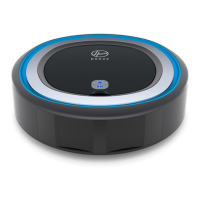
Rogue
™
Control Center
These icons are located on my lid and will light up when active.
This blue Wi-Fi symbol will light up
when you are connected to Wi-Fi
through the Hoover Home App. If it’s
not lit, I’m not connected.
To set up a connection, turn to
page 8.
This battery symbol lets you know my
battery status. If you don’t see it lit
up, I have enough battery life. When
it starts blinking, I’m going to head
back to my base to recharge.
When you see this symbol, it means
my dirt cup is full. Please make sure
to empty it so I can continue cleaning.
The light will disappear once you
empty the dirt cup and press the .
When you see this symbol flashing,
I’m in trouble. It might be as simple
as something stuck in my brush roll
or it could be an internal error.
Turn to page 19 for some common
errors I might encounter and how you
can help me.
Wi-Fi Connectivity Battery Dirt Cup Full Error



 To Next Page