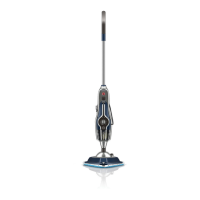
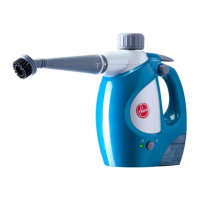
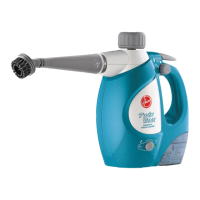
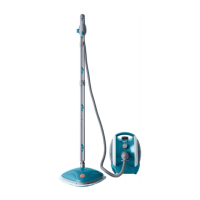
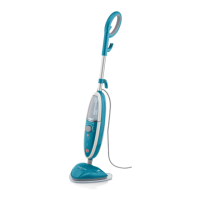
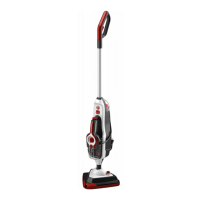
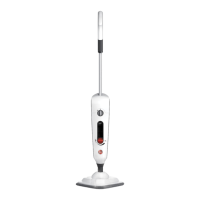
This document describes the Hoover Steam Mop, specifically models WH20400 and WH20420, designed for household use to clean and sanitize various hard floor surfaces and refresh carpets. It emphasizes safe operation, proper assembly, and maintenance to ensure optimal performance and longevity of the device.
Function Description:
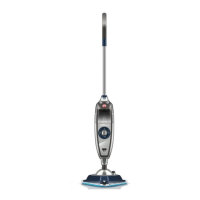
The Hoover Steam Mop is an electrical steam cleaner that uses hot steam to clean and sanitize floors without the need for harsh chemicals. It features a twin tank system, allowing for separate storage and dispensing of water and Hoover 4X Steam Multi-Floor Cleaning Solution. The device is equipped with a multi-surface microfiber pad for effective cleaning on sealed hard floors such as tiles, linoleum, sealed hardwood, engineered hardwood, laminate, vinyl, and sealed stone. For carpet refreshing, a carpet glider attachment is utilized. The Steam Mop also includes a SteamStream™ feature, which provides targeted steam from a front nozzle, and a compact scrub brush (beneath the floorhead) for tackling tough grime on tile and grout. The device is designed to be user-friendly with an on/off switch, a solution trigger for controlled dispensing, and a SteamStream™ button for activating the concentrated steam.
Important Technical Specifications:
- Model Numbers: WH20400 / WH20420
- Input Power: AC 120V / 60Hz / 10A
- Water Tank: Designed for tap water, but distilled water is recommended to increase effectiveness and avoid mineral buildup.
- Solution Tank: Specifically designed for Hoover 4X Steam Multi-Floor Cleaning Solution. Mixing with other cleaning solutions is explicitly warned against.
- Hard Water Filter: Pre-assembled in the steam cleaner, accessible by removing the water tank. Recommended replacement every 6-8 months or when discolored/darkened.
- Microfiber Pads: Machine washable on a WARM setting; lay flat to dry.
- Safety Features: Equipped with a thermostat and a thermal cut-out to prevent overheating. Polarized plug for electric shock reduction.
Usage Features:
- Assembly: The handle inserts into the main body and clicks into place. The floorhead also clicks into the main body.
- Twin Tank Filling: The water tank and solution tank are located on the front of the Steam Mop. To fill, press the release button on top of the tank, twist the caps counter-clockwise to remove, fill to the indicated lines (water tank with water only, solution tank with Hoover 4X Steam Multi-Floor Cleaning Solution and then water to the fill line), and then replace caps, twisting clockwise until secure. Ensure the hard water filter is in place before replacing the twin tank.
- Power On/Off: Slide the switch to ON (I=ON) to power on (red light illuminates) and OFF (O=OFF) to power off. A blue light indicates readiness for use.
- Operation: To recline the steam mop, place a foot on the floorhead and pull the handle backward. Steam is produced by squeezing the trigger; continuous holding should be avoided to prevent over-wetting floors.
- Cleaning Modes:
- Steam Only: Select this setting for general steam cleaning without detergent.
- Tile, Vinyl, Wood: Select this setting for steaming floors with detergent.
- Sanitizing Hard Surfaces: Select "STEAM ONLY" setting. Attach the microfiber pad and run a minimum of 6 strokes at a medium pace (5-7 seconds per 32" stroke) across the same area. Allow to dry.
- Refreshing Carpets: Attach the multi-surface microfiber pad and then hook the steam mop into the front of the carpet glider, pushing to clip it into place. Select the "Steam only" setting. Move the steam mop slowly backward and forward over the carpet. To remove the carpet glider, push down on the clip and lift the steam mop.
- Tile and Grout Scrub Brush / SteamStream™: To engage the scrub brush, place a foot on the outer floorhead and gently pull away the steam mop to release the brush. The scrub brush is recommended for tile and grout cleaning only, as its bristles may damage wood floors. To activate SteamStream™ from the front nozzle, press the SteamStream™ button and squeeze the trigger. Press the button again to turn it OFF.
- Cord Storage: Wrap the cord around the cord release hooks for tidy storage.
Maintenance Features:
- Cool Down: Always allow the steam mop and accessories to cool down completely before handling, performing any maintenance, or troubleshooting.
- Emptying Twin Tank: Press the twin tank release button, lift the twin tank by the handle, twist caps counter-clockwise to remove, empty excess fluid over the sink, replace caps, and twist clockwise to tighten. For short-term storage (less than 2 weeks), solution can remain in the tank; for longer periods, it's recommended to empty it.
- Removing Cleaning Pads: Hold the corner of the pad down with a foot and lift the steam mop to peel it away.
- Cleaning Microfiber Pads: Machine washable on a WARM setting. Lay flat to dry for best results. Do not use bleach or fabric softener.
- Replacing Hard Water Filter: Remove the twin tank to access the filter, then lift to remove the old filter. Insert a new beige/cream colored filter. The filter should be replaced every 6-8 months or when discolored/darkened. Replacement part #440001633 can be ordered from Hoover customer service or website.
- Clearing Blockages: If steam flow is obstructed, steam may release through the bleed valve. To clear, remove the floorhead by pushing the plastic clip and lifting. Use a thin object (like a paper clip) in the indicated area to remove the blockage. Also, remove the cleaning pad and inspect the steam mop base for blockages, using a thin object to clear if necessary.
- Storage: Unplug the power cord, allow the device to cool, empty residual fluid from the twin tank, clean the external surface with a dry cloth, and re-install the twin tank. Store in a dry place, avoiding freezing temperatures.
Safety Instructions:
- Read all instructions before use.
- For household use only; commercial use voids warranty.
- Operate only at specified voltage.
- Unplug when not in use, before cleaning or servicing.
- Do not use outdoors, for space heating, or immerse in water.
- Not a toy; keep children away from the product, especially when hot or in use.
- Do not use extension cords.
- Do not handle plug or Steam Mop with wet hands or without footwear.
- Keep hands and feet away from the Steam Mop during operation due to high temperatures.
- Use only on flat, horizontal surfaces.
- Use only manufacturer's recommended attachments and products.
- Do not use with damaged cord or plug; contact customer service if damaged.
- Do not pull or carry by cord; keep cord away from heated surfaces.
- Do not unplug by pulling on the cord.
- Do not put objects into openings or use with blocked openings.
- Keep hair, loose clothing, fingers, and all body parts away from openings.
- Turn off all controls before unplugging.
- Use extra care on stairs.
- Do not apply steam directly to people or animals.
- Use only water in the water tank; no chemicals, additives, or cleaning solutions.
- Do not use in enclosed spaces with oil-based paint vapors, paint thinners, moth proofing substances, flammable dust, or other toxic vapors.
- Never turn the steam cleaner over or use on its side.
- Allow sufficient time to cool before removing the microfiber pad.
- Unplug before cleaning the Steam Mop; clean with a dry or damp cloth. Do not use alcohol, benzene, or paint thinner.
- Do not use in areas with flammable or combustible liquids.
- Always use with the microfiber pad properly attached.
- Do not clean over floor electrical outlets.
- Do not use on leather, wax polished furniture/floors, synthetic fabrics, velvet, or other delicate, steam-sensitive materials.
- Check flooring manufacturer's warranty and recommendations before use.
- Store indoors in a dry place, away from freezing temperatures.
- Never leave the Steam Mop in one spot on any surface when the pump is on and steam is activated.
- California Proposition 65 Warning: Product contains chemicals known to cause cancer, birth defects, or reproductive harm. Wash hands after handling.


 To Next Page
 General