How to change Turbo Speed
Turbo mode can be set to 3 different speeds.
* When setting Turbo speed, Turbo LED (green) will lash at a rate
corresponding to the set Turbo speed.
* Turbo speed is set to 10 times/second by default.
* Analog Sticks must be returned to the neutral position before changing to
the next turbo speed.
20
times/second
10
times/second
5
times/second
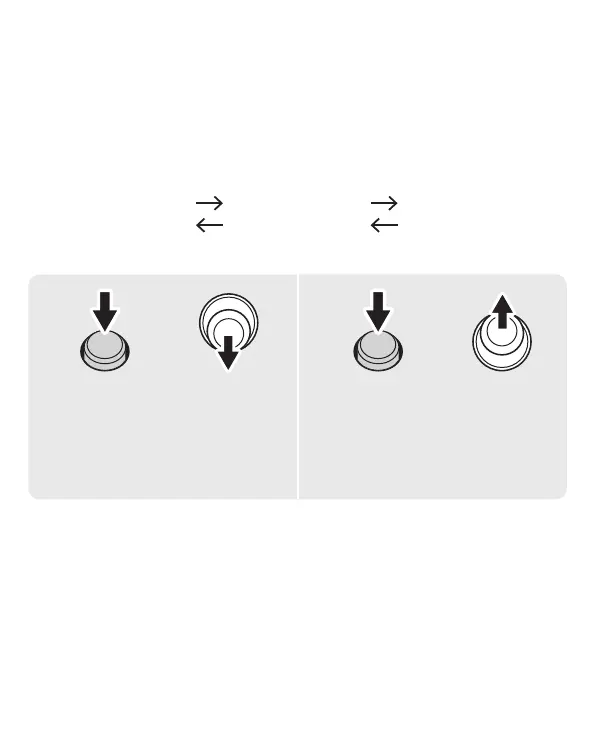
Increase the speed
by one level
Decrease the speed
by one level
+
While pressing
TURBO
Button (L/R)
Stick
+
Stick
* Please use the TURBO Button (L) and the Left Stick when adjusting the
Turbo Speed on (L).Please use the TURBO Button (R) and the Right Stick
when adjusting the Turbo Speed on (R).
While pressing
TURBO
Button (L/R)



 To Next Page