EasyManua.ls Logo

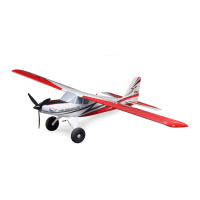
Horizon Hobby E-FLITE Super Timber 1.7m - User Manual

Horizon Hobby E-FLITE Super Timber 1.7m
97 pages
Go to English
Print Icon
To Next Page IconTo Next Page
Loading...
Instruction Manual
Bedienungsanleitung
Manuel d’utilisation
Manuale di Istruzioni
Super Timber 1.7m
261689.2
Updated 3/24
Scan the QR code and select the Manuals and Support quick links from
the product page for the most up-to-date manual information.
Scannen Sie den QR-Code und wählen Sie auf der Produktseite
die Quicklinks Handbücher und Unterstützung, um die aktuellsten
Informationen zu Handbücher.
Scannez le code QR et sélectionnez les liens rapides Manuals and Support
sur la page du produit pour obtenir les informations les plus récentes sur
le manuel.
Scannerizzare il codice QR e selezionare i Link veloci Manuali e Supporto
dalla pagina del prodotto per le informazioni manuali più aggiornate.
EFL02575EFL02550
www.modellmarkt24.ch

Questions and Answers

  • H
    Heather FordAug 3, 2025
    What to do if my Horizon Hobby Toy aircraft will not connect to the transmitter after binding?
    • T
      Thomas RamosAug 3, 2025
      If your Horizon Hobby Toy aircraft won't connect to the transmitter after binding, consider these possibilities: The transmitter might be too close; move it a few feet away and reconnect the flight battery. There might be interference from metal objects or wireless sources; try moving to another location. The bind plug may still be installed; rebind the transmitter and remove the plug. You may have selected the wrong model memory on the transmitter, or the battery charge may be too low; select the correct memory or replace/recharge the batteries. Finally, the transmitter might be bound to a different aircraft with a different DSM protocol; in this case, bind the aircraft to the transmitter.
  • A
    April BeardAug 8, 2025
    What to do if my Horizon Hobby E-FLITE Super Timber 1.7m Toy aircraft will not bind to the transmitter?
    • J
      John DrakeAug 8, 2025
      If your Horizon Hobby Toy aircraft won't bind to the transmitter, consider the following: Ensure the transmitter isn't too close to the aircraft during binding; move it a few feet away and reconnect the flight battery. Also, check for interference from metal objects, wireless sources, or other transmitters; move to a different location and try binding again. Verify that the bind plug is correctly installed in the bind port. Ensure that the flight battery and transmitter battery have sufficient charge; replace or recharge them if necessary. Finally, make sure to hold the bind switch or button long enough during the bind process; power off the transmitter and repeat the process, holding the button until the receiver is bound.
  • G
    gburnettAug 11, 2025
    Why is my Horizon Hobby E-FLITE Super Timber 1.7m Toy aircraft not responding to the throttle?
    • C
      Corey Dixon Jr.Aug 11, 2025
      If your Horizon Hobby Toy aircraft isn't responding to the throttle but responds to other controls, it could be due to several reasons. First, ensure the throttle is at idle and the throttle trim is at the lowest setting. Next, verify that the throttle servo travel is set to 100% or greater. Also, check if the throttle channel is reversed and correct it on the transmitter if needed. Finally, ensure the motor is properly connected to the ESC.
  • S
    Shannon GarciaAug 16, 2025
    Why does my Horizon Hobby E-FLITE Super Timber 1.7m Toy have reduced flight time or is underpowered?
    • S
      susanhernandezAug 16, 2025
      If your Horizon Hobby Toy aircraft has reduced flight time or seems underpowered, check the following: Ensure the flight battery is fully charged. Verify the propeller is installed correctly with the numbers facing forward. Inspect the flight battery for damage and replace it if necessary, following the battery instructions. Be mindful of cold flight conditions and ensure the battery is warm before use. Also, consider if the battery capacity is suitable for the flight conditions; replace it with a larger capacity battery if needed.
  • E
    Emily JohnsonAug 20, 2025
    What to do if control surface does not move on Horizon Hobby E-FLITE Super Timber 1.7m Toy?
    • C
      Cheryl CannonAug 20, 2025
      If a control surface on your Horizon Hobby Toy aircraft isn't moving, check for the following: Look for damage to the control surface, control horn, linkage, or servo, and replace or repair any damaged parts, adjusting the controls as needed. Inspect the wires and connections for damage or looseness, connecting or replacing them as necessary. Ensure the transmitter is correctly bound or that the correct aircraft is selected in the transmitter. Verify that the flight battery is fully charged. Finally, consider the possibility of a damaged BEC (Battery Elimination Circuit) in the ESC, and replace the ESC if necessary.
  • H
    harrisdrewAug 25, 2025
    Why does my Horizon Hobby E-FLITE Super Timber 1.7m have extra propeller noise or vibration?
    • J
      Jeremiah PriceAug 25, 2025
      If your Horizon Hobby Toy aircraft is producing extra propeller noise or vibration, it could be due to: Damaged propeller and spinner, collet, or motor; replace any damaged parts. An unbalanced propeller; balance or replace it. Or a loose prop nut; tighten it.
  • S
    Stephanie DavisAug 29, 2025
    Why are the controls reversed on my Horizon Hobby Toy?
    • H
      Harold RichardsAug 29, 2025
      If the controls on your Horizon Hobby Toy aircraft are reversed, it could be due to reversed transmitter settings. Perform the Control Direction Test and adjust the controls on the transmitter appropriately. It may also be caused by the ESC using the default soft Low Voltage Cutoff (LVC), so recharge the flight battery or replace a battery that is no longer performing. Cold weather conditions or an old, worn-out, or damaged battery can also cause reversed controls, so postpone flight until the weather is warmer and replace the battery.

Summary

Safety Precautions and Warnings

General Safety Guidelines

Important safety guidelines and precautions for operating the aircraft.

Counterfeit Product Warning

Warning about using non-authentic replacement parts.

Aircraft Specifications and Components

Technical Specifications

Aircraft dimensions, weight, and key technical details.

Included and Recommended Equipment

List of package contents and suggested compatible items.

Hardware and Required Tools

List of hardware and tools needed for assembly.

Transmitter Setup and Configuration

BNF Transmitter Setup

Instructions for configuring the transmitter for the aircraft.

Flight Control Settings

Adjusting dual rates, exponential, and telemetry.

Transmitter Model Setup

Specific setup steps for DX, NX, and iX series transmitters.

Model Assembly - Landing Gear

Landing Gear Installation

Step-by-step guide for attaching landing gear.

Aircraft Assembly - Tail and Wings

Horizontal Tail Installation

Attaching the horizontal stabilizer components.

Wing Installation Procedure

Securing the main wing assembly to the aircraft body.

Aerodynamic Enhancements and Propeller Installation

Optional Aerodynamic Features

Installing wing slats or vortex generators for performance.

Propeller and Spinner Mounting

Instructions for mounting the propeller and spinner.

Battery and ESC Arming Procedures

Battery Installation and ESC Arming

Connecting the battery and arming the electronic speed controller.

ESC Error Tone Interpretation

Understanding ESC error tones for troubleshooting.

Transmitter-Receiver Binding and SAFE Select

Binding Tips and Failsafe

General guidance on binding and failsafe settings.

Binding and SAFE Select Process

Steps for binding receiver and configuring SAFE Select.

Control Surfaces and Center of Gravity

Control Surface Centering

Ensuring control surfaces are mechanically centered.

Center of Gravity (CG) Location

Locating and verifying the aircraft's center of gravity.

SAFE Select Switch Assignment and Forward Programming

SAFE Select Switch Designation

Assigning a switch for SAFE Select functionality.

Assigning a Control Switch

Step-by-step guide to assigning a control switch.

Forward Programming for SAFE Select

Using forward programming for configuration.

Smart Telemetry and Flight Control Tuning

Smart Telemetry Configuration

Setting up ESC and battery telemetry on the transmitter.

Dual Rates and Control Throws Adjustment

Adjusting control sensitivity and throw amounts.

Control Surface Direction Check

Elevator, Aileron, Rudder, Flaps Direction

Verifying correct movement of all control surfaces.

AS3 X System Response Testing

AS3 X Control Response Test

Testing the AS3X system's reaction to aircraft movement.

Flight Operations and Maintenance Procedures

In-Flight Trimming

Adjusting trims for optimal flight path during flight.

Flying Tips, Repairs, and LVC

Guidance on flying, repairs, and low voltage cutoff.

Post-Flight Checklist

Essential checks after completing a flight.

Receiver Installation and Optional Features

Receiver Installation (PNP)

Installing the receiver in the aircraft.

Thrust Reversing Setup

Enabling and configuring thrust reversing feature.

Tire and Motor Service Procedures

Tire Maintenance and Repair

Procedures for tire maintenance, inflation, and replacement.

Motor Disassembly and Assembly

Steps for motor service and component reassembly.

Optional Float Installation Guide

Float Installation and Water Rudder Setup

Installing optional floats and connecting the water rudder.

Water Flying Operations and Procedures

Water Deflector Installation

Installing water deflectors on the floats.

Water Flying Guidelines

Precautions and procedures for flying from water.

Water Takeoff and Landing

Procedures for taking off from and landing on water.

Troubleshooting and System Diagnostics

AS3 X System Troubleshooting

Solutions for common AS3X system issues.

General Aircraft Troubleshooting

Troubleshooting common aircraft problems and error codes.

Parts, Recommended, and Optional Items

Replacement Parts List

List of available replacement parts for the aircraft.

Recommended and Optional Items

Suggested compatible equipment and accessories.

Regulatory Compliance and Safety Codes

FAA Regulations and Safety Tests

FAA requirements, safety tests, and registration information.

AMA Model Aircraft Safety Code

Safety code for model aircraft operations.

Warranty Information and Support

Product Limited Warranty

Comprehensive information on product warranty coverage and limitations.

Warranty Service and Contact

Procedures for obtaining warranty service and contacting support.

Compliance and Regulatory Declarations

FCC, IC, and EU Compliance

Regulatory compliance information for various regions.

Horizon Hobby E-FLITE Super Timber 1.7m Specifications

General IconGeneral
Recommended Experience LevelIntermediate
Assembly RequiredYes
FlapsYes
Retractable Landing GearNo
LED Navigation LightsYes
Wingspan1700 mm
MotorBrushless Outrunner
Radio6+ Channel
Servos6
Receiver6+ Channel (Required)

Related product manuals