EasyManua.ls Logo

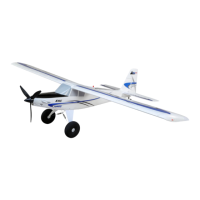
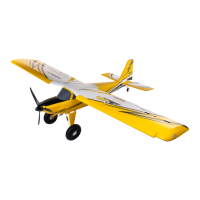
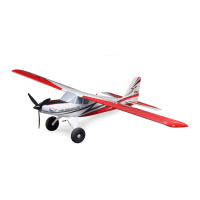
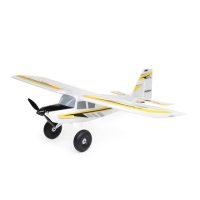
Horizon Hobby E-FLITE UMX Timber X - User Manual

Horizon Hobby E-FLITE UMX Timber X
19 pages
Print Icon
To Next Page IconTo Next Page
Loading...
Instruction Manual
Bedienungsanleitung
Manuel d’utilisation
Manuale di Istruzioni
EFLU7950
Scan the QR code and select the Manuals and Support quick links from
the product page for the most up-to-date manual information.
Scannen Sie den QR-Code und wählen Sie auf der Produktseite
die Quicklinks Handbücher und Unterstützung, um die aktuellsten
Informationen zu Handbücher.
Scannez le code QR et sélectionnez les liens rapides Manuals and Support
sur la page du produit pour obtenir les informations les plus récentes
sur le manuel.
Scannerizzare il codice QR e selezionare i Link veloci Manuali e Supporto
dalla pagina del prodotto per le informazioni manuali più aggiornate.
UMX
Timber
®
X

Questions and Answers

  • J
    Jerome CurtisJul 27, 2025
    Why Horizon Hobby E-FLITE UMX Timber X has reduced flight time?
    • P
      pamela96Jul 28, 2025
      Reduced flight time or an underpowered aircraft can occur due to several reasons. First, ensure the flight battery is fully charged. If the battery is damaged, replace it, following all battery instructions. Also, check if the propeller is installed correctly, with the numbers facing forward. Cold flight conditions or a battery with too low capacity for the conditions can also cause this issue. Make sure the battery is warm before use or replace it with a larger capacity battery.
  • A
    Ann ThomasAug 1, 2025
    What to do if Horizon Hobby E-FLITE UMX Timber X aircraft will not respond to throttle?
    • W
      William RamirezAug 1, 2025
      If your aircraft responds to other controls but not to the throttle, there are a few things you can check. Ensure that the throttle stick and trim are at their lowest settings by resetting the controls. Verify that the throttle channel is not reversed by checking the transmitter settings. Finally, open the fuselage to confirm that the motor is properly connected to the receiver.
  • B
    Bradley LucasAug 5, 2025
    What to do if Horizon Hobby E-FLITE UMX Timber X Toy has extra propeller noise?
    • D
      David BaldwinAug 5, 2025
      Excessive propeller noise or vibration could be due to a damaged propeller, spinner, or motor, so replace any damaged parts. Check if the prop screw is loose and tighten it. The propeller might be unbalanced; in this case, remove and balance it, or replace it with a balanced propeller.
  • S
    Sarah HarrisAug 9, 2025
    What to do if Horizon Hobby E-FLITE UMX Timber X controls oscillate in flight?
    • A
      Anthony HolmesAug 9, 2025
      If the controls oscillate in flight, causing the model to jump or move rapidly, examine these potential causes: an unbalanced propeller can cause excessive vibration, so remove and rebalance it, or replace it if damaged. Also, check if the prop screw is too loose, causing vibration, and tighten it.
  • C
    chloe38Aug 14, 2025
    Why Horizon Hobby E-FLITE UMX Timber X Toy model flies inconsistently?
    • L
      lisajonesAug 14, 2025
      Inconsistent flight performance can occur if the aircraft was not kept immobile for 5 seconds after the battery was plugged in; always keep the aircraft immobile for 5 seconds after plugging in the battery. Also, trims moved too far from the neutral position can cause this issue. Neutralize the trims and mechanically adjust the linkages to center control surfaces.
  • C
    Craig JohnsonAug 17, 2025
    How to fix Horizon Hobby E-FLITE UMX Timber X control surfaces not at neutral?
    • B
      Breanna AlvarezAug 18, 2025
      If the control surfaces are not at the neutral position when the transmitter controls are at neutral, it could be due to a couple of reasons. The control surfaces may not have been mechanically centered at the factory, in which case you should center them by adjusting the U-bends on the control linkages. Another cause could be that the aircraft was moved after the flight battery was connected but before the sensors initialized. To fix this, disconnect and reconnect the flight battery while keeping the aircraft still for 5 seconds.
  • N
    Nancy ClarkAug 22, 2025
    What to do if LED on Horizon Hobby E-FLITE UMX Timber X receiver flashes?
    • T
      Tyler NicholsAug 22, 2025
      If the LED on the receiver flashes and the aircraft won't bind to the transmitter during binding, consider these solutions: First, the transmitter may be too close to the aircraft; power off the transmitter, move it further away, disconnect and reconnect the flight battery to the aircraft, and follow the binding instructions. Second, the bind switch or button may not have been held long enough; power off the transmitter and repeat the bind process, holding the bind button or switch until the receiver is bound. Finally, large metal objects, wireless sources, or other transmitters nearby may interfere; move the aircraft and transmitter to another location and try binding again.

Summary

AGE RECOMMENDATION

Safety Precautions and Warnings

General Safety Practices

Keep safe distance, fly in open spaces, keep chemicals away from children, avoid water.

Operational Safety Rules

Rules for safe operation: battery, visibility, parts handling, and failsafe.

Counterfeit Product Warning

Ensure authentic Spektrum product to avoid compatibility issues.

Included; Recommended Equipment

Core Components

Motor, Servo, Receiver/ESC specifications.

Essential Accessories

Recommended Battery, Charger, and Transmitter.

General Binding Tips and Failsafe BNF

Low Voltage Cutoff (LVC)

Transmitter and Receiver Binding

Binding Procedure

Step-by-step guide for binding the transmitter to the receiver.

Transmitter Setup

Program Your Transmitter

Steps to set up a new ACRO model for the transmitter.

Computerized Transmitter Setup

Recommended settings for DX, NX, and iX series transmitters.

Dual Rates and Expos

SAFE Select Technology

Disabling and Enabling SAFE Select

Process to disable or enable SAFE Select functionality.

Advanced Setup

ESC;Receiver Arming, Battery Installation and Center of Gravity

AS3 X System Operation

How the AS3X system activates and operates.

Battery Installation

Steps for installing the flight battery and connecting it to the ESC.

Center of Gravity (CG)

Location of the Center of Gravity for the aircraft.

Control Surface Direction

AS3 X Control Response Test BNF

Control Centering

Control Horn Settings

Flying Tips and Repairs

Takeoff Procedure

Instructions for performing a successful takeoff.

Landing Procedure

Instructions for performing a safe landing.

Post Flight Checklist

Essential steps to perform after flying the aircraft.

Power Components Service

Propeller and Motor Disassembly

Steps for disassembling the propeller and motor.

Propeller and Motor Assembly

Instructions for reassembling the propeller and motor.

Float Installation (Optional)

Landing Gear Removal for Floats

Steps to remove the landing gear for float installation.

Float Installation Steps

Instructions for installing the optional floats.

AS3 X System Trouble Shooting Guide

Troubleshooting Guide

Troubleshooting Guide Continued

Replacement Parts List

Recommended Parts List

Optional Parts and Accessories

Important FAA Information

AMA National Model Aircraft Safety Code

Limited Warranty Information

Limitation of Liability

Warranty Services and Support

Getting Assistance and Service

How to get warranty support and assistance from Horizon Hobby.

Product Inspection and Service Process

Process for submitting the product for inspection or service.

Contact Information for Support

FCC Compliance Information

IC Compliance Information

European Union Compliance

Horizon Hobby E-FLITE UMX Timber X Specifications

General IconGeneral
Control SurfacesAilerons, Elevator, Rudder, Flaps
Recommended Experience LevelIntermediate
Motor Size180BL
Recommended Battery2S 7.4V LiPo
Landing GearFixed

Related product manuals