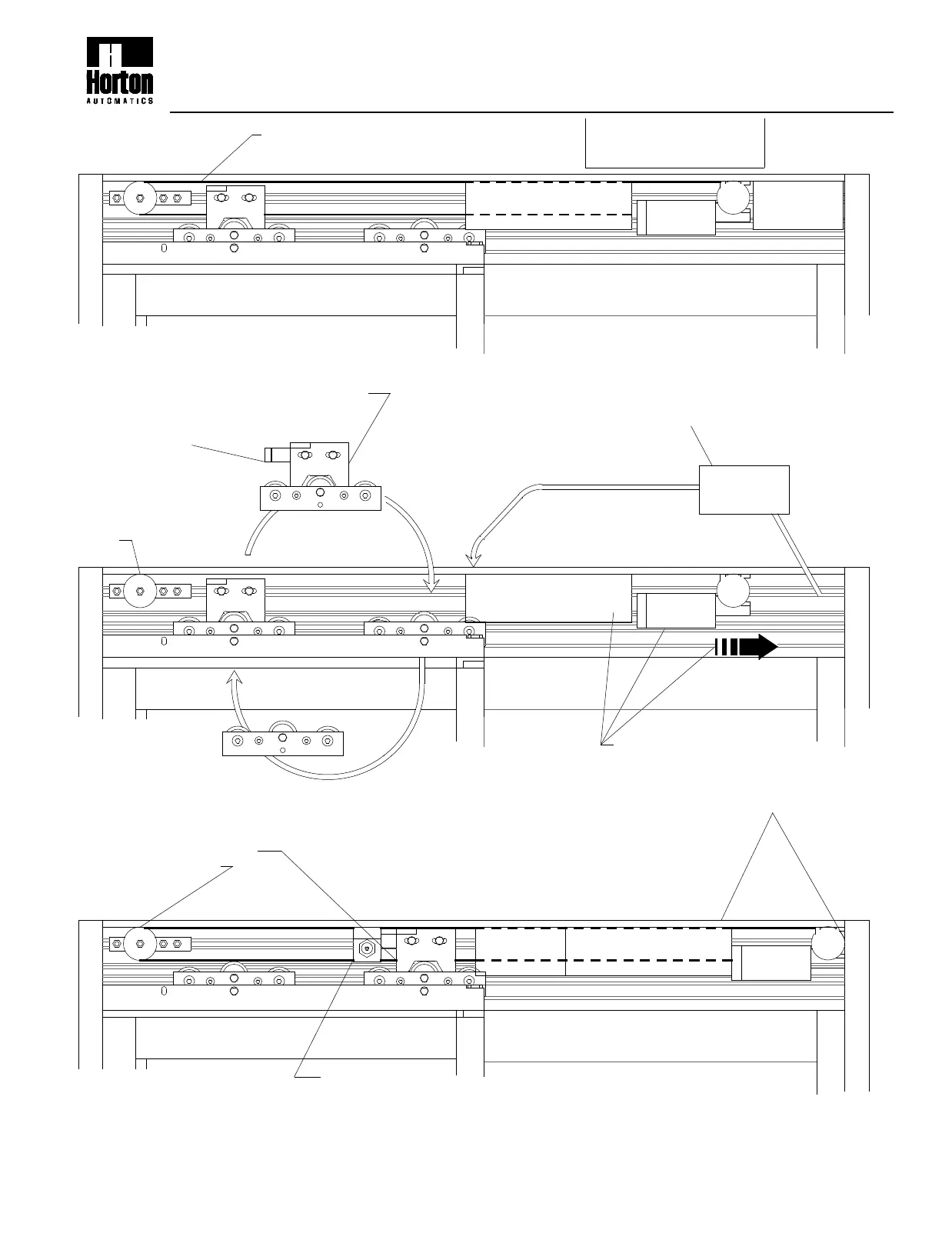
MOTOR
Mount the autolock and relocate the
closed monitor switch
(see steps 7,8 & 9 page 1)
"SX" PANEL
6th Step
•Install a new continuous belt
•Make splice connection at the drive assembly
NOTE:Connect to lower belt
•Tension the new belt
5th Step
"SX" PANEL
POWER
SUPPLY
See page 4 for
autolock setup
"O" PANEL
CONTROL
2.207d
MOTOR
•Move the power supply, control and motor
to the right end of the header as shown.
NOTE: Motor and gear drive should be
against the end cap for proper position.
4th Step
"O" PANEL
Disconnect and remove the belt.
A new belt will be installed later
BELT DRIVE SUPPLEMENTAL INSTRUCTIONS
Autolock Installation for 2001 & SX-O units
•Dismount the wheel carriages and move the
drive assembly to the back and the idler to the
front.
•Mount the keeper to the drive assembly.
(see steps 3 thru 6 page 1 )
NOTE:
Leave idler at the far end of
the header - run the belt full
length.
2nd Step
1-800-531-3111
"SX" PANEL
1st Step
•Dismount the power supply and re-position
left of the control.
NOTE:
Incoming 120VAC may need additional length added.
5 conductor lace may need additional length.
POWER
SUPPLY
CONTROL
3rd Step
CAUTION:
Disconnect power before
starting this procedure.
"O" PANEL
CONTROL
POWER
SUPPLY
10/99
S200.2


 To Next Page