EasyManua.ls Logo

Hotpoint AH11E07D - User Manual

Hotpoint AH11E07D
48 pages
Print Icon
To Next Page IconTo Next Page
Loading...
49-5000041 Rev. 3 02-19 GEA
Write the model and serial numbers here:
Model # _______________________
Serial # _______________________
Find these numbers on a label on the
front of the base pan behind the front
grille.
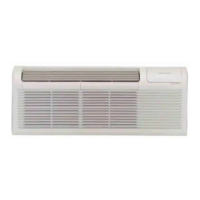
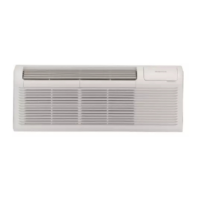
AIR CONDITIONER
Packaged Terminal
AH11E07D
AH11H07D
AH11E09D
AH11H09D
AH11E12D
AH11H12D
AH11E15D
AH11H15D
FRANÇAIS
Pour un version français de
ce manuel d’utilisation, veuillez
visiter notre site web à l’adresse
www.hotpoint.com.
ESPAÑOL
Para consultar una version
en español de este manual
de instrucciones, visite nuestro
sitio de internet
www.hotpoint.com.
OWNER’S MANUAL
AND INSTALLATION
INSTRUCTIONS
SAFETY INFORMATION .........3
USING THE AIR CONDITIONER
Controls ..............................4
Features ..............................5
Dip Switch Configuration ...............6
Wall Thermostat Installation ............7
CARE AND CLEANING ...........9
INSTALLATION .................... 10
TROUBLESHOOTING TIPS ......12
Normal Operating Characteristics .......13
LIMITED WARRANTY ...........15
CONSUMER SUPPORT ..........16

Questions and Answers

  • L
    Lauren HernandezAug 2, 2025
    Why is my Hotpoint AH11E07D not cooling or heating the room?
    • J
      James RubioAug 2, 2025
      Several factors might be at play if your Hotpoint Air Conditioner isn't effectively cooling or heating the room. Ensure that curtains, blinds, or furniture aren't blocking the unit's airflow. Try adjusting the temperature settings to a lower or higher level. Clean the filters, as dirty filters can impede performance. Also, remember that the unit needs sufficient time to heat or cool the room, so start it early. Make sure the vent door is closed and inspect the dipswitch and wall thermostat settings. Finally, allow about 10 minutes for the compressor to initiate.
  • D
    Deborah EatonAug 7, 2025
    How to fix a Hotpoint Air Conditioner that doesn't start?
    • L
      Larry AllenAug 7, 2025
      If your Hotpoint Air Conditioner isn't starting, first, ensure it's securely plugged into the wall receptacle and that the plug hasn't tripped. Replace the fuse if necessary. Also, check and reset the circuit breaker. Finally, make sure the unit is turned on using the bottom right button on the keypad.
  • J
    Jennifer TurnerAug 12, 2025
    What to do if ice or frost forms on the indoor coil of my Hotpoint AH11E07D?
    • K
      Krystal PooleAug 12, 2025
      If ice or frost forms on the indoor coil of your Hotpoint Air Conditioner, it could be due to low outdoor temperatures or dirty filters. Switch the unit to FAN operation until the ice or frost melts. Also, remove and clean the filters.
  • N
    Nancy LopezAug 17, 2025
    Why does my Hotpoint AH11E07D Air Conditioner have compressor protection?
    • J
      justinkerrAug 17, 2025
      The compressor in your Hotpoint Air Conditioner might be in a restart protection mode due to a recent power cycle. After a power outage, the compressor will restart after approximately 3 minutes. To prevent short cycling, there's a random startup delay and a minimum compressor run time of 3 minutes.
  • S
    Shannon FryeAug 22, 2025
    What to do if my Hotpoint AH11E07D display shows strange numbers or characters?
    • C
      Cynthia BarnesAug 22, 2025
      The strange numbers or characters on your Hotpoint Air Conditioner display could indicate that the unit is in a protection mode or that it's set to OC instead of OF.
  • K
    Kathleen French MDAug 27, 2025
    What causes water to drip inside from my Hotpoint AH11E07D Air Conditioner?
    • N
      Nicole JohnsonAug 27, 2025
      If water is dripping inside from your Hotpoint Air Conditioner, it could be because the wall sleeve isn't installed level. Verify the installation is level and adjust as needed.

Summary

Safety Information

Important Safety Information

General safety rules to minimize risks of fire, shock, injury, or death.

Safety Precautions

Specific safety measures for operation, installation, and handling.

Electrical Connection Safety

Guidelines for proper grounding and electrical connections to prevent shock.

Installation

Installation Preparation

Steps and precautions before installing the air conditioner unit.

Unit Installation Procedures

Step-by-step guide for physically installing the air conditioner into its sleeve.

Troubleshooting Tips

Common Unit Issues and Solutions

Guide to diagnose and solve common unit problems before calling service.

Hotpoint AH11E07D Specifications

General IconGeneral
TimerYes
Power Supply220-240 V, 50 Hz
TypeSplit System
Timer duration (maximum)24 hours
Air flow (high speed)12.5 m³/min
Air Flow (High)12.5 m³/min
Noise Level (Indoor)38 dB
Operating Temperature (Cooling)18°C - 43°C
Weight (Indoor Unit)9.5 kg

Related product manuals